
todo

| Package ID: | |
|---|---|
| Latest Version: | v1.0.3 |
| Latest update: | May 21, 2026 11:24:04 |
| Developer: | Houssem Dev |
| Requirements: | Android |
| Category: | Tools |
| Size: | 31.22 MB |
| Tags: | System Shopping Navigation |
Rating :4.0
todo is Houdev Todo, a compact and private to-do list designed for people who want a focused, distraction-free way to capture and complete tasks. In this editor's overview you will find how todo approaches task capture, the interface choices that keep it lightweight, and what to expect if you prefer a straightforward, local-first task manager over feature-heavy suites. The description below walks through mechanics, controls, progression, customization, accessibility, and realistic limits so you can decide whether this minimal app fits your daily workflow.
Key Features
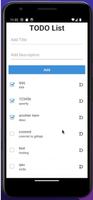
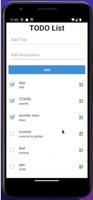
At its core the app provides simple list-based task management: create a task, edit its text inline, mark it complete, and remove or archive finished items. Multiple lists let you separate contexts such as work, home, shopping, and projects without complexity. Items support basic reordering by drag-and-drop or a compact control, and a short history of completed items lets you review recent progress without cluttering active lists. There are no built-in collaboration tools or cloud-only dependencies—features are intentionally kept essential.
How It Works
Interaction follows a familiar mobile pattern to minimize the learning curve: a single tap creates or selects an item and a quick edit mode changes the text. Checking an item moves it to the completed area where it remains visible for a short history or until you clear it. Lists can be pinned for instant access and the main view surfaces the most common actions so you don’t need to navigate deep menus. The workflow encourages rapid capture so ideas become actionable items in seconds.
Controls and Navigation
The control model is intentionally flat and predictable. Primary actions — creating a task, checking it off, editing, and deleting — are all available from the main list view. Touch gestures such as long press open lightweight edit options while drag handles enable reordering priorities. A small menu provides access to secondary options like pinning or sweeping completed items, keeping the interaction model minimal and focused on what most users need day to day.
Progress, Organization, and Replay Value
Progress is expressed through the clarity and count of completed items rather than through gamified meters. The app supports daily routines by making it fast to build and clear a short list each day: capture a few tasks in the morning, check them off as you go, and review the compact history. Because the interface is small and responsive, repeated use becomes habitual; the simplicity itself creates replay value for users who prefer steady habits over points or badges.
Visual Style and Customization
The visual approach is minimal and utilitarian: high-contrast text, uncluttered rows, and restrained accent colors to reduce distraction. Custom options are deliberately limited to preserve focus—adjustable font sizes, spacing, and simple ordering controls improve readability and accessibility without introducing heavy theming. Interactive elements are given clear affordances so taps and drags feel immediate and predictable, producing a calm environment that supports concentration rather than visual noise.
Accessibility and User Experience
Accessibility is considered through predictable layouts, consistent touch targets, and simple language in labels. Short, unobtrusive animations reduce cognitive load and maintain context when items are moved or completed. Centralizing common actions on the main view helps users who rely on screen readers or keyboard navigation accomplish tasks quickly. The experience emphasizes discoverability of core functions rather than burying them behind settings.
Privacy and Offline Use
Privacy is a central principle: tasks are stored locally on your device unless you explicitly opt into any external option. The app minimizes background data sharing and does not require a network connection for fundamental operations, so you can manage lists offline and keep sensitive notes private. This low-data philosophy keeps the footprint small and predictable for users who prefer to avoid cloud syncing by default.
Practical Tips and Common Use Cases
People typically use this app for short-term captures, daily checklists, or lightweight project tracking where collaboration or advanced scheduling are unnecessary. Good routines include creating a focused list for the day, checking items off as they are completed, and sweeping or archiving completed items periodically. You can also create simple personal challenges—for example a morning three-item list—to encourage concentration without relying on built-in gamification.
Limitations to Consider
The emphasis on simplicity means some advanced features are intentionally omitted: there are no integrated calendars, elaborate reminder systems, or real-time collaboration tools. Users who need automated scheduling, heavy customization, or cloud-based teamwork may find the app limiting. For individuals seeking a private, efficient task manager that stays out of the way, todo provides a dependable minimal option that helps maintain daily focus without unnecessary complexity.






