
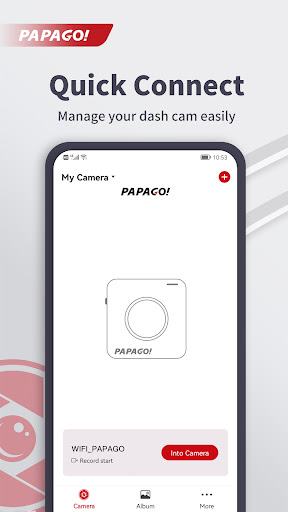
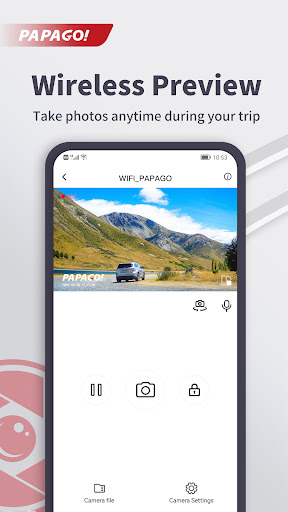
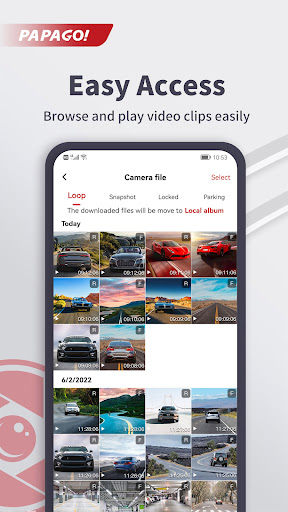
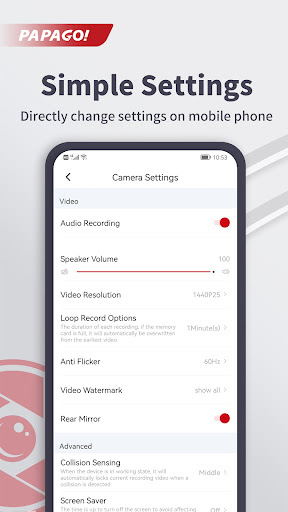
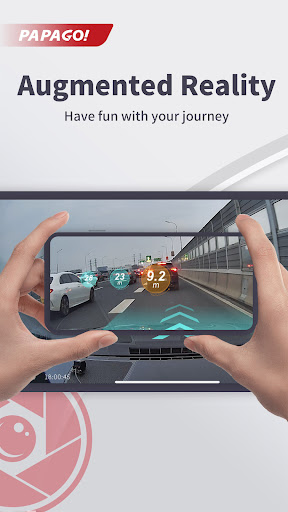

PAPAGO Focus is a companion mobile app built to work with PAPAGO dash cams and appears here as a practical tool for drivers who want direct access to their recorded footage from a smartphone. With PAPAGO Focus you can preview a live camera feed, browse recorded clips and adjust camera behavior over a local WiFi link instead of removing memory cards or booting a PC. The app places basic camera control and quick playback in your pocket so you can review events on the spot and make configuration changes without digging into menus on the dash cam itself.
Key Features
PAPAGO Focus delivers a straightforward set of functions designed for everyday use: a real-time preview stream that shows what the dash cam sees, an integrated playback interface for browsing recorded videos, and a settings panel that lets you change core recording preferences from the phone. The app presents thumbnails and timestamps for faster navigation, supports protection of important event clips to prevent automatic overwrite, and provides a compact file view for checking storage status on the camera. These capabilities focus on convenience and speed when you need to inspect footage after an incident or during routine checks.
Controls and Operation
The app emphasizes simple touch controls: tap to play or pause, swipe to move between clips, and scrub the timeline to jump to specific moments in a recording. On-screen toggles give quick access to common recording options such as loop length and sensitivity settings, and the settings menu groups camera preferences into logical categories to reduce configuration time. Connection setup follows a guided routine that walks you through linking the camera to your phone’s WiFi so regular use becomes a few quick steps rather than a technical chore.
Organization and Progression
Recorded footage is organized into chronological folders and event-driven segments so you can follow a clear progression from live preview to reviewing saved clips. PAPAGO Focus helps you prioritize and manage space by identifying incident clips and allowing you to mark or protect files that should not be overwritten. The app’s retention and storage information makes it easy to see how long files are likely to be kept under current settings, which lets you plan manual archiving or routine checks when storage is near capacity.
Visual Style and Interface Structure
The visual approach favors clarity: large thumbnails, readable timestamps and a camera-first dashboard that puts the live preview front and center. Navigation is divided into a small set of screens — live view, playback list, single-clip playback and settings — which keeps the learning curve low. Controls use clear labels and icons so users can operate the app quickly while parked, and the layout adapts to portrait or landscape playback to take advantage of the phone’s screen when reviewing long clips.
Customization and Personalization
Through the app you can tune the camera’s recording behavior to your needs, adjusting aspects such as file loop duration, sensitivity for event detection and on-device notification preferences where supported. Time and date stamp formatting and basic display options allow you to match the unit to regional preferences. These customization options mean you can balance longer continuous recording for long trips against more conservative settings that preserve storage for critical events.
Replay Value and Practical Use
PAPAGO Focus adds replay value by making it fast to locate meaningful footage, protect important files, and rewatch incidents at different speeds using the timeline scrub. For everyday drivers the utility comes from quick incident documentation and the ability to confirm camera alignment and framing without removing the unit from the windshield. Professional users and fleet operators will appreciate the time saved when reviewing multiple clips during routine inspections.
Accessibility and Offline Use
The app is designed with readable UI elements and straightforward flows to help a wide range of users. Language and sizing options reduce friction for non-technical users. While most operations require a WiFi connection to the dash cam, PAPAGO Focus retains access to recently viewed or cached previews so you can review selected material briefly even if the live link drops. Basic on-device file information remains visible so you can plan follow-up actions when a connection is available.
Limitations and Compatibility
PAPAGO Focus requires a compatible PAPAGO dash cam and a stable local WiFi link between the camera and your phone; range and performance depend on those factors. Certain advanced camera features depend on hardware support in the dash cam and may not be available on every model. The app requests only the permissions needed to access local WiFi and stored media for playback and management; consult device documentation if you encounter connection issues or need model-specific instructions.