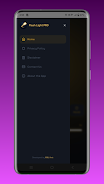

Flashlight - Torch & Modes

| Package ID: | |
|---|---|
| Latest Version: | v1.3 |
| Latest update: | May 29, 2026 15:57:03 |
| Developer: | MNL Axis |
| Requirements: | Android |
| Category: | Tools |
| Size: | 18.59 MB |
| Tags: | Photograph Travel Photo |
Rating :4.2
Flashlight - Torch & Modes turns your Android phone into a dependable LED torch and a small toolkit of useful lighting effects. Flashlight - Torch & Modes starts instantly and gives a steady beam for close work or walking at night, while also offering flashing and pattern modes you can call up with a single tap. The interface is intentionally simple so you can reach the illumination you need fast, and the app focuses on efficient use of the device flash to preserve battery life during extended use.
Key features and what they do
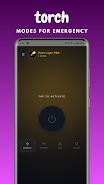
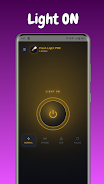
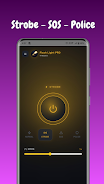
The app provides a classic steady torch mode for consistent illumination, a strobe mode that can be used for short visual signaling or attention-grabbing effects, and an SOS mode that emits the universal Morse code distress signal automatically when you need it. A police-style red and blue flashing effect gives a strong visual pattern that can be used for visibility or light decoration. Each mode is designed to be intuitive: you launch the app, choose the mode, and use the single on/off control to start lighting. Flashlight - Torch & Modes keeps behavior predictable so you can rely on it in both everyday and unexpected situations.
Controls and user experience
The control scheme emphasizes one-tap convenience without complex menus. The main screen exposes the primary functions immediately and reduces accidental taps so the LED state stays stable when you need it. Strobe timing and pattern behavior are presented with clear labels and simple adjustments so you can select faster or slower flashing without guessing. Where a screen-based color effect is used, the display modes complement the LED flash to provide visible signals even when a device flash is not available. The app also keeps background activity to a minimum to avoid unnecessary battery drain while the light is active.
Customization and visual style
Visual options let you choose between the hardware flash and screen-based color effects when appropriate, and the police mode uses distinguishable red and blue sequences to remain visible at a distance. Mode selection and on-screen icons follow a clean, high-contrast layout to make choices readable in low-light conditions; this also helps accessibility tools interpret controls more reliably. Simple customization keeps operation fast while allowing users to tailor blinking speed and pattern intensity to match specific needs such as signaling, photography props, or event lighting.
Accessibility, offline function, and safety
The app functions entirely offline and does not require an internet connection to operate, which makes it suitable for travel and emergency situations. Care is taken to present large touch targets and straightforward labels to support users who rely on screen readers or need larger controls in the dark. The description also notes a safety reminder: flashing and strobe effects can trigger discomfort or seizures in photosensitive individuals, so the app includes clear warnings and recommends using steady light when safety or comfort is a concern.
Typical uses, reliability, and replay value
Flashlight - Torch & Modes serves multiple day-to-day scenarios: emergency lighting during power outages, extra visibility for night walks, a signaling tool for roadside stops, and a simple party or decorative light. Because modes are immediate and repeatable, the app provides genuine replay value through reliable behavior rather than added gamification. Users return to the app because it is fast, predictable, and built to do a focused set of tasks well without unnecessary complexity.
Compatibility and limitations
The app requires a device with an LED flash to use the hardware torch feature; when no flash is available, screen-based lighting remains a useful fallback for visibility. Performance varies with device hardware and Android version, but the app is optimized to reduce power use while maintaining a bright, steady light. Users should be aware of the potential discomfort from flashing modes and select steady illumination in situations where photosensitivity or safety is a concern.






