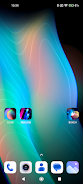
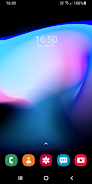
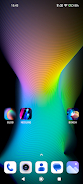
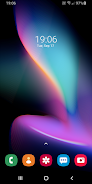
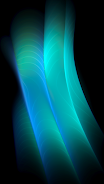
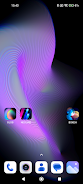
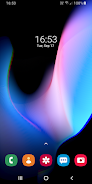
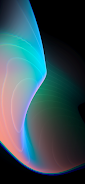

Blob is a live wallpaper and creative tool that generates animated shapes and color patterns designed for OLED displays. With Blob you can deform smooth 3D blobs, tweak colors, and compose relaxing, ever-changing backgrounds that look great on high-refresh screens. The app runs as both a wallpaper and a standalone application, offering options for 120Hz, 90Hz and 60Hz displays and a refreshed rendering engine for smoother motion. Users on Android 13 and up can save any generated image and set it as a static wallpaper, making it easy to create unique stills or animated home screens.
Key Features
⭐ Live wallpaper and standalone application (Blob 2.0+) for animated backgrounds.
⭐ Deform 3D shapes and adjust colors to create soothing, organic patterns.
⭐ Optimized support for 120Hz, 90Hz and 60Hz displays for fluid motion.
⭐ New rendering engine, updated options and a refreshed visual look.
⭐ Settings include a Save Image option so you can export frames.
⭐ Works as both a live, animated wallpaper and a source for static images.
Advantages
✅ Create unique OLED-optimized backgrounds with fluid shapes and vivid colors.
✅ Flexibility to use Blob as either a live wallpaper or a standalone app.
✅ High-refresh support delivers smoother animations on compatible devices.
✅ Save generated frames to use as static wallpapers or share with others.
Disadvantages
❎ The Save Image feature requires Android 13 or higher.
❎ Visual results are optimized for OLED screens and may appear different on LCD panels.
❎ The full visual smoothness is best experienced on high-refresh displays, so older devices may not match the effect.
Version Information
Blob 2.0+ brings a new engine, additional options and an updated look, along with explicit support for 120Hz, 90Hz and 60Hz displays.
To save an image: open settings, choose the Save Image option to export a frame, then open your gallery and set the saved file as a static wallpaper.