
Apps
Productivity
Nitro Pdf Editor
Nitro Pdf Editor

| Package ID: | |
|---|---|
| Latest Version: | v1.0 |
| Latest update: | May 26, 2026 15:12:02 |
| Developer: | Arfa Soft tech |
| Requirements: | Android |
| Category: | Productivity |
| Size: | 40.00 MB |
| Tags: | Common System Photo |
Rating :4.2
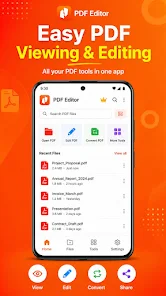
Nitro Pdf Editor is an Android toolbox for everyday PDF tasks, letting you open, edit and export PDFs directly on your phone or tablet. The app uses the system file picker so you can work locally with files stored on your device and save results wherever you choose. Download it if you need a lightweight utility to merge documents, split large PDFs, crop pages, delete unwanted pages or convert photos into a single multi‑page PDF without relying on cloud uploads. Nitro Pdf Editor is aimed at users who want quick, private PDF edits and straightforward file management.
Key Features
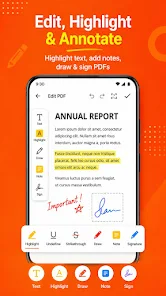
⭐ PDF editor — With Nitro Pdf Editor open a PDF, preview the first page, rotate the preview and save a full copy of the document.
⭐ Image to PDF — Select photos and create an A4‑style multi‑page PDF with images scaled and centered for clean output.
⭐ Delete pages — Load a PDF, choose which pages to keep and export a shorter, trimmed document.
⭐ Merge & Split — Combine several PDFs in order into one file or split a document into separate parts and save each section.
⭐ Crop and export — Trim margins using per‑edge percentage sliders and export a new PDF optimized for reading.
Advantages
✅ Local processing via the system picker (Storage Access Framework) keeps files on your device and avoids mandatory cloud transfers.
✅ Simple, focused tools cover common tasks—merge, split, crop, remove pages and convert images without unnecessary complexity.
✅ Nitro Pdf Editor runs on Android 7.0 (API 24) and up and lets you save results wherever you choose; keeping backups of originals is recommended.
✅ Exported output is recreated from rendered visuals, which produces reliable results for sharing and reading across devices.
Disadvantages
❎ Exported pages are recreated from rendered visuals, so editable text layers and original text objects are not preserved.
❎ Very large documents can require more memory during processing and may be slower to export.
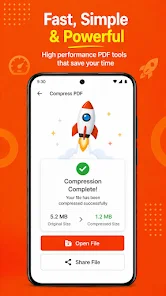
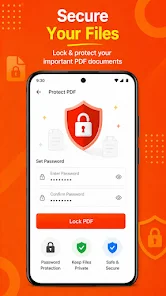
❎ Home screen tiles such as compress, protect and watermark highlight planned workflows; behavior may vary until those flows are implemented end‑to‑end.