


Apps
Productivity
VyMerge
VyMerge

| Package ID: | |
|---|---|
| Latest Version: | v1.0.0 |
| Latest update: | May 25, 2026 10:11:03 |
| Developer: | Vynta Lab Studio |
| Requirements: | Android |
| Category: | Productivity |
| Size: | 61.92 MB |
| Tags: | Photo Camera Date |
Rating :4.1
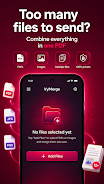
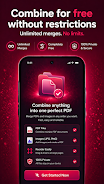
VyMerge is a lightweight, privacy-first PDF merger that runs entirely on your phone and combines PDFs and images into a single document without uploading anything to the cloud. VyMerge is designed for people who need a no-friction tool to join scans, reports, notes or photos: select the files you want, reorder them with touch gestures, preview the combined document, and export a clean PDF in seconds. Because VyMerge works offline and requires no login, it is well suited to students, professionals and anyone who values speed and privacy in everyday document work.
Key features
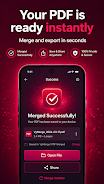
VyMerge merges PDF documents together and converts JPG and PNG images into pages in the same output file, letting you create an ordered PDF from mixed input types. Processing takes place locally on your device so files never leave your phone; there is no tracking and no account required. The app includes quick previewing before export and an option to add page numbers to the merged PDF. Unlimited free merges are supported with a minimal, uncluttered interface that avoids unnecessary steps.
How it works and controls
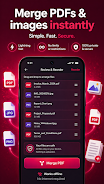
Using VyMerge is intentionally straightforward: tap to add files from your device storage or camera roll, long-press or use drag-and-drop gestures to reorder entries, and tap a thumbnail to preview how pages will appear in the final PDF. A single export button starts the local creation process, and the app shows visual feedback while the document is being built. The core controls are focused on touch-friendly interaction: large thumbnails, clear labels and simple swipe or tap actions let you assemble documents quickly without diving into menus.
Document progression and level structure
VyMerge organizes the merging workflow into a short progression: selection, ordering, preview and export. Each stage is visible and reversible so you can adjust the structure before finalizing. Selection can include multiple files at once, and ordering operates at the document level so you can control which file appears first and how batches are grouped. The preview stage presents the combined document so you can check sequence and overall appearance prior to saving.
Visual style and user experience
The app uses a clean, minimal visual design with high-contrast elements and readable typography to make frequent tasks fast and reliable. Thumbnails give a clear visual cue of each input, and the UI keeps essential actions within easy reach. The streamlined layout reduces cognitive load when working with long lists of files, and the interface has been tuned for responsive performance on a wide range of devices to support smooth dragging and quick previews.
Customization and accessibility
VyMerge offers a few practical customization options that keep the app simple while allowing useful adjustments. You can include optional page numbers, choose the order of files before export, and preview the output to confirm how images and documents are combined. The interface emphasizes large touch targets and straightforward controls for accessibility; combined with offline operation, this makes VyMerge a practical choice for users who need reliable, repeatable results without complex settings.
Offline operation, privacy and storage
All merging and conversion work happens locally on your device, which means VyMerge does not upload personal documents to remote servers. Files are saved to your phone’s local storage and can be shared using standard system dialogs, so you retain control over where copies are stored and how they are distributed. This offline-first approach reduces privacy concerns and avoids the need for signups or cloud permissions.
Performance, challenges and practical tips
Most merges complete quickly, but very large files or extensive image collections can take longer and may use more memory during processing. When working with a large number of pages, give the app a moment to build the export and monitor the on-screen progress indicator. If your device has limited free storage, consider exporting to an external SD card or clearing temporary files beforehand. For recurring tasks, keep commonly used scans in a single folder to speed selection and reduce repetitive steps.
Limitations and ideal uses
VyMerge focuses on fast, reliable merging rather than advanced PDF editing. It does not offer annotation, OCR, form filling or cloud synchronization by design, because the priority is local processing and privacy. The app is ideal for combining scans, receipts, lecture notes, photos and multi-page reports into one shareable PDF with minimal fuss.
Support and updates
VyMerge is maintained to keep the core merging experience smooth and compatible across Android versions. If you encounter issues, check the in-app help or use the device’s share functionality to export and test a small sample merge. Future updates are aimed at refining the interface and improving performance while preserving the app’s offline, no-account approach.