
Apps
Communication
Center Years
Center Years

| Package ID: | |
|---|---|
| Latest Version: | v8.265.55 |
| Latest update: | May 25, 2026 09:06:04 |
| Developer: | Mighty Networks |
| Requirements: | Android |
| Category: | Communication |
| Size: | 121.00 MB |
| Tags: | Navigation Photo Video |
Rating :4.0
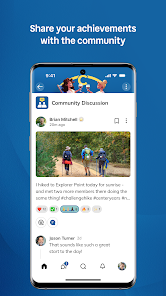
Center Years is a membership community app designed for people in midlife who want to stay curious, active, and connected while navigating career shifts and changing social circles. The app brings together a focused social network, guided skill-building courses, and real-world activity prompts so members can discover new interests, try structured experiments, and meet nearby people with similar goals. In a single place users can follow modular learning, join monthly challenge themes, track progress with badges, and RSVP to local meetups that move the experience offline into daily life.
Key features and member experience
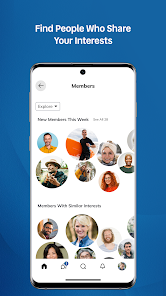
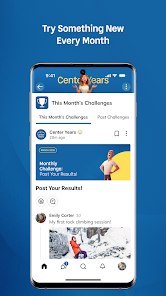
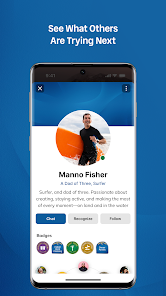
Center Years offers an ad-free, paid environment that prioritizes quality interactions over passive feeds. The member network helps you find people nearby who share selected interests, with profile filters that emphasize activity preferences and availability rather than public popularity metrics. Guided courses are broken into short, practical lessons with suggested at-home exercises and optional in-person practice sessions. Monthly challenges present simple, repeatable prompts designed to nudge members into trying a range of experiences — from a neighborhood walk with a focus topic to a short creative project — and each completed prompt contributes to visible progress so members feel momentum.
How it works: controls, progression, and challenge systems
The interface uses familiar tap-and-swipe controls with clear affordances for marking lessons complete, saving challenge prompts, and indicating interest in nearby events. Progression is gamified in a non-competitive way: courses have module checkpoints, challenges unlock activity badges, and streak-like tracking helps people sustain small, achievable habits. Challenges are tiered so newcomers can start with low-effort prompts while more experienced members can select deeper or repeatable versions. Notifications and a simple calendar view help you plan offline activities without overwhelming the feed.
Structure of learning and visual style
Courses are organized into short modules that build gradually from basic skills to more confident practice, allowing users to pause and resume without losing context. The visual design favors readable type, high-contrast color palettes, and straightforward iconography to aid legibility for a wide range of eyesight needs. Photos and short video lessons are used sparingly to illustrate techniques; the layout keeps core actions—start lesson, save prompt, join event—prominent so navigation feels calm and purposeful.
Customization, level structure, and replay value
Members can customize their profile with interest tags, preferred activity radius, and weekly time availability so recommended challenges and events match their lifestyle. Level structure comes from the mix of course modules and challenge tiers: complete modules to unlock intermediate content and accumulate badges that reflect both variety of activities and depth of practice. Replay value is inherent in rotating monthly themes, seasonally refreshed prompts, and evergreen micro-courses that invite revisiting to build skills over time or approach an activity from a new angle.
User experience and accessibility
The onboarding flow introduces core features and suggests an initial 7-day micro-plan to help people get started without decision fatigue. Accessibility options include adjustable text size, a high-contrast mode, and optional captions for recorded lessons; the app also minimizes motion effects and keeps tap targets large for comfortable use. Feedback tools let members flag content or suggest local meetups so the community stays relevant to different regions and abilities.
Offline use and local meetups
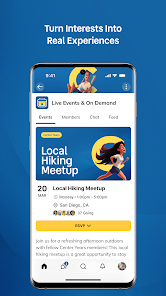
Where connectivity varies, Center Years allows downloading lesson content and saving challenge prompts for offline access so members can follow a course or complete a prompt without an active connection. Local meetups and community-hosted events are listed with clear RSVP controls and simple directions; availability depends on regional participation but the platform emphasizes safe, small-group gatherings and gives organizers templates for responsible event descriptions.
Benefits and limitations
The membership model reduces spam and advertising, supports curated content, and creates a quieter social environment focused on real-world action rather than endless scrolling. Because the platform targets adults roughly between 45 and 60 and requires a paid subscription, it may be less relevant for users seeking free, broad-audience social apps or for younger age groups. Availability of local activities will vary by location, which can influence how often members get offline practice or in-person connections.