
Cassie

| Package ID: | |
|---|---|
| Latest Version: | v1.2 |
| Latest update: | May 23, 2026 13:18:04 |
| Developer: | CASSIE INC |
| Requirements: | Android |
| Category: | Finance |
| Size: | 19.80 MB |
| Tags: | Navigation Photo Date |
Rating :4.5
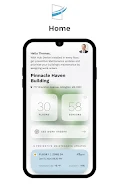
Cassie helps building managers and facility teams monitor indoor air quality and manage maintenance requests from a single interface, making it straightforward to move from detection to resolution without juggling multiple tools. Cassie delivers real-time air quality readings across defined zones, stores historical trends for analysis, and provides a clear workflow for creating, assigning, and tracking work orders so teams can prioritize tasks based on environmental risk. The app is designed for operation teams that need reliable environmental awareness, transparent task management, and straightforward reporting to keep occupants safe and comfortable.
Key features and how it works
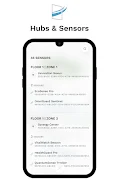
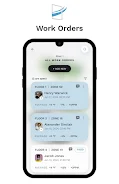
The core of the app is continuous environmental monitoring tied to a maintenance workflow. Sensors or integrated data feeds supply live readings that appear on a centralized dashboard, and users can define zones such as floors, wings, or rooms to organize readings by physical location. When a reading crosses a configured threshold, users can open a work order that captures the zone, measurement details, timestamp, and suggested actions. Assignments can be routed to specific technicians or teams, and progress is recorded directly on the work order to preserve an audit trail and support compliance needs.
User interface and controls
Cassie uses a straightforward interface optimized for quick interactions on both phones and tablets. Primary controls let users toggle between live views and historical charts, filter zones, and search work orders. Creating a work order is a guided form that minimizes typing by auto-populating environmental values and recent notes; technicians can update status, add photos, and record time spent. Navigation emphasizes task-driven flows so staff can go from alert to assignment to resolution in a few taps, reducing friction during urgent maintenance events.
Progression, onboarding, and roles
The app supports a simple progression system for teams: initial setup defines zones and sensor inputs, followed by role assignment for managers, supervisors, and technicians. New users are guided through a short onboarding sequence that explains zone mapping and typical workflows, and administrators can create role-based permissions to control who can create, assign, or close work orders. As teams use the app, dashboards reveal response time trends and recurring problem locations, helping organizations evolve their maintenance priorities and training focus over time.
Visualization, level structure, and customization
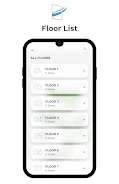
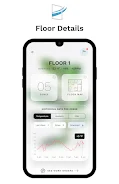
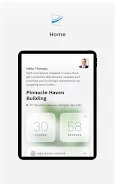
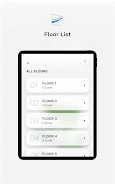
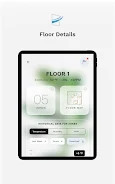
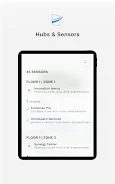
Visualization choices include compact numeric readouts for quick checks and interactive trend charts for deeper review. Buildings are represented as structured levels—zones grouped under floors or facilities—so managers can quickly drill down from a campus view to a single room. Customization options allow administrators to set threshold values per pollutant or parameter, create site-specific workflows, and tailor notification preferences so alerts route to the right staff at the right time. Labels and color coding can be adjusted for local conventions, improving clarity across international teams.
Replay value, routine checks, and challenge systems
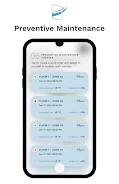
Cassie is designed for continuous operational use, not one-off reporting. Routine checklists, recurring inspections, and scheduled maintenance tasks increase the app’s long-term value by turning monitoring insights into predictable outcomes. Challenge systems are practical rather than gamified: configurable escalation rules and SLA timers help teams meet response targets, and built-in trend detection highlights persistent issues that require deeper investigation rather than repeating the same short-term fixes.
Data handling, offline use, and integrations
The app caches the most recent readings and queued work orders for limited offline use so technicians can continue to record progress in areas with weak connectivity; changes synchronize when a connection is available. Export tools and reporting make it easy to generate CSV summaries or simple PDF reports for stakeholders. Cassie accepts standard sensor inputs and is compatible with common building management data feeds, enabling integration with HVAC systems and other operational tools without requiring proprietary hardware.
Accessibility and user experience
Cassie emphasizes legible typography, high-contrast elements for clarity in bright or dim environments, and large actionable targets for technicians who use the app in the field. The workflow language is plain and avoids technical jargon where possible, and status labels are consistent across views to minimize mistakes during handoffs. Administrators can tune alerts and dashboards to reduce noise while preserving critical warnings, improving adoption across staff with diverse technical backgrounds.
Limitations and practical considerations
Effective use requires initial configuration of zones, thresholds, and user roles, and the system is only as valuable as the incoming environmental data. Organizations should plan for sensor placement and data validation to ensure reliable readings. Staff training and defined processes are important to translate alerts into corrective actions; without consistent use, response times and coordination benefits will be limited. For teams that invest in setup and adoption, Cassie can shrink reaction times, centralize communication, and provide a clearer record of environmental interventions.






