

Apps
Communication
Kindred
Kindred

| Package ID: | |
|---|---|
| Latest Version: | v1.4.0 |
| Latest update: | May 19, 2026 11:25:05 |
| Developer: | Kindred Social LLC |
| Requirements: | Android |
| Category: | Communication |
| Size: | 14.20 MB |
| Tags: | Study Photo Date |
Rating :4.3
Kindred helps you build a thriving social circle by connecting people through shared activities rather than profile swiping, making it easier to form real, in-person friendships. The app focuses on plans—small group meetups, one-on-ones, or larger events—organized around hobbies, classes, volunteer work or everyday routines, so you spend less time browsing profiles and more time doing things together. Kindred is aimed at adults at different life stages who want a low-pressure way to widen their circle and maintain steady, face-to-face relationships.
Key features
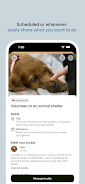
Instead of a long feature list, Kindred prioritizes a handful of practical tools that keep meetups simple and safe. You can create a plan with a clear activity description, set the preferred group size, choose an exact date or leave it open-ended, and add public or private location details. Templates streamline recurring activities like weekly running groups or monthly museum visits, while calendar integration and optional reminders help everyone arrive on time. Hosts receive join requests and can approve attendees, and discovery focuses on a small, manageable selection of nearby plans each day to reduce decision fatigue.
How it works
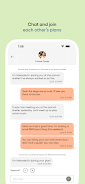
Using Kindred is intended to be straightforward: tap to create a plan, add basic details and visibility settings, then publish to nearby members or send direct invites. People who want to join request to attend and the host can review profiles and respond. When a plan is confirmed, participants receive notifications and may exchange optional messages to coordinate logistics. For privacy, hosts control who sees exact locations until the group is finalized and can set age or gender preferences to shape the comfort level of attendees.
Controls, accessibility and offline behavior
The interface uses simple, tap-driven controls and clear labels so creating or joining an event feels familiar on phones and tablets. Text size and contrast are designed to be readable in daylight, and many actions are reachable with a single tap to aid accessibility. Kindred stores your personal plans and drafts locally so you can view or edit them without a constant connection; live discovery and join requests require an internet connection, but previously loaded plan details remain available offline for reference.
Progression, trust and community growth
Progress within Kindred happens through repeated, positive interactions rather than artificial gamification. As you host or join more activities you naturally build a dependable local network: profiles become recognizable, attendance consistency grows trust, and recurring events create routine social opportunities. Preference filters and the approval process give hosts a way to curate participants and maintain a comfortable environment as their local community develops.
Visual style and customization
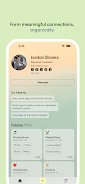
The app presents plans in a clean card layout with optional cover photos and concise activity tags so it is quick to skim opportunities when you have a few minutes. Map and list views are available to help you evaluate distance and timing at a glance. Personalization options include brief profile fields and simple preference sliders for age ranges and gender balance, along with notification settings to tailor how and when you are alerted about new plans.
Replay value and discovery
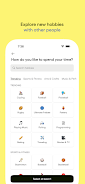
Replay value comes from the variety of activities and the ease of repeating or remixing plans: a coffee meetup can evolve into a weekend hike, a class can form a steady study group, and recurring templates let you re-run successful events with minimal setup. Local discovery favors quality over quantity, highlighting nearby meetups that match your routine and interests so you see a fresh, relevant selection rather than an overwhelming feed.
Limitations and considerations
Kindred works best when there is an active local user base, so its usefulness varies by neighborhood. The in-person emphasis may not suit people seeking only online connections, and the small-group approach trades rapid network growth for deeper, more comfortable interactions. Hosts and attendees are encouraged to follow basic safety practices when meeting new people and to use the privacy settings available in the app to control what information is shared publicly.






