
Apps
Photography
Collage Grid
Collage Grid

| Package ID: | |
|---|---|
| Latest Version: | v1.0.3 |
| Latest update: | May 06, 2026 12:26:04 |
| Developer: | JLP App Tech |
| Requirements: | Android |
| Category: | Photography |
| Size: | 75.13 MB |
| Tags: | Social Travel Photo |
Rating :4.0
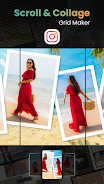
Collage Grid is a versatile photo layout and collage maker that helps you turn ordinary images into polished grids, long-scroll posts, and aesthetic collages for social feeds or visual storytelling. Designed for content creators, social media users, and anyone who likes clean, organized visuals, the app makes it easy to split large photos into perfectly aligned pieces, arrange multiple images into modern templates, and assemble long scrolling images to tell a story. Collage Grid pairs an intuitive workspace with precise editing controls so you can create consistent, on-brand posts without needing complex design software.
Key Features
⭐ Collage Grid splits a single image into multiple perfectly aligned slices for multi-post grids and seamless feeds.
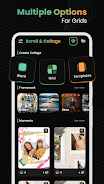
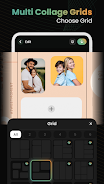
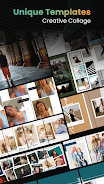
⭐ Choose from blank canvases, ready-made grid templates, wide layouts, and film-inspired frames to start any design.
⭐ Customize frameworks with adjustable sections, corner control, borders, layered frames, and decorative shapes.
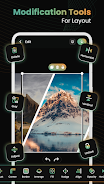
⭐ Advanced layout tools let you lock or unlock elements, reorder items, adjust opacity, and fine-tune alignment.
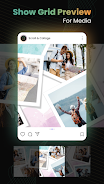
⭐ Create long scroll images or classic grid collages to highlight travel photos, events, or curated portfolios.
Advantages
✅ Intuitive interface with precise controls makes it simple to build professional-looking layouts quickly.
✅ Accurate split-photo tools ensure multi-post grids remain aligned and visually consistent across your feed.
✅ A wide selection of templates and customizable frameworks supports diverse aesthetic styles and storytelling formats.
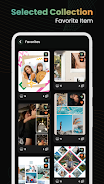
✅ Save favorites and revisit or edit designs anytime, streamlining repeatable production for social content.
Disadvantages
❎ Some of the more advanced layout controls have a learning curve for new users who prefer one-click presets.
❎ Building very long, highly detailed scrolls can require careful planning and manual adjustments to achieve perfect continuity.
❎ Users seeking an all-in-one image editor may find Collage Grid focused primarily on layout and collage workflows rather than heavy photo retouching.