
NWP Action Center
| Package ID: | |
|---|---|
| Latest Version: | v1.1.0 |
| Latest update: | Aug 05, 2026 16:34:04 |
| Developer: | NWP Labs Development |
| Requirements: | Android |
| Category: | Finance |
| Size: | 34.60 MB |
| Tags: | Common Navigation Date |
Rating :4.2
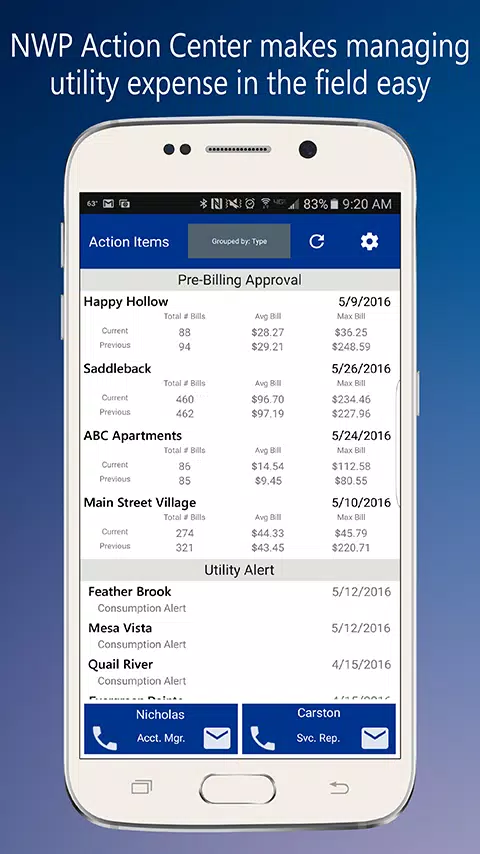
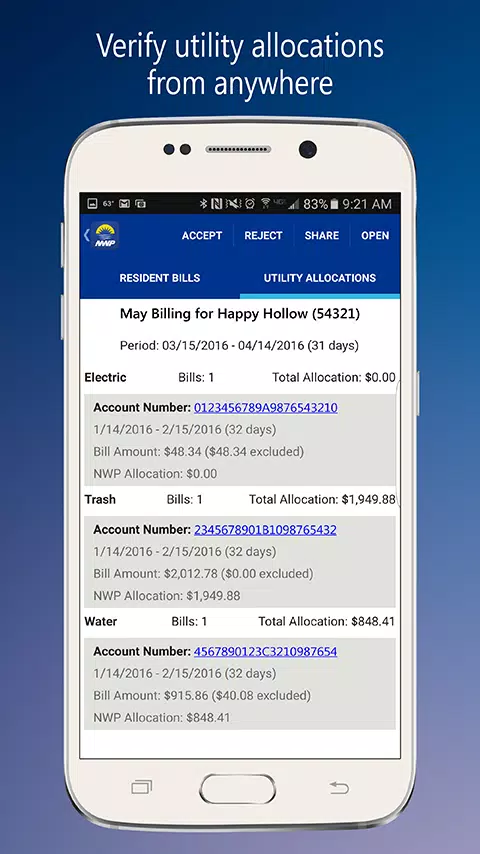
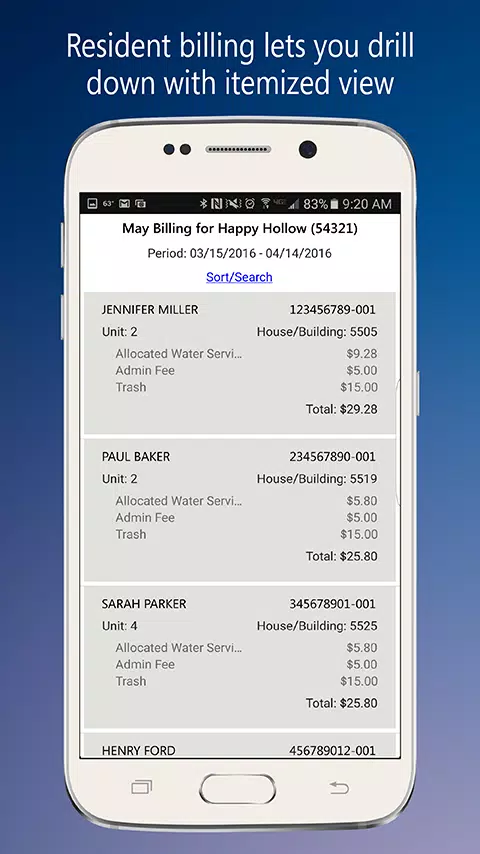
NWP Action Center brings utility and billing oversight to your mobile device, combining pre-billing review, incident triage and account contact tools in a single app built for property managers and utility teams. The app mirrors the desktop portal so your account view remains consistent while giving field users the tools to inspect unit-level usage, approve charges and open incident notes from anywhere with connectivity. This mobile-first presentation reduces the friction of decision-making when time and accuracy matter most.
Key Features
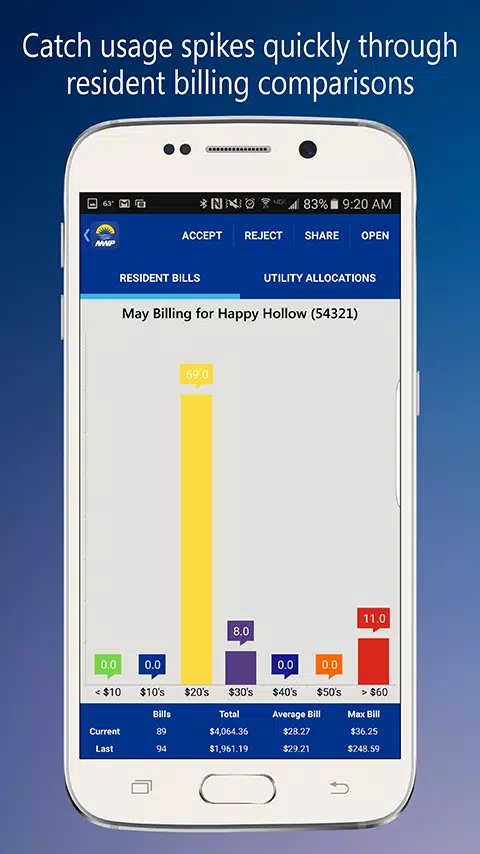
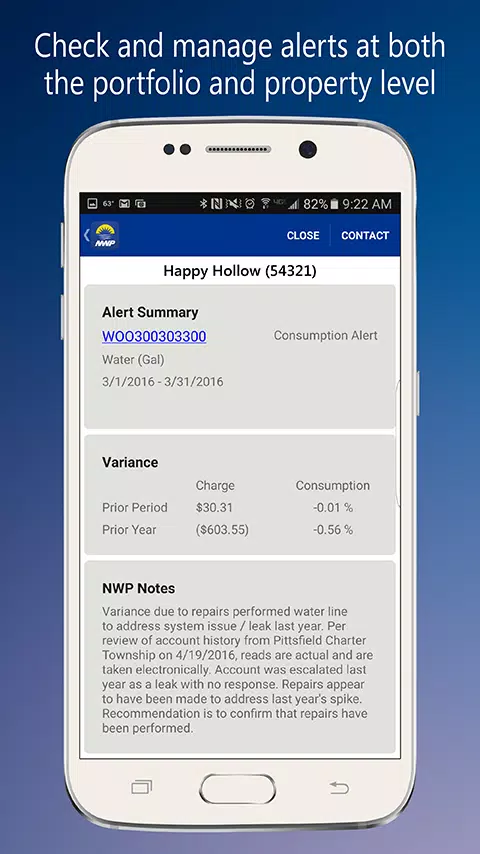
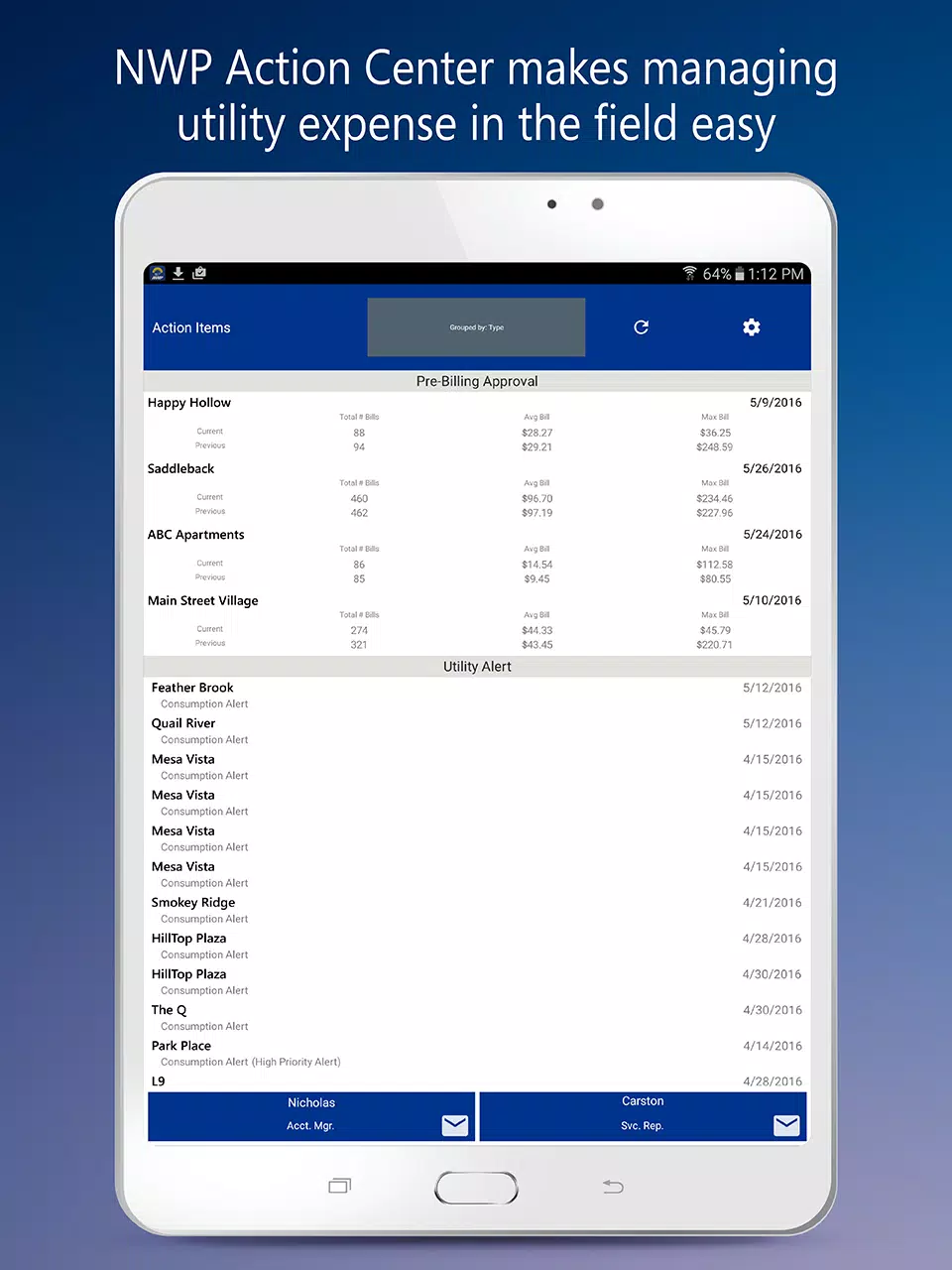
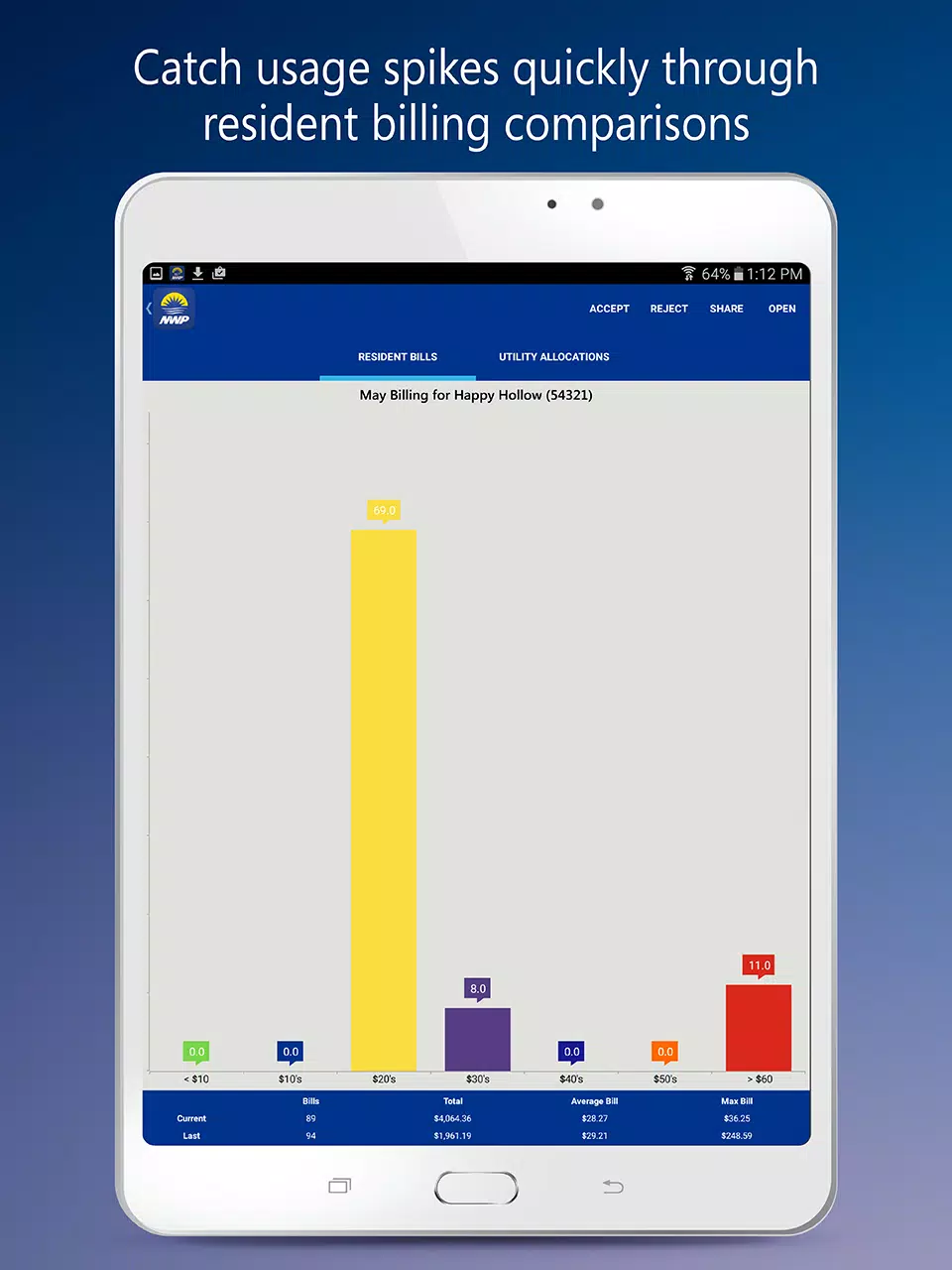
The NWP Action Center organizes work into a prioritized dashboard that consolidates pre-billing queues, real-time alerts and unit or account details so users can act without context switching. Approvals are optimized for speed: swipe to authorize a billing item, expand a unit to view recent consumption history, attach notes and tag variance reasons to preserve audit context. Alerts highlight spikes and drops in usage and include links into meter history and attached documents, while one-tap contact opens email or phone to connect with account representatives for clarification.
User Experience & Workflow
Workflows follow a linear, auditable progression designed for operational teams: review pre-billing items, investigate outliers at the unit or meter level, decide whether to approve and record findings. Every approval, note and incident closure becomes part of the account history so reconciliation teams can retrace decisions. Saved filters and an approvals history reduce repetitive navigation for common tasks, and role-based queues help teams triage high-severity alerts before returning to lower-priority items.
Controls & Navigation
Controls are optimized for touch and practical field use: tapping expands property and unit details, swiping authorizes charges, and long-press or contextual menus reveal options such as adding notes or selecting a variance reason. A single search bar helps locate specific units, meter IDs or dates quickly, while column sorting prioritizes items by amount, date or severity. Careful use of confirmation dialogs prevents accidental approvals and preserves the integrity of audit trails.
Data, Offline & Sync
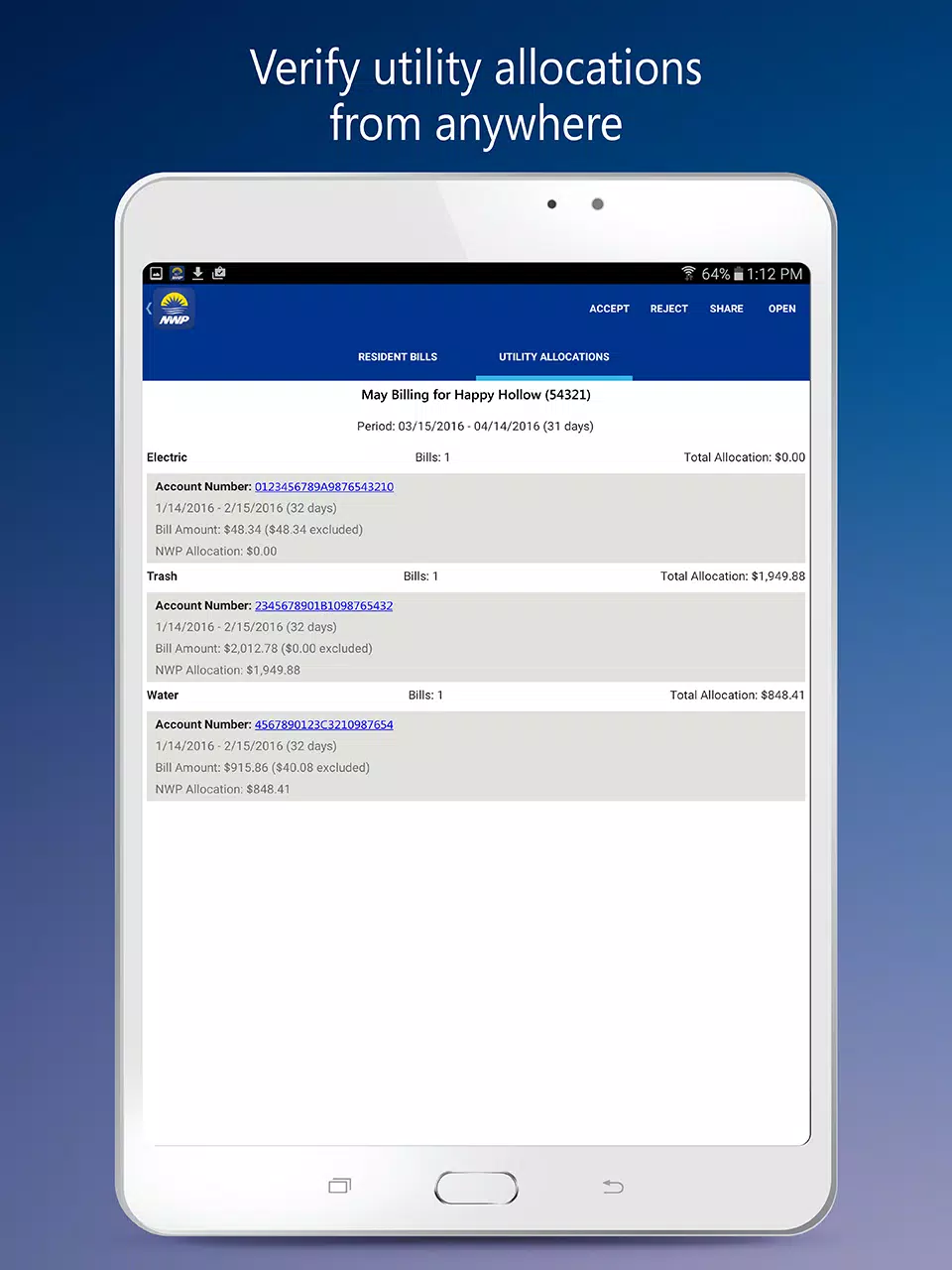
The app mirrors the same account information you access on the web portal and syncs changes in near real time when online so mobile actions appear on desktop and vice versa. It caches recently viewed properties and the most recent alerts for limited offline visibility; users can compose notes and stage approvals while offline and those actions queue for upload when connectivity returns. Visual indicators clarify when data may be stale and which actions are pending upload so teams can avoid miscommunication during connectivity gaps.
Customization & Access Control
Administrators can tailor alert thresholds, notification preferences and the scope of what each role sees so teams only receive items relevant to their responsibilities. Role-based access governs whether a user can view unit-level details, authorize charges or only monitor alerts. Saved dashboard layouts and default filters let individuals and teams optimize the app for their daily routines and reduce the time needed to find critical items across multiple properties.
Visual Style & Accessibility
The interface uses high-contrast panels, clear typography and color-coded markers to make triage immediate and readable in bright field conditions or during short site checks. Font scaling, readable labels and support for screen readers are built in to improve accessibility for users with diverse needs. Visual consistency with the web portal reduces training time and helps users quickly locate the same information in a mobile context.
Progression, Challenges & Replay Value
Progression in the app is measured by cleared queues and the completeness of account histories rather than game-like scores: recurring approvals, follow-up checks and incident resolutions create a record of operational progress. Challenge comes from prioritizing limited time and attention—responding to high-severity alerts, investigating complex usage anomalies and balancing approvals across multiple properties. Regular use rewards teams with reduced reconciliation time and a clearer audit trail, encouraging repeated engagement as part of daily operational routines.
Limitations & Requirements
The app requires valid NWP account credentials and the access rights assigned to your account; without appropriate permissions some properties or actions will not be visible. Full functionality—especially real-time alerts and immediate billing authorizations—depends on adequate mobile connectivity. The design emphasizes accuracy and auditability over presentation-only visuals, making the app best suited for operational oversight and field approvals rather than in-depth analytics.
Development Team & Support
Developed and supported by the same teams that maintain the web portal, the NWP Action Center is updated to remain compatible with account configurations and to incorporate feedback from field users. In-app support links let you contact your account representative, report issues or review release notes. Ongoing updates focus on improving sync reliability, expanding offline capabilities and refining workflows based on how teams use the app in real operational settings.