
Hello, Sunshine

| Package ID: | |
|---|---|
| Latest Version: | v0.1.1 |
| Latest update: | Jul 29, 2026 16:06:04 |
| Developer: | twiren |
| Requirements: | Android |
| Category: | Casual |
| Size: | 262.22 MB |
| Tags: | Board Drive Management |
Rating :4.3
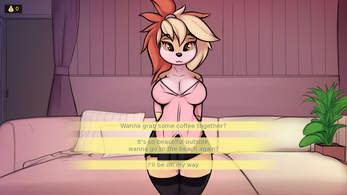
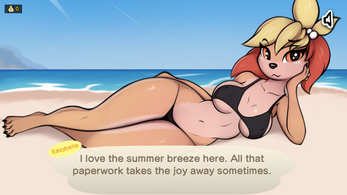
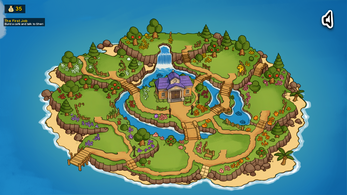
Hello, Sunshine is a relaxed island-planning app that puts you in the mayor's seat from day one and invites you to create a cozy community; Hello, Sunshine offers tools to design layouts, manage resident profiles, and guide villagers as they develop new talents with the support of a built-in secretary assistant.
Overview
This app combines light management, community simulation, and creative design in a single, approachable package. Rather than presenting itself as a competitive game, Hello, Sunshine is intended as a creative and organizational experience: you craft the island environment, shape social interactions through resident profiles, and follow a gentle progression that rewards experimentation and thoughtful planning.
How it works
Interaction centers on a simple touch-first interface: tap menus to access building and decoration palettes, drag to place structures, and use context menus to review a villager's skills and tasks. The secretary assistant functions as an in-app guide, offering reminders, short tutorials, and recommended next steps to help you move projects forward without feeling overwhelmed. Controls are optimized for phones and tablets and designed to remain intuitive for new users.
Progression and systems
Progress in Hello, Sunshine is gradual and milestone-driven. As you place buildings, host small events, and support individual villagers, you unlock additional customization options and new structure types. Resident development is tracked through personal profiles that record activities and unlocked talents; these profiles provide a persistent sense of progress without mandatory time pressure or strict timers.
Design, customization, and visual style
The visual approach leans toward a warm, hand-crafted aesthetic with soft colors, clear iconography, and readable typography. Customization covers layout choices, building styles, and decorative items that affect the island’s look and flow. Preset palettes and layout templates are available so you can either start quickly or refine details as you go, and color and scale options help you personalize the environment to match your creative vision.
Characters and social mechanics
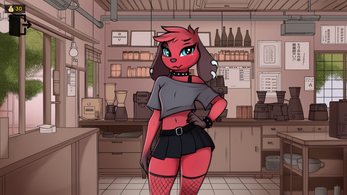
Villagers are presented as local profiles with background notes, preferred activities, and potential talent paths. You can assign light tasks, follow personal development arcs, and make decisions that influence each resident’s growth. These social mechanics are designed to foster attachment and provide context for design choices rather than competitive play; interactions are self-contained within the app’s simulation.
Level structure and challenge
The app is structured around distinct island scenes and scenarios that you can approach in any order. Optional objectives and gentle challenges provide focus when desired: short-term tasks, thematic scenarios, and suggested layouts give direction without imposing strict penalties for experimentation. This approach supports both goal-oriented play and open-ended sandbox creation.
Replay value and modes
Hello, Sunshine encourages replay through varied starting conditions, alternate character lineups, and new decorative unlocks that change creative possibilities. A sandbox mode lets you reset parameters and try different island concepts quickly, while scenario-based setups introduce themed constraints for fresh planning exercises.
User experience and accessibility
The app includes an onboarding walkthrough that introduces its core features, and the secretary assistant provides contextual help throughout. Accessibility options such as adjustable text size, color-contrast modes, and simplified controls aim to make the experience approachable for diverse users. Interfaces are kept clear and uncluttered to reduce cognitive load and make navigation straightforward.
Offline use and performance
Hello, Sunshine is designed to function offline for primary creative activities, with background sync only required for optional community updates or supporter channels. Performance settings allow you to optimize visuals to conserve battery or improve responsiveness on older devices, and data is stored locally so you can continue building without a constant network connection.
Support and development notes
The project continues to evolve and some features may be expanded over time; optional supporter channels may provide early access to experimental builds or community extras. The app emphasizes a calm, creative experience with clear controls, persistent progression, and an emphasis on design and social simulation rather than competitive mechanics.