
Monitora View

| Package ID: | |
|---|---|
| Latest Version: | v1.1.2 |
| Latest update: | May 28, 2026 09:07:05 |
| Developer: | JFL ALARMES |
| Requirements: | Android |
| Category: | Tools |
| Size: | 276.10 MB |
| Tags: | Office Navigation Camera |
Rating :4.1
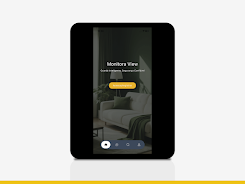
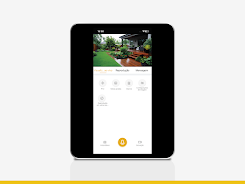
Monitora View is a compact video monitoring app designed to connect with IP cameras and DVR/NVR hardware so you can watch live feeds, review recorded footage, capture images and video clips, and receive event alerts from a single mobile interface. Monitora View supports both P2P and direct network connections, giving you the option to use a plug-and-play cloud link or a local network setup depending on your site and privacy needs. This introduction covers how the app organizes cameras, how playback and evidence capture work, what to expect from connectivity and performance, and practical tips to get reliable monitoring for a home, small office or local site.
Core features and supported devices
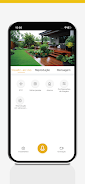
The app provides real-time viewing of IP cameras and DVR/NVR units with straightforward controls for switching between feeds and accessing recorded archives. Monitora View can capture still images and record short clips directly from live or archived streams so evidence can be preserved on the device. Event notifications inform you when connected devices detect motion or alarms, and the app lists compatibility with DVR-V series, NVR-V series and IPC-V cameras. The feature set focuses on basic surveillance workflows: live monitoring, timeline playback, quick saves of snapshots and clips, and event-driven alerts, all presented without unnecessary complexity.
Controls and navigation
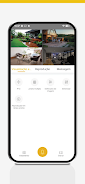
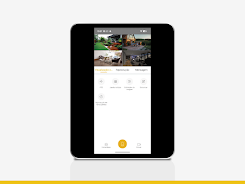
Navigation is designed for touch: tap to select a camera, swipe to move through the camera list, pinch to zoom where the camera supports digital zoom, and drag the timeline during playback to jump to specific moments. Multiple layout options let you view one or several feeds at once depending on screen size and preference. On-screen controls remain context-aware so options like recording, snapshot and playback appear only when relevant, reducing clutter and helping new users find common tasks quickly.
Playback, clipping and evidence handling
Playback is organized with a time-based timeline that shows recorded segments and event markers for quicker review. You can create short video clips and save still images from either a live stream or archived footage; those files are stored locally and can be retained for later review or exported using the device’s standard sharing tools. The app also supports basic bookmarking of important clips so investigators or property owners can return to key moments without re-scanning large archives.
Connectivity and setup
Monitora View offers two primary connection modes: a P2P (cloud) link that simplifies remote access without manual network configuration and a direct network connection for on-site or LAN use. Direct connections may require router or firewall adjustments depending on your environment, and device credentials must be entered to pair hardware to the app. The description emphasizes that while P2P is convenient, local network connections can provide additional control over access and performance when configured correctly.
Performance, bandwidth and offline use
The app includes options to balance video quality and bandwidth to suit cellular or Wi‑Fi conditions; reducing stream resolution or frame rate helps maintain a reliable connection when bandwidth is limited. Recorded clips and snapshots are stored locally so they remain available for review even when the device is offline. This local caching ensures you can inspect captured evidence without requiring continuous network access, improving reliability in intermittent connectivity scenarios.
Usability, accessibility and customization
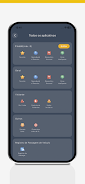
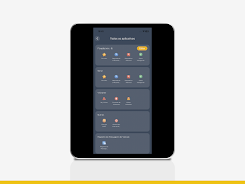
Interface settings let you adjust display layouts, sort cameras into groups for faster access and configure notification preferences to avoid alert overload. Labels, timestamps and simple contrast settings help make recorded footage easier to scan for activity. The app was built with an emphasis on quick access to live streams and archives, and its controls are kept clear and discoverable to support users who have different levels of technical experience.
Limitations and practical considerations
Compatibility is focused on the DVR-V, NVR-V and IPC-V series, which means other brands or models may not be supported. Direct connection setups sometimes require manual network configuration based on the local infrastructure. For the most reliable experience, verify camera firmware and network settings, keep device credentials secure and test both P2P and direct modes to determine which works best for your deployment.






