

Apps
Media & Video
Chord Scale Studio
Chord Scale Studio

| Package ID: | |
|---|---|
| Latest Version: | v1.4.108 |
| Latest update: | May 25, 2026 12:16:03 |
| Developer: | Jackrit |
| Requirements: | Android |
| Category: | Media & Video |
| Size: | 34.50 MB |
| Tags: | Common System Education |
Rating :4.4
Chord Scale Studio is a compact jazz-harmony tool that helps musicians of all levels identify compatible scales and useful voicings quickly. Chord Scale Studio places the app name and its purpose up front: it was designed by a working jazz guitarist and teacher to remove guesswork, surface practical choices, and let you focus on phrasing and practice instead of theory lookup.
Key features and practical uses
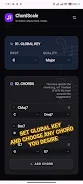
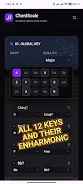
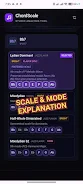
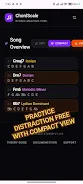
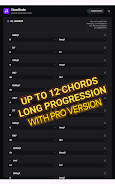
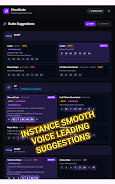
The app gives instant scale suggestions for any jazz chord you enter, shows essential chord voicings, and provides clear visual guides linking scale tones to chord tones. You can inspect triads, seventh chords, altered dominant shapes and common extensions, and see which scales match each sonority. The interface is deliberately minimalist so you get only the information that matters during practice or on stage. A free mode covers up to three-chord progressions; upgrading to Pro expands that scope for longer charts and more voicing options.
How it supports practice and progression
Rather than offering levels like a game, the progression system is built around musical structures: you can step through progressions one chord at a time, loop problematic bars, and increase the tempo of backing clicks or metronome-like pulses to build fluency. Exercises are easy to set up — enter a progression, select a scale suggestion, and use the app to test different voicing choices while practicing phrasing, comping patterns, or single-line improvisation. The design encourages repetition, variation, and focused problem-solving so practice sessions become more productive.
Controls and interaction
The controls are straightforward and optimized for touch: tap chords to reveal scale matches, slide to audition adjacent voicings, tap-and-hold to lock an inversion, and use intuitive pinch or swipe gestures to zoom the visual guide. On-screen fretboard and keyboard displays map notes to instrument positions so guitarists and pianists can quickly translate visual information to the instrument. All controls are kept lightweight so lookups during rehearsals or set breaks are fast and unobtrusive.
Visual style, customization and accessibility
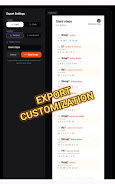
Visuals prioritize clarity over decoration: color-coded scale degrees, adjustable contrast, and simple diagrams make relationships easy to scan at a glance. You can customize display density to show only root-and-third-or-seventh voicings for a compact view or expand patterns to see full six-note voicings. Accessibility options include larger notation and high-contrast themes to help users with low vision or in bright stage lighting. The app also labels altered tones and common substitutions to aid learning without overwhelming the screen.
Offline performance and reliability
Chord Scale Studio is small in footprint and designed to work fully offline so you can use it without internet access during gigs or practice sessions. The engine runs locally and responds in fractions of a second, making it reliable when you need quick answers on the bandstand. Its compact design minimizes battery and CPU load so the app stays responsive even on older devices.
Replay value and adaptability
Replay value comes from using the tool across different tunes and coaching scenarios: students can revisit the same progression with different scale choices, experiment with reharmonization ideas, or use it as a reference while transcribing. Teachers can use the visual guides to demonstrate scale/chord relationships in lessons and assign practice tasks that progress in difficulty by increasing harmonic complexity or tempo. The app adapts to your workflow rather than forcing a rigid curriculum.
Limitations and upgrade path
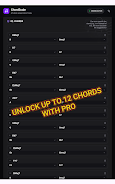
The free version intentionally limits progression length to three chords to give you essential functionality without commitment; longer sequences, additional voicing sets and expanded visual options are available in the Pro upgrade. The focus is specifically on jazz harmony and improvisation practice, so players seeking broad multi-genre theory tools may find the scope narrower than some general-purpose music apps.
Who made it and who benefits
Designed and maintained by a professional jazz guitarist and educator, Chord Scale Studio aims to fit into real-world performance and teaching workflows. Musicians who need a fast, portable way to check scale choices, teach chord-scale relationships, or prepare for gigs and rehearsals will find the app especially useful. The clear, educational approach helps both students learning improvisation and working performers facing tricky changes.