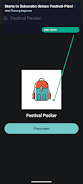
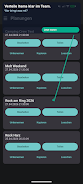
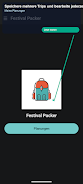

Festival Packer helps groups plan festivals, camping trips and road trips by creating shared, organized packing lists and assigning items to people so nothing is forgotten or duplicated. Instead of chaotic chat threads, Festival Packer provides step-by-step planning: name your trip, add participants, choose travel modes and allocate responsibilities for tents, kitchen gear and supplies. Its offline-first design keeps your plan available at the campsite, and simple PDF export makes it easy to share summaries with the crew. If you want smoother group logistics and fewer last-minute headaches, Festival Packer turns packing into a fair, transparent process that starts before you arrive.
Key Features
⭐ Structured planning: name your trip and follow a clear step-by-step workflow to set dates, participants and tasks.
⭐ Participant and travel management: add crew members, set travel mode and mark drivers for car-sharing.
⭐ Categorized packing lists: separate checklists for camp, kitchen, hygiene, entertainment and more.
⭐ Assignments and custom items: add your gear and assign every item to a person so responsibilities are clear.
⭐ Progress tools: a new step bar shows planning progress and lets you jump back to completed steps quickly.
⭐ Export options: create PDFs, filter exports by selected people and share compact summaries with your group.
Advantages
✅ Festival Packer stores plans locally so you can access packing lists and assignments even without a signal at the campsite.
✅ Fair distribution: assign items to individuals to avoid duplicates and keep responsibilities clear across the crew.
✅ Flexible sharing: export summaries as PDFs and filter them by person to send tailored checklists to teammates.
✅ Faster setup: predefined categories, quick-add custom items and a progress bar speed up group planning.
Disadvantages
❎ Backup export requires watching a short rewarded ad to unlock, which some users may find intrusive.
❎ Exported PDFs include Festival Packer branding and a logo on each page.
❎ Some detail views are read-only, so editing certain information requires returning to the main plan interface.
Version Information
Recent updates added a faster planning flow with a new step bar, an expanded "My Plans" detail view, smarter PDF export with person-based filtering, branded PDF pages and a rewarded-ad option to unlock backup export; these improvements focus on clearer sharing and offline reliability.