
Apps
Productivity
PaintDiary Sphere
PaintDiary Sphere

| Package ID: | |
|---|---|
| Latest Version: | v1.0.0 |
| Latest update: | May 22, 2026 11:20:05 |
| Developer: | Agm Mechanic LLC |
| Requirements: | Android |
| Category: | Productivity |
| Size: | 30.53 MB |
| Tags: | Social Navigation Photo |
Rating :4.1
PaintDiary Sphere is a mobile web app that helps visual artists track painting sessions, capture sudden ideas, and keep a searchable, organized record of their work from first sketch to finished piece. The interface centers on quick session entries and clear organization: within moments you can log a title, date, time spent, materials used and short notes, then return later to review progress and context for any painting. PaintDiary Sphere is designed for creators who prefer a lightweight, browser-based tool that emphasizes habit and documentation over complex image editing.
Key features
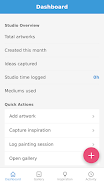
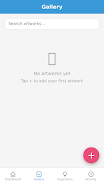
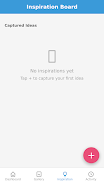
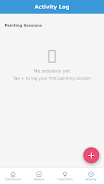
The core screens are arranged as four dedicated tabs—Dashboard, Gallery, Inspiration Board and Activity Log—each built to support a different part of the creative workflow. The Dashboard provides snapshot metrics and recent activity so you can see how frequently you paint and where time goes. The Gallery stores images and records for each artwork and includes fields for title, creation date, medium, dimensions and notes so every entry can be searched or filtered. The Inspiration Board acts as a visual notebook for clipping reference images, color swatches and short text prompts to revisit later, while the Activity Log records session-level details such as start and end times and materials used. These features combine to help artists move from scattered notes to an organized archive of practice and finished work.
User experience and controls
Controls are intentionally simple and mobile-friendly: prominent buttons for starting and stopping a session, form fields with smart defaults for date and time, and inline editing so you can change an artwork record without leaving the screen. Touch gestures follow common mobile patterns, and most actions are a tap away to minimize friction during a creative burst. Required fields are kept to a minimum—title and date—while additional fields are optional, allowing quick entries during a session and richer documentation later. The UX is geared toward fast capture, clear labels and predictable navigation so you spend less time managing data and more time making art.
Progress tracking and creative progression
PaintDiary Sphere helps you see progress over weeks and months rather than just isolated sessions. By consistently logging time spent, media and notes you can build a timeline that highlights changes in pace, preferred materials and recurring subjects. The Dashboard visualizes activity patterns so you can set simple goals—such as increasing weekly studio time or experimenting more with a new medium—and then use session records to evaluate whether those goals are being met. The app supports iterative projects by letting you group related works and review their development in sequence, giving concrete feedback on technical growth and conceptual evolution.
Visual style and customization
The presentation uses a clean, minimal aesthetic that foregrounds images and text without unnecessary decoration. PaintDiary Sphere offers modest customization options to suit different workflows: choose how entries are sorted, toggle which metadata fields are visible by default, and set preferred units for dimensions. These adjustments help adapt the interface for painters who work large or small, focus on mixed media, or prefer detailed cataloging versus quick log entries. The design aims to be unobtrusive so the app supports rather than competes with artistic decisions.
Organization, replay value and long-term use
Because the app emphasizes a persistent record, it gains value the more you use it. Returning to past sessions can inspire new directions, remind you of successful material combinations, or reveal patterns that suggest deliberate experimentation. Artists often find themselves revisiting older entries for reference when planning new pieces or preparing a portfolio. The Gallery and Inspiration Board together create a system that encourages reuse of ideas and continuous refinement, making frequent use rewarding rather than repetitive.
Accessibility, browser support and offline considerations
As a mobile web app, PaintDiary Sphere prioritizes broad browser compatibility and responsive layouts over platform-specific integrations. The interface keeps text size and contrast at accessible levels and supports screen magnification and keyboard navigation where browsers provide those features. Because it runs in a browser, some native behaviors—such as deep system integration or guaranteed offline functionality—may be limited; users who need complete offline support should consider keeping local backups of images and notes. The app strives to be reliable across modern mobile browsers while clearly signaling any limitations caused by the browser environment.
Limitations and intended use
PaintDiary Sphere focuses on session logging, organization and idea capture rather than on image editing, advanced portfolio publishing or social features. It is best suited to creators who want a straightforward, searchable archive of their practice and inspiration. If you need full-featured photo editing tools, integrated cloud backup technologies, or built-in sharing networks, you may complement PaintDiary Sphere with specialized apps targeted to those tasks while using PaintDiary Sphere as the central record of your studio work.






