







InfoRide makes searching for a new or used car quick, visual and surprisingly enjoyable by replacing long result lists with a swipe-driven interface that focuses on photos, key specs and dealer details up front. The InfoRide app connects you directly with nearby dealerships and surfaces only the most relevant options using filters for price, make, model, mileage and distance. Designed for people who want to move from browsing to action, InfoRide puts one-tap call, message and directions controls on every listing so contacting a dealer or planning a visit is straightforward and fast.
Key features and what they do
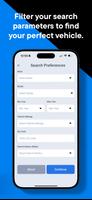
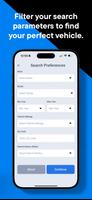
Swipe-driven browsing is the core interaction: each listing appears as a card with prominent photos, main specs and price so you can flick through options quickly and mark favorites or dismiss irrelevant results. Advanced filters let you narrow searches by price range, model year, trim and approximate mileage while a proximity control keeps results focused on nearby dealerships. Saved vehicles act as an on-device shortlist for ongoing comparison, and the app links to integrated vehicle history reports to give more confidence before you contact the seller. Every listing includes one-tap actions to call or message the dealer and to open turn-by-turn directions in your preferred map app.
How browsing and controls feel
The controls are intentionally simple: swipe left to skip and swipe right to save or revisit a vehicle, with on-card buttons for direct contact or directions. Photos load progressively so you see a high-level view quickly and can tap to expand image galleries. Filters and sorting are always accessible from the search screen, and a compact details panel surfaces VIN, mileage, fuel type and other essentials without forcing you into long pages. These interaction patterns are designed to minimize taps and keep the browsing flow smooth, whether you’re standing in a dealership lot or looking at listings on your commute.
Search refinement, customization and comparison flow
Search refinement is flexible: combine price ceilings, specific makes or models and distance limits to narrow down results that match your needs. Saved vehicles provide a practical progression system — as you accumulate favorites you can return to the collection, compare key specs side-by-side mentally, and prioritize which cars to call about or visit for a test drive. The app does not require advanced setup, but it supports basic personalization: repeated searches naturally refine how you use filters and focus your browsing sessions without additional configuration.
Vehicle history and transparency
InfoRide integrates third-party vehicle history reports so many listings include immediate access to a report that covers ownership, title status and reported incidents. When a report isn’t available the app indicates the absence so you know to ask the dealer for documentation. This transparency helps you triage listings and spend time on vehicles with verifiable histories, reducing the uncertainty that often accompanies used car shopping.
Visual design, accessibility and readability
The visual style emphasizes large photos, clear typography and well-spaced controls to make scanning easy on phones of different sizes. Buttons and contact actions are sized for one-handed use and the color contrast is chosen to remain readable in daylight. InfoRide also includes accessibility considerations such as support for larger text settings and compatibility with common screen readers, so users with different needs can navigate listings and initiate contact without awkward gestures.
Offline behavior, performance and data handling
The app prioritizes fast load times by caching recently viewed listings and key images so you can revisit saved vehicles when connectivity is intermittent; this cache is limited and updates when you reconnect. Network activity is focused on delivering fresh inventory from participating dealers, and the app minimizes background data use when idle. Personal details you enter to contact a dealer are used only to facilitate that communication; the interface makes it clear when third-party history reports or dealer details require external links or purchases.
Expectations, advantages and limitations
InfoRide is built to speed discovery and simplify contact with local dealerships, making it easier to go from browsing to scheduling test drives. Its advantages include a visual, swipe-first workflow, precise filters to surface better matches, and direct dealer contact options. Limitations stem from local inventory: available listings depend on dealer participation in your area, and not every vehicle will have an accompanying history report. Those realities aside, the app is a practical tool for narrowing choices and preparing questions before you visit a seller.






