






Apps
Productivity
Muvox Socio
Muvox Socio

| Package ID: | |
|---|---|
| Latest Version: | v1.0.5 |
| Latest update: | May 21, 2026 10:06:02 |
| Developer: | Muvox |
| Requirements: | Android |
| Category: | Productivity |
| Size: | 17.81 MB |
| Tags: | Navigation Photo Date |
Rating :4.1
Muvox Socio is an app designed to help professionals and service providers increase visibility, manage daily workloads, and keep fees predictable. Muvox Socio connects exposure in a targeted marketplace with practical tools that help you handle more requests per day without adding complicated overhead. The app emphasizes a minimum commission approach to protect provider earnings while offering platform security and responsive technical support to safeguard transactions and keep operations moving.
Key features and marketplace tools
Muvox Socio offers a suite of features aimed at growing client reach and simplifying operations. Market exposure tools help your service listings appear to relevant customers, while in-app scheduling and capacity controls let you set how many bookings you accept per time slot. The minimum commission model is clearly explained in the dashboard so you can estimate net earnings. Built-in security measures protect payment flow and personal information, and a technical support channel is available to address account or transaction questions.
How it works: mechanics and daily workflow
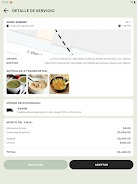
The app is centered on a simple daily workflow: create or update a service profile, set availability and capacity, receive requests, and confirm bookings. This model reduces administrative friction by batching similar tasks and offering quick responses for common operations. Notifications and a compact activity feed keep you informed about new inquiries and bookings so you can adapt capacity in real time. For many providers this creates a steady flow of manageable work without constant manual juggling.
Controls and interface
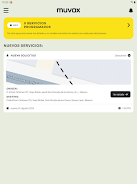
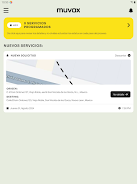
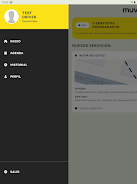
Muvox Socio’s interface is built for quick control on both phones and tablets. Navigation relies on familiar taps and swipes to move between profile, calendar, messages, and analytics. Forms are optimized for fast entry of service details and pricing, and the calendar view uses drag or tap controls to block or open time slots. Accessibility options include scalable text sizes and clear contrast to support varied device conditions and user needs.
Progression, performance tracking, and earnings growth
Rather than a game-like reward system, Muvox Socio uses practical progression: completing your profile, adding high-quality photos, and responding reliably to requests typically increases organic visibility and client trust. The in-app analytics show trends such as conversion rates, average daily bookings, and commission paid, which help you make data-driven decisions to increase take-home earnings. Over time, steady activity translates into clearer demand forecasts and the ability to optimize rates within the minimum commission framework.
Visual style and onboarding structure
The app maintains a clean, uncluttered visual style designed for professional use: neutral palettes, readable typography, and a consistent layout that places key actions within easy reach. Onboarding follows a step-by-step structure that guides new users through profile setup, service listing creation, and a quick walkthrough of the scheduling tools. Each stage is short and focused so you can start accepting requests quickly while still presenting a complete, searchable profile.
Customization and scheduling flexibility
Customization focuses on service descriptions, pricing notes within the limits of the minimum commission model, and availability settings. You can define recurring availability, block specific dates, or set a maximum number of bookings per day to avoid burnout. These options let providers balance growth with work-life balance while keeping their listing attractive to customers who need reliable scheduling.
Replay value, daily use, and offline considerations
Muvox Socio earns daily use value by becoming part of your routine: checking new inquiries, adjusting capacity, and confirming bookings. The app caches recent bookings and service details so you can view essential information when connectivity is limited, although full booking management requires an internet connection. Frequent, short sessions are typical and encouraged to keep responses timely and improve conversion into confirmed appointments.
Challenges, user experience, and support
Success on the platform depends on how well you present services and respond to demand; increased exposure does not guarantee bookings without consistent attention to listings and availability. The app provides tools to reduce operational friction and a support channel for resolving issues quickly. Security practices and transaction safeguards are documented in-app so providers can operate with confidence and focus on growing their business.






