

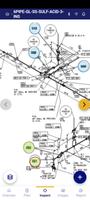

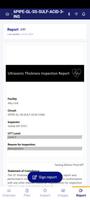

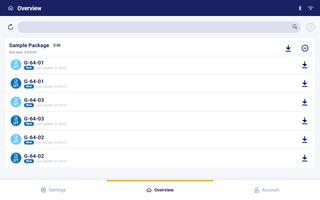
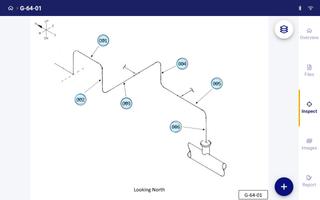

Inspection Project Manager is a mobile-first inspection app that replaces paper forms with a consistent, offline-capable workflow designed for field teams and site managers. Inspection Project Manager helps inspectors capture observations, attach photos, add notes, collect digital sign-offs and produce structured inspection reports that update as findings are recorded, all while keeping the interface simple enough to reduce training time for new users.
Core inspection engine and form mechanics
The heart of the app is a form-driven inspection engine that supports customizable templates organized into sections, items and checklist questions. Fields accept free text, numeric values and multiple-choice responses, and photo attachments can be tied to any item. Conditional logic shows only relevant questions when certain answers are selected, reducing form length and entry time. Inline guidance and required-field validation improve consistency so each inspection follows a predictable progression and generates a complete, timestamped record.
Controls, visual style and device handling
The user interface favors hands-on field use with large touch targets, clear section headers and image thumbnails that make verification quick on phones and tablets. Common interactions include single-tap to open an item, swipe to move between sections, pinch-to-zoom on photographic evidence and a dedicated camera control for rapid capture. Visual cues such as progress bars, colored status markers and compact summaries in task headers provide at-a-glance awareness of remaining checks without overwhelming the screen layout.
Progression, project structure and scheduling
Inspections are structured by project, site and inspection type to mirror real-world workflows and allow teams to build multi-level job hierarchies. A typical inspection moves from site-level checks to area walkthroughs to item-level verification, with each item marked as passed, failed or requiring follow-up. Recurring inspections can be scheduled with templates so repeatable work follows the same progression, and supervisors can monitor completion rates and handoffs through visible approval markers and completion logs.
Customization, templates and approval flows
Templates and configurable checklists reduce variability between teams and sites. Administrators can tailor fields, attach conditional logic and set required approvals to reflect internal procedures rather than forcing a new process. Digital sign-off is integrated into the inspection flow so supervisors can approve findings on the spot, and approval status is recorded with user information and timestamps to maintain an auditable trail for review or compliance purposes.
Offline-first operation and synchronization
Built for connectivity-constrained environments, the app allows full inspections to be completed offline and queued for synchronization when a network is available. Local storage preserves photos, annotations and signatures so work is not interrupted by poor signal, and synchronization updates central records and reconciles submitted changes when devices connect. Automated distribution of finalized reports depends on that synchronization step, and administrators can plan for sync windows to ensure timely sharing across teams.
Replay value, reporting and data integrity
Repeated use of consistent templates builds an evidence trail that simplifies audits and trend analysis. Reports are generated progressively as you work, compiling entries, timestamps and media into a uniform digital record that can be exported after synchronization for long-term storage or further analysis. Reliable field records are useful not only for immediate follow-up but also for spotting recurring issues over time and supporting corrective actions.
Accessibility, onboarding and practical considerations
Accessibility is addressed through adjustable text sizes, high-contrast form elements and concise inline help to aid readability in bright outdoor or low-light conditions. Practical features such as mandatory-field validation, multiple-photo attachments per item and timestamped entries reduce ambiguity in records. Initial template configuration requires some setup to align the app with your organization’s processes, but once templates are tuned the system speeds inspections, reduces manual report assembly and improves overall consistency for teams using Inspection Project Manager in the field.






