

Melvine

| Package ID: | |
|---|---|
| Latest Version: | v1.0.1 |
| Latest update: | May 19, 2026 11:25:05 |
| Developer: | Melvine |
| Requirements: | Android |
| Category: | Lifestyle |
| Size: | 60.43 MB |
| Tags: | System Navigation Date |
Rating :4.2
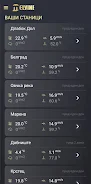
Melvine is an automatic weather-station platform and mobile companion designed for precision agriculture, delivering field-level meteorological data, forecasts and actionable guidance to growers. Melvine connects to on-site sensors to gather temperature, humidity, wind, rainfall and soil moisture and then presents those measurements alongside disease-forecast model outputs so users can make timely, location-specific decisions. The app is written for practical field use: it surfaces current conditions, recent trends and suggested interventions without excessive technical detail, helping agronomists and farm managers prioritize tasks and reduce unnecessary treatments.
Key features
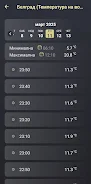
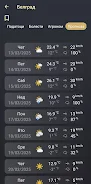
Melvine collects real-time sensor readings and combines them with built-in disease-forecast models to predict onset, intensity and likely duration of pest or disease events. The interface highlights live measurements, historical logs and model outputs in a clear dashboard, while location-aware alerts notify users of imminent risks. Microclimate analysis tools summarize site-specific patterns so users can compare fields, varieties or management zones when planning crop choices and protection strategies.
How Melvine works
The app pairs with an on-site automatic station and field sensors to capture environmental inputs continuously. Data flows from the station to the mobile app and companion modeling software where predictive models analyze conditions and produce risk scores. Users can view the most recent synced readings in the app immediately after pairing and rely on the system to process new data as it arrives, with timestamped logs that preserve measurement history for seasonal review and verification.
Controls and user interface
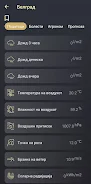
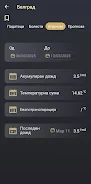
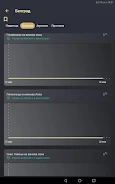
Melvine’s controls are optimized for use in the field: the dashboard presents prioritized metrics at a glance, with tap-to-expand charts for hourly and daily trends. Navigation uses familiar mobile gestures and buttons to switch between zones, maps and model outputs; a clear legend explains model risk categories and the meaning of each sensor reading. The app balances concise alerts with deeper drill-down options so both technicians and managers can access the level of detail they need.
Data progression and modeling
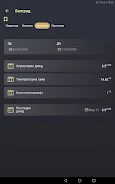
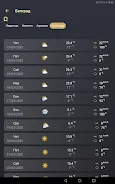
Historical and trend views in Melvine provide a simple progression system: users can track how conditions evolve over days, weeks and the cropping season to evaluate intervention timing and effectiveness. The included disease-forecast models use recent sensor inputs to generate short- and medium-term risk projections; those projections are presented alongside measured data so users can compare expected versus observed outcomes and refine management plans across subsequent seasons.
Customization and alerts
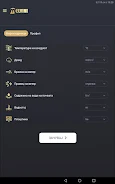
Melvine supports practical customization for everyday farm work: growers can set alert thresholds for specific sensors or risk levels, schedule regular summary reports, and annotate events (applications, scouting notes, harvest dates) directly in the app to maintain a usable log. Notification settings let field teams receive immediate warnings about imminent threats while avoiding excessive messages during routine conditions, helping to focus resources where they are most needed.
Offline use, accessibility and maintenance
The app stores the most recent synced data for offline viewing when connectivity is limited, allowing field crews to reference recent readings and alerts without always requiring a live connection. Melvine is designed with readable contrast, scalable text and clear iconography to support accessibility in outdoor conditions. Regular maintenance such as sensor checks and occasional calibration are necessary to ensure forecast quality; the app includes reminders and status indicators to help schedule these tasks.
Installation, coverage and limitations
Installing Melvine requires placing an automatic station and sensors on-site, which involves an initial hardware investment and time to optimize sensor placement. Forecast accuracy depends on sensor coverage and correct installation: well-distributed sensors and correct positioning improve microclimate representation, while sparse coverage can limit model usefulness. Users should plan for occasional calibration and routine inspections to maintain data quality.
Value for growers
For growers seeking data-driven decisions, Melvine reduces unnecessary treatments by aligning interventions with measured risk, improves timing for agrotechnical operations and supports variety and field selection based on microclimate insights. The combination of hardware, modeling and a field-focused mobile interface provides repeatable seasonal value: repeated monitoring across growing cycles helps users refine thresholds, validate model predictions and improve overall crop protection strategies while reducing costs and environmental impact.






