






Otorrinos

| Package ID: | |
|---|---|
| Latest Version: | v1.0.1 |
| Latest update: | May 19, 2026 10:24:03 |
| Developer: | Sisac Inova |
| Requirements: | Android |
| Category: | Lifestyle |
| Size: | 53.57 MB |
| Tags: | System Navigation Date |
Rating :4.0
Otorrinos is a mobile scheduling assistant designed to simplify booking medical appointments and examinations, placing practical tools in one place so patients can manage visits without friction. The app centers on straightforward appointment requests, clear confirmation steps, and an organized view of upcoming exams, helping users reduce time on phone calls and paperwork so they can focus on preparing for care. With Otorrinos you can handle routine scheduling tasks quickly, review essential exam details, and keep a concise history of past bookings for reference.
Key features and user experience
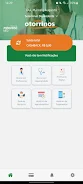
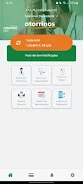
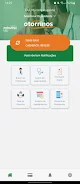
The core of Otorrinos is an uncluttered workflow that guides users through search, selection and confirmation with minimal taps. The interface emphasizes large, readable elements and clear action labels so primary controls — choosing a service, selecting a date and confirming a request — are obvious even on smaller screens. Notifications and soft reminders are part of the experience to reduce missed appointments, and an integrated appointments list offers a single place to scan upcoming dates, locations and preparation notes. This focus on usability helps patients with limited time or limited familiarity with mobile apps to complete tasks confidently.
How scheduling works (controls and progression)
Scheduling in Otorrinos follows a simple, staged progression: find available options, choose preferred times, add required details and confirm the request. Controls are touch-driven and context-aware: date pickers adapt to clinic availability, and form fields present only the information required for the selected exam type. The app keeps users informed at each step with brief status messages and a clear confirmation screen that summarizes the appointment, expected preparations and contact details. A history log provides a natural progression through recent interactions, letting users repeat common bookings more quickly over time.
Visual style and layout
Otorrinos favors a clean, readable visual language: neutral backgrounds, high-contrast text and focused information panels that minimize visual noise. Visual cues such as icons and color accents are used sparingly to draw attention to key actions like confirming or canceling a booking. The layout is organized to prioritize essential information — date, time, exam type and location — while secondary details are tucked into expandable views to avoid overwhelming the user. This approach supports quick scanning and faster decision-making.
Scheduling flow and structure
The app’s workflow is organized into logical stages rather than levels: discovery, selection, confirmation and follow-up. Discovery helps users find services offered by their chosen provider or specialty area. Selection narrows available slots and required preparations. Confirmation locks in the requested visit and provides a digital summary. Follow-up tools let users view status updates, reschedule when permitted, or cancel according to clinic policies. Each stage is designed to be repeatable and predictable so routine tasks become faster with use.
Customization and user preferences
Otorrinos supports personalization appropriate for a scheduling tool: users can set preferred clinics, default appointment types, notification preferences and time-window availability. These preferences speed up future bookings by pre-filling common choices and filtering available slots to match the user’s routine. The app also allows brief notes to be attached to requests when additional context is helpful, and stores basic profile details to simplify forms while respecting privacy expectations.
Accessibility, offline use and reliability
Accessibility is considered through simplified navigation, readable typography and support for common screen reading behaviors. Where possible the app reduces reliance on complex gestures to aid users with motor or visual impairments. Basic offline capabilities enable viewing of previously loaded appointment summaries and personal preferences without an immediate connection; however, creating new requests or receiving live updates requires network access. The app includes clear messages about connectivity so users understand when actions are queued versus completed.
Limitations and best practices
Otorrinos is intended for appointment planning and is not a substitute for emergency care; urgent situations should be handled by direct provider contact or emergency services. The availability of specific exams and live scheduling depends on each medical provider’s integration with the system, so some features may vary by clinic. Users should verify confirmation messages and follow provider instructions for preparations. When used as part of a routine care workflow, Otorrinos reduces administrative friction and helps patients stay organized and informed about upcoming medical visits.






