
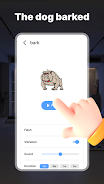
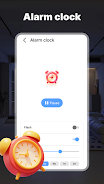
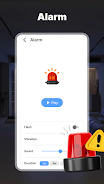
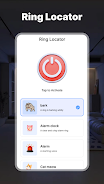

Ring Locator helps you find a misplaced phone with one simple tap: Ring Locator triggers a loud, unmistakable ringtone and optional vibration so a buried or hidden device becomes easy to locate. The app puts a wide range of sound options at your fingertips and lets you tailor volume, vibration intensity and ringtone duration to match bedrooms, busy offices or the inside of a packed bag. Designed to be practical rather than flashy, Ring Locator focuses on reliable audible alerts and clear controls so you spend less time searching and more time on what matters.
Key Features
The app includes a varied sound library that ranges from attention-grabbing alarms and classic tones to musical clips and distinct animal noises, allowing you to pick sounds that cut through different kinds of background noise. One-tap activation plays the selected ringtone immediately; you can also adjust how long the tone plays and how strongly the phone vibrates so the alert works whether the device is under cushions or tucked away in a backpack. All tones are stored locally, so the app can sound an alert without an internet connection, and you can preview sounds before saving your preferred setup.
Controls & Usage
Controls are focused on simplicity: a large central button triggers the alert, and sliders or easy toggles change volume, vibration intensity and duration. Use the preview controls to test a tone and a vibration setting before you rely on them in a real situation. If you frequently misplace your phone in different places, use the quick-switch options to change between recently used sound-and-vibration combinations. Because the app depends on the device's ability to play sound, make sure system-level settings such as Do Not Disturb or muted media volume don’t prevent alerts from being heard.
Customization & Profiles
Ring Locator lets you build and save custom profiles so you can switch quickly between a “home” profile with lower volume and stronger vibration and a “public” profile with a louder tone and longer duration. You can label profiles for fast recognition and reorder them to keep the ones you use most accessible. The app also supports picking any combination of tone and vibration intensity so you can experiment until you find the alert that reliably stands out in your usual environments.
Visual Design & Accessibility
The interface emphasizes large, clearly labeled controls and high-contrast elements to make it easy to operate under stress or with limited dexterity. Buttons are sized for quick, error-free taps and settings are described in straightforward language so you can make adjustments even if you’re in a hurry. Vibration settings and audible duration provide alternative ways to locate the device, which can help users with hearing or vision differences. Where applicable, the app respects the device’s accessibility services and common platform conventions to maintain predictable behavior.
Performance & Offline Use
Ring Locator is built to be lightweight and to minimize battery impact: playing short, local audio files and using brief vibration bursts consume minimal power compared with continuous background services. Because audio files are stored on the device, the core features work without a network connection, so you can rely on the app even in places with poor reception. Regular updates keep the sound library fresh while maintaining small download sizes.
Tips & Limitations
For best results, test a selection of tones in the actual locations where you tend to lose your phone so you can identify which sounds penetrate cushions, fabric or ambient noise. Remember that Ring Locator cannot locate a device that is powered off or whose speaker is damaged, and it does not provide GPS coordinates or map-based tracking. In very loud environments you may need to increase duration or pair a loud tone with stronger vibration. If alerts aren’t heard, check system volume and Do Not Disturb settings and try a different profile. With a small upfront setup—choosing tones and saving profiles—Ring Locator becomes a practical everyday tool that reduces the time and stress of locating a misplaced phone.






