

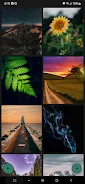
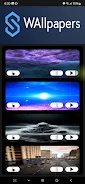
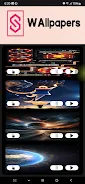


Wallpapers for Samsung helps you personalize your Samsung phone or tablet with a large, carefully curated collection of high-quality still images and live video backgrounds that bring your home screen to life. Wallpapers for Samsung places the app name and purpose front and center so new users can quickly understand that the gallery is tailored for Samsung screen sizes and device behavior; within the first moments you can browse categories and apply a new look with a single tap. The interface is designed for people who want a fresh, modern feel without a complicated setup, and the app’s regularly updated galleries make it easy to change styles as your preferences evolve.
Key Features
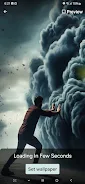
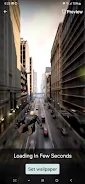
The app combines static wallpapers and dynamic video wallpapers that add motion and subtle depth to your home screen; live backgrounds are selected for visual impact and compatibility with Samsung display technologies. High-resolution images are chosen and optimized to match the typical screen sizes and aspect ratios found across Samsung phones and tablets, reducing letterboxing and unintended cropping. An intuitive preview mode lets you see how an image or video will look on your home screen before you apply it, and the one-tap application streamlines the process so changing your wallpaper is fast.
Browsing is organized into thematic categories—vibrant, calming, nature, abstract, and more—so you can find an aesthetic that fits your mood. Galleries are refreshed on a schedule that keeps choices feeling new without overwhelming the interface, and featured collections highlight seasonal or trending styles curated by the editorial team. The mix of still and motion options lets you choose either minimal battery impact or a more dynamic look, depending on your priorities.
How It Works
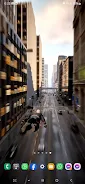
Navigation is straightforward: swipe or scroll through thumbnails to scan selections, tap a thumbnail to open a full-screen preview, and tap Apply to set the wallpaper. The preview shows how a background adapts to home screen icons and common Samsung layouts so you can judge readability before committing. Video wallpapers are previewed with muted playback to demonstrate motion, and you can switch between still and live versions of a design where available.
Under the surface the app detects common Samsung resolutions and prepares assets that fit without manual resizing; this reduces the need for additional configuration and helps ensure a consistent result across devices. The process of applying a wallpaper is local to your device once the asset is loaded, and the app reports if a selected live wallpaper might affect performance so you can make an informed choice.
Customization and Visual Style
Visual variety is a core focus: whether you prefer bold, colorful compositions or soft, minimal scenes, the collection offers distinct styles and tones. Live video wallpapers emphasize subtle motion—gentle clouds, flowing water, or cinematic parallax—while static wallpapers use high-quality photography and designed graphics to keep icons legible. Where applicable, images are composed with attention to center and edge areas so widgets and status bars remain unobstructed.
Customization is simple and immediate: choose a background, preview it, and apply it to the home screen. The app supports both portrait and landscape orientations commonly used on Samsung tablets and certain phones, and the curated approach minimizes the time spent tweaking settings so you can focus on selecting a look you like.
Performance and Compatibility
Because live video wallpapers can use more resources than static images, the app provides guidance so you can balance aesthetics against battery and memory considerations. Many wallpapers are optimized to perform smoothly on recent Samsung hardware; however, older devices may see a greater impact from dynamic backgrounds. The app is primarily aimed at Samsung devices, and while most static wallpapers will display correctly on other Android brands, some dynamic formats and optimizations are specific to Samsung's software framework.
In typical use, applying a static wallpaper has negligible ongoing resource cost, while video and live wallpapers may increase CPU or GPU usage during playback. Users who prioritize battery life can prefer still images or select more subdued live wallpapers that use minimal motion.
Accessibility and User Experience
The interface emphasizes clarity: large thumbnails, readable labels for categories, and predictable controls make it accessible for a wide range of users. Preview and apply actions are deliberately prominent so the core workflow—find, preview, apply—is quick and repeatable. Regular gallery updates and editorially selected featured packs help users discover new styles without hunting through uncurated feeds.
Wallpapers for Samsung aims to deliver consistent results across screen sizes and to provide simple warnings when a choice may be resource intensive. The app is suitable for anyone who values straightforward personalization, from casual users who change backgrounds occasionally to those who like to refresh their device look frequently.
Advantages
Wallpapers for Samsung provides a curated collection that reduces the time needed to find high-quality, device-appropriate backgrounds. The combination of static and video options gives users flexibility between low-impact and immersive visuals, and the one-tap application makes personalization immediate. Regular updates and category organization improve discoverability and encourage exploration.
Disadvantages
The app is designed primarily for Samsung devices, so some dynamic formats or optimized assets may not behave exactly the same way on other Android phones and tablets. Live and video wallpapers can be more resource-intensive than static images; users with older hardware or tight battery constraints may prefer to use still wallpapers for better longevity between charges.






