

Photo Recover Pro

| Package ID: | |
|---|---|
| Latest Version: | v1.1.0 |
| Latest update: | May 17, 2026 12:05:03 |
| Developer: | AANZ Studios |
| Requirements: | Android |
| Category: | Tools |
| Size: | 39.32 MB |
| Tags: | Navigation Photo Video |
Rating :4.0
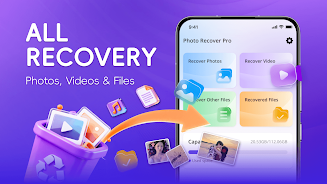
Photo Recover Pro is a compact recovery utility designed to scan Android internal storage and SD cards to find and restore accidentally deleted photos, videos, audio recordings and documents. Photo Recover Pro starts with a quick scan option for recent deletions and offers a deeper analysis mode when more thorough recovery is needed, all without requiring root access or an internet connection so your files remain private on-device.
Key features
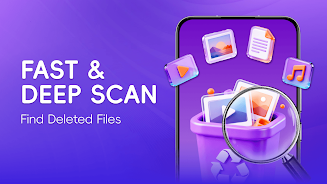
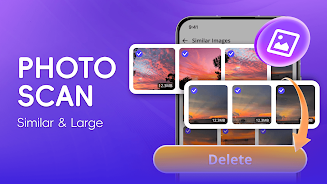
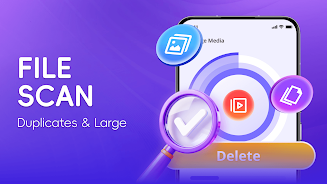
The app uses a layered scanning engine that combines a fast index pass with an optional deep scan that looks for residual file fragments and common photo and video signatures. Previews are generated before any file is restored so you can confirm content visually and avoid unnecessary transfers. Batch selection and selective folder restore let you recover many items at once or pick individual files. SD card support means you can attach and scan removable storage with the same workflow. Built-in filters let you narrow results by file type, date range, size or resolution, and duplicate detection highlights redundant copies for easier cleanup.
How it works
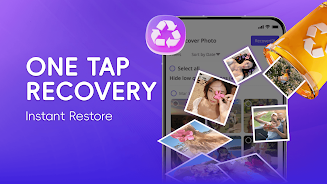
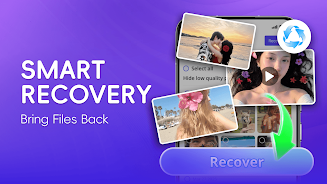
Start with a one-tap scan that quickly enumerates recently deleted items; if results are incomplete you can switch to deep mode which performs a sector-level pass to surface older or partially overwritten files. All recovered files are written to a user-specified folder so you keep control of where restored content is stored. The preview browser renders thumbnails and basic metadata including original path, deletion date estimate and file size to help you decide what to restore. The app also maintains a simple scan history so you can return to a previous result set without rescanning every time.
Controls and user experience
The interface focuses on clarity: a prominent scan button starts either quick or deep scans, on-screen toggles switch file-type filters, and long-press gestures allow fast multi-select for batch restores. Preview screens include zoom and play controls for photos and videos, and a recover button that prompts you to choose a destination folder. Sorting options by date, size or file type are available from the same view, and an integrated search field helps locate specific filenames or extensions among recovered items.
Progress, recovery flow and reliability
During a scan you will see a progress indicator with an estimated remaining time and a running count of recoverable items found. Deep scans are thorough but can take longer on high-capacity devices; the app lets you pause and resume scans to manage battery and performance. Recovery operations are queued and completed in the background with clear status updates and a final report that lists successful restores and any files that could not be recovered. Files that have been overwritten or exhibit severe corruption may not be retrievable, and the app displays that limitation transparently in the recovery log.
Compatibility, file support and limitations
Photo Recover Pro recognizes common image formats such as JPG, PNG and HEIC, typical video containers like MP4 and MOV, audio snippets and common document types. It is optimized for Android file system structures and for standard SD card formats, but extremely uncommon or proprietary file systems and heavily fragmented or encrypted files can limit recovery success. The app does not attempt to repair deeply corrupted media; instead it reports which files are partially recoverable so you can decide whether to keep the recovered fragments.
Privacy, offline use and accessibility
Because all scanning and restoration takes place locally, Photo Recover Pro does not upload content to external servers and works fully offline, which is important for sensitive or private data recovery. Root access is not required for typical scans and restores, simplifying setup for most users. Accessibility features include adjustable font size, contrast-friendly themes and straightforward navigation that supports screen magnifiers and standard Android accessibility tools. Battery and storage warnings are shown when scans could impact device resources.
Visual design, customization and replay value
The app presents recovered content with clear thumbnails and metadata lists in a compact, modern layout that reduces visual clutter. Theme options, thumbnail density settings and default restore folders can be customized in settings so you configure Photo Recover Pro to your workflow. Because deleted data may reappear after different scan modes or after the device usage patterns change, re-scanning can yield additional recoverable items, giving the app practical replay value for ongoing file recovery needs.
Overall, Photo Recover Pro provides a focused toolset for recovering lost media and documents on Android devices with transparent controls, local-only processing and practical recovery workflows that balance thoroughness with usability.






