
Apps
Productivity
Luna
Luna

| Package ID: | |
|---|---|
| Latest Version: | v1.5.2 |
| Latest update: | May 15, 2026 09:15:04 |
| Developer: | |
| Requirements: | Android |
| Category: | Productivity |
| Size: | 11.00 MB |
| Tags: | Navigation Camera Date |
Rating :4.0
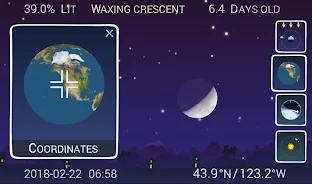
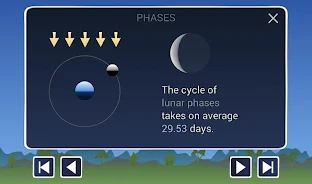
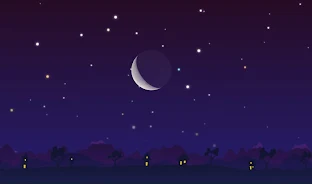
Luna is an interactive educational app that visualizes the Moon's phases and apparent motions so you can explore why the lunar cycle looks the way it does and why the Moon appears tilted or upside-down from different places on Earth. The experience centers on dynamic, animated illustrations and hands-on controls that let you change date, time, latitude and longitude, move the Earth and Moon around the Sun, and watch the Moon rise and set at any moment of the year. Designed for students, teachers and amateur astronomers, Luna focuses on making lunar geometry intuitive rather than providing precision ephemerides.
Key features and simulation mechanics
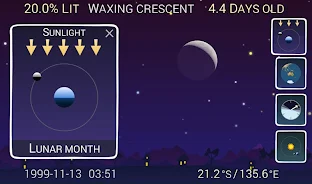
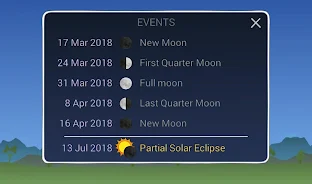
The core simulation combines clear vector-style animations with adjustable physics parameters. Animated lighting shows the lit portion of the lunar surface as the relative positions of Sun, Earth and Moon change. Controls are immediate: drag sliders to advance time, tap to pause, or scrub a timeline to jump between dates. You can switch between constant-step playback and real-time mode, change simulation speed to slow down subtle transitions, and toggle overlays such as the ecliptic plane, orbit paths and horizon markers to focus on the concepts you want to study.
Controls, customization and user interaction
Interactive controls are built for touch devices with simple gestures and clear on-screen controls. Numeric entry allows precise latitude and longitude values, while preset observer locations make it easy to compare appearances from common latitudes. Visual customization options let you show or hide labels, adjust text size and color contrast, and choose a dark theme for night-friendly classroom demonstrations. The camera can be zoomed and rotated to inspect tilt and libration up close, and readouts provide approximate phase percentage and local rise and set times for the simulated observer location.
Learning progression and challenge activities
Rather than fixed levels, the app encourages self-directed progression through suggested exploration paths and short challenge activities that build understanding step by step. Prompts guide you to predict the Moon phase from a given geometry, observe how phase and altitude change with latitude, and investigate why the same phase can look different when observed from opposite hemispheres. Suggested exercises increase in complexity, from basic phase identification to multi-parameter scenarios that combine time of year, observer latitude and libration effects so learners can test hypotheses and verify outcomes using the simulation.
Visual style, replay value and classroom use
The visual style favors clarity and instruction: animations emphasize geometric relationships with color-coded light and shadow, labeled axes and gentle motion that illustrates cause and effect. Replay value comes from the sandbox nature of the simulation; small changes to time, location or viewpoint produce different and instructive results, so students can repeat experiments, try comparative observations and document surprising patterns. Teachers can use the app offline during lessons, project the simulation for group discussion, and encourage repeated exploration without requiring network access.
Accessibility and learning support
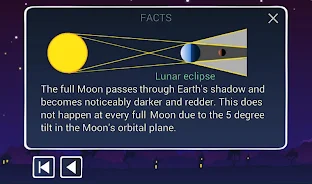
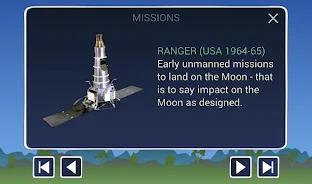
The interface is designed with accessibility in mind. Adjustable font sizes, high-contrast display options and clear, descriptive labels improve readability for diverse learners. Basic talkback support and straightforward touch targets make the controls approachable on small screens. Built-in factual annotations and illustrated explanations accompany the simulation, providing context about lunar geology, historical missions and observational tips that connect the animations to real-world astronomy.
Limitations and recommended use
The app is intended for education, demonstration and casual observation. It provides a close approximation of lunar phase and apparent position suitable for classroom demos and amateur skywatching, but it is not a replacement for professional ephemerides or navigational charts. For precise timing or critical astronomical planning, consult dedicated observatory-grade resources. The app emphasizes conceptual clarity and interactive learning over absolute precision.
Who will benefit
Students learning basic astronomy, instructors preparing hands-on lessons, and curious observers wanting to understand why the Moon changes appearance will find the app useful and engaging. With intuitive controls, configurable displays and a focus on exploration, Luna supports repeated experimentation, helps build intuition about celestial geometry, and makes it easy to compare how the same lunar phase can look different from different places and times on Earth.