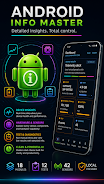
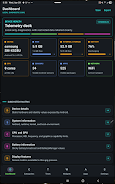
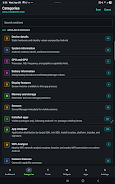

Android Info Master delivers a clean, privacy-focused diagnostic dashboard that reveals everything about your Android device — hardware, system, CPU, memory, storage, battery, display, camera, sensors, connectivity, installed apps and nearby Wi-Fi networks. It's designed for power users, technicians and enthusiasts who want fast answers, detailed local reports and practical test tools without accounts, cloud sync or analytics. Information stays on your device and reports are created only when you export them, so you get deep visibility and control without background uploads or unwanted data collection.
Key Features
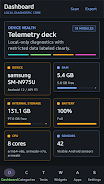
⭐ Device dashboard with quick system health metrics and one-tap overview.
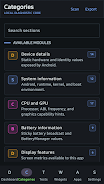
⭐ Detailed reports for device, Android, CPU, GPU, memory, storage, display, battery, camera, sensors, thermal, USB, DRM and connectivity.
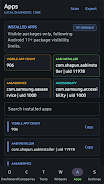
⭐ App Analyzer with filters for platform, installer, target SDK, install location and risk category to audit installed apps.
⭐ Wi-Fi Analyzer that scans nearby networks, shows signal strength, channels, standards, security and estimated distance.
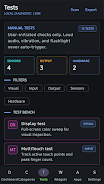
⭐ Manual and live hardware tests for display, multitouch, flashlight, speaker, vibration, sensors, Bluetooth, fingerprint hardware and volume controls.
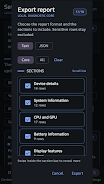
⭐ Exportable reports in text or JSON with selectable sections and AMOLED-friendly styling — Android Info Master keeps exports local.
Advantages
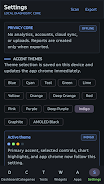
✅ Android Info Master follows a local-only privacy model: no accounts, no analytics, no cloud sync and no background uploads.
✅ Broad diagnostic scope covers everything from low-level hardware and thermal data to connectivity and DRM details, useful for deep troubleshooting.
✅ Practical tools for power users, repair technicians and auditors, including app analysis, Wi-Fi environment checks and hardware self-tests.
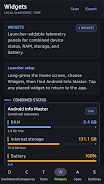
✅ Customizable exports, home-screen widgets and theme options make it easy to create and keep a concise local device report.
Disadvantages
❎ Several features require runtime Android permissions (camera for flashlight tests, location for Wi-Fi scanning, phone/network for restricted connectivity data).
❎ Some protected or restricted system information remains unavailable unless the appropriate permissions are granted.
❎ The local-first approach means there is no built-in cloud backup or cross-device sync for saved reports.