
Universal TV Remote
| Package ID: | |
|---|---|
| Latest Version: | v2.1 |
| Latest update: | May 08, 2026 09:13:04 |
| Developer: | Digitalnet |
| Requirements: | Android |
| Category: | Tools |
| Size: | 4.30 MB |
| Tags: | System Navigation |
Rating :4.2
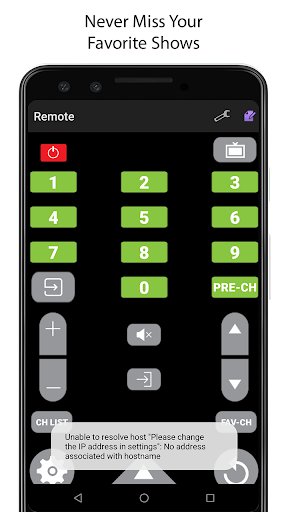
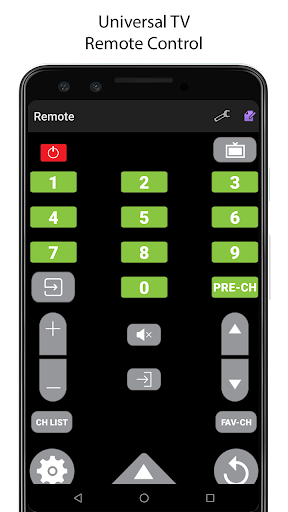
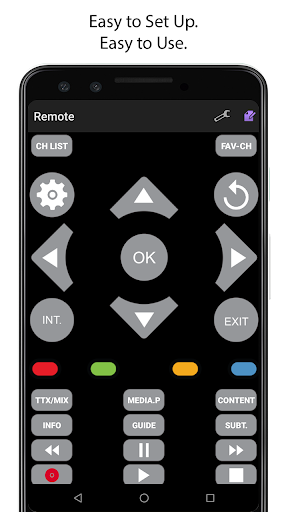
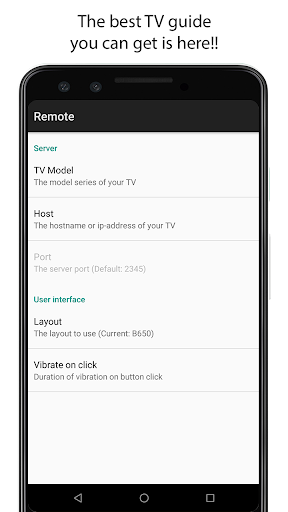
Universal TV Remote turns your phone or tablet into a working TV remote, letting you control power, volume, channel and navigation without extra hardware. If your physical remote is lost or you need a quick replacement at home or in a bar, Universal TV Remote recreates the familiar layout and functions of a standard remote so operation is intuitive. The app sends commands through your device's built-in IR port to supported televisions and compatible Blu-ray players, offering a free and convenient alternative to buying a new remote when your device and TV models are compatible.
Key Features
⭐ Full remote replication: matches the operation and button layout of a conventional TV remote for easy use.
⭐ Uses the device's built-in IR port, so no external hardware or adapters are required.
⭐ Broad compatibility with specific models: 2010 Internet TV models (LCD 650, LED 6500, PDP 6500 and above), 2011 and 2012 AllShare models (LCD 550, LED 5500, PDP 5500 and above), and 2011 Blu-ray players with Smart Hub.
⭐ Completely free to download and use with no in-app purchases listed.
⭐ Settings tip: for C-Series or D-Series TVs, enable Remote Control under the TV's System Settings to allow app control.
Advantages
✅ Convenient replacement when the original remote is missing—set up quickly and control your TV from your pocket.
✅ Familiar interface mirrors the physical remote, reducing the learning curve.
✅ Universal TV Remote is free and removes the need to buy extra hardware or a replacement remote in many cases.
✅ Supports a range of Internet TV, AllShare and Smart Hub–enabled devices and compatible Blu-ray players.
Disadvantages
❎ Requires a mobile device with an IR port; phones or tablets without IR will not be able to use the app.
❎ Not all TV models are supported—compatibility is limited to the specific model ranges listed and some TVs may be excluded.
❎ Some C-Series and D-Series sets require you to enable Remote Control in the TV menu; if that option is absent the TV cannot be controlled by the app.