
Apps
Photography
Peacock Photo Frames & Editor
Peacock Photo Frames & Editor

| Package ID: | |
|---|---|
| Latest Version: | v1.0.42 |
| Latest update: | Apr 25, 2026 11:32:05 |
| Developer: | Benzyl Labs |
| Requirements: | Android |
| Category: | Photography |
| Size: | 64.00 MB |
| Tags: | Social Wallpaper Photo |
Rating :4.3
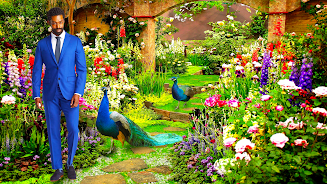
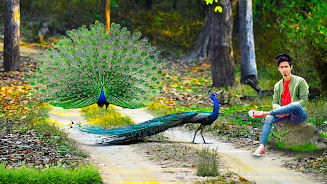
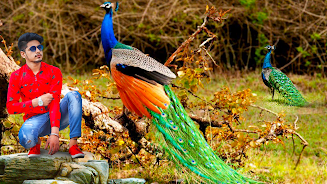
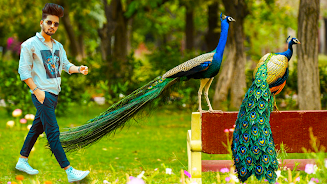
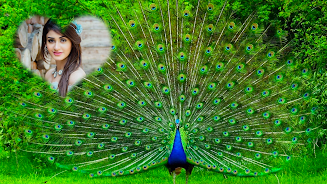
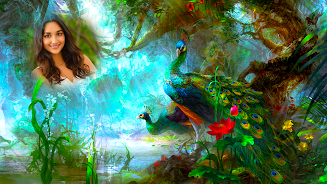
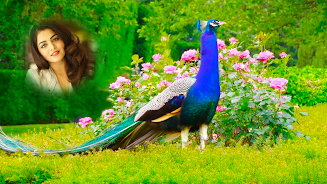
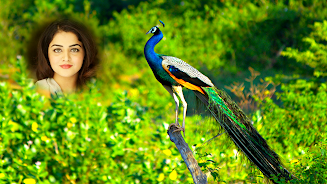
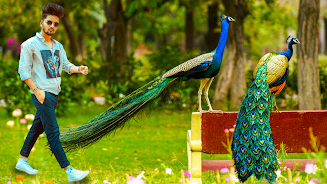
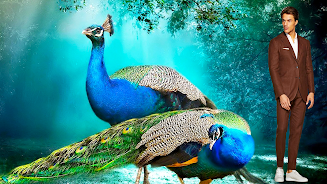
Peacock Photo Frames & Editor is a photo-editing app that helps you place colorful peacock frames and themed decorations on your pictures so you can imagine yourself beside these striking birds. The app focuses on vibrant feathered frames and easy-to-use editing tools, and Peacock Photo Frames & Editor includes crop and rotate controls, manual and automatic background erasers with adjustable brush sizes, zoom and undo/redo support, stickers, text overlays, blur options and wallpaper export so you can polish and share edited images quickly.
Key Features
Selection of colorful peacock frames and themed backgrounds to decorate portraits and selfies. Manual crop and background eraser with adjustable brush size, zoom, undo/redo and repair tools for precise edits. Auto eraser removes a particular color from the background in a single touch for faster results on uniform backgrounds. Add stickers, face stickers and text overlays with resize, rotate, flip and opacity controls to personalize each image. Replace backgrounds with a solid color, a gallery image or a blurred scene, then save or set the final image as wallpaper.
Advantages
Peacock Photo Frames & Editor makes it simple to create peacock-themed pictures without advanced editing skills. A mix of automatic and manual tools gives control for both quick edits and detailed touch-ups. Options for none/white backgrounds, single-color backgrounds or custom images offer flexible styling choices. Built-in text, stickers and share features streamline sending finished photos to friends and social networks.
Disadvantages
Removing complex backgrounds can still require careful manual erasing and time to get a clean result. The auto eraser performs best on uniform colors and may struggle with multicolored or highly detailed scenes. Final image quality depends on the original photo's resolution and lighting, so low-quality source images may limit results.






