



AssistiveTouch Pro

| Package ID: | |
|---|---|
| Latest Version: | v1.0 |
| Latest update: | Apr 14, 2026 13:16:03 |
| Developer: | 1 Dollar Apps |
| Requirements: | Android |
| Category: | Tools |
| Size: | 8.00 MB |
| Tags: | System Navigation Date |
Rating :4.1
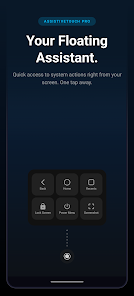
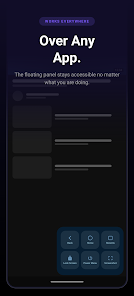
AssistiveTouch Pro adds a floating assistive button to your Android device that gives one-tap access to system actions, quick toggles, media controls and app shortcuts—no root required. It’s built for people with broken hardware buttons or cracked displays and for anyone who prefers faster navigation without learning gestures. Tap the button to open a compact panel you can configure with up to nine actions, assign any installed app to a slot, choose themes, drag the control anywhere and let it fade when idle. AssistiveTouch Pro runs fully offline, avoids trackers and keeps a minimal footprint on battery and memory.
Key Features
⭐ Configurable panel with 3, 6 or 9 action slots and the ability to assign any installed app as a launcher.
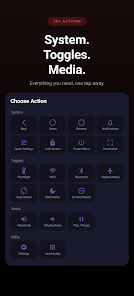
⭐ Built-in navigation controls such as Back, Home, Recents and Lock Screen for quick access without physical buttons.
⭐ Quick toggles for Wi‑Fi, Bluetooth, Flashlight, Airplane Mode, Dark Mode, Do Not Disturb and Auto-Rotate.
⭐ Media and utility actions including Volume Up/Down, Play/Pause, Screenshot, Notifications, Quick Settings and Open Settings.
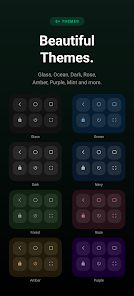
⭐ Nine themes, accent color swatches, draggable placement and idle fade keep the interface unobtrusive while AssistiveTouch Pro stays customizable.
Advantages
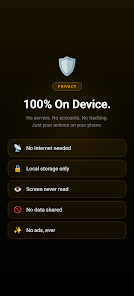
✅ AssistiveTouch Pro works entirely offline with no ads, no analytics and no data collection for strong on-device privacy.
✅ Lightweight service design with minimal memory use and near-zero battery impact.
✅ Straightforward setup that restores essential controls for devices with broken buttons or for users who prefer a persistent shortcut.
✅ Flexible customization and themes let you tailor the assistant to your workflow and visual preferences.
Disadvantages
❎ Requires Android 8.0 or higher, so older devices are not supported.
❎ The app needs Accessibility Service permission to show the floating button and perform system actions.
❎ The customizable panel supports up to nine actions, which may feel limiting for users who want a larger set of shortcuts.
Development Team
AssistiveTouch Pro is offered by 1 Dollar Apps.
Version Information
Version ATP_1.0_BETA, released Apr 5, 2026 and updated Apr 6, 2026. Requires Android 8.0 and up and has an approximate download size of 8 MB.






