
Apps
Photography
Hypic Photo Editor
Hypic Photo Editor

| Package ID: | |
|---|---|
| Latest Version: | v4.7.0 |
| Latest update: | Jan 21, 2026 14:47:03 |
| Developer: | Bytedance Pte. Ltd. |
| Requirements: | Android |
| Category: | Photography |
| Size: | 67.80 MB |
| Tags: | Life Social Photograph |
Rating :4.3
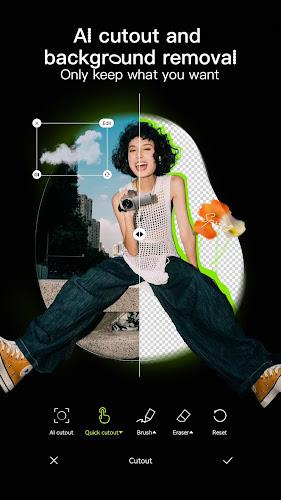
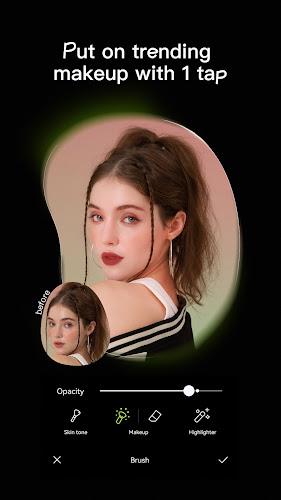
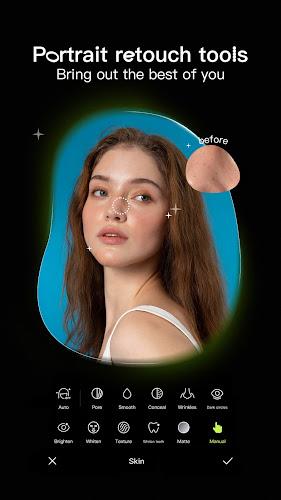
Hypic Photo Editor is a user-friendly app designed to help you transform your photos with ease. Whether you're a beginner or a seasoned photographer, Hypic offers a variety of editing tools that let you enhance your images, add effects, and experiment with creative styles. From basic adjustments like brightness and contrast to more advanced features like filters, text overlays, and frames, this app provides everything you need to create stunning photos. With its simple interface and powerful editing capabilities, Hypic Photo Editor makes it easy to bring your photos to life and share them with friends and family.
Features of Hypic Photo Editor:
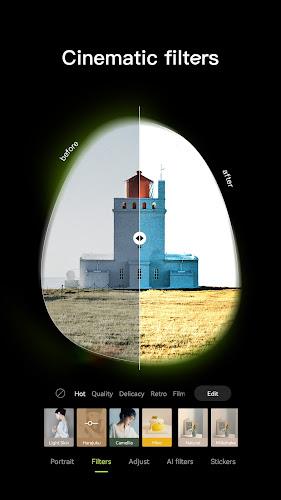
1. Wide Range of Filters: Hypic offers a selection of vibrant and stylish filters that can instantly transform the look and feel of your photos, giving them a professional touch.
2. Advanced Editing Tools: Use powerful editing features such as crop, rotate, adjust brightness, contrast, saturation, and sharpness to fine-tune your images with precision.
3. Text and Stickers: Add creative text, captions, and fun stickers to your photos for extra flair, making them perfect for social media posts or personal albums.
4. Collage Maker: Hypic allows you to combine multiple images into a custom collage, giving you the flexibility to create visually engaging photo compositions.
5. Customizable Frames: Choose from a variety of frames to add a finishing touch to your photos, helping them stand out and feel more polished.
Playing Tips for Hypic Photo Editor:
1. Experiment with Filters: Start by applying different filters to see how they change the mood of your photo. Combine multiple filters for a unique, personalized effect.
2. Use the Crop Tool for Perfect Composition: Crop your images to focus on the subject or improve composition. Play with aspect ratios to get the right look for your social media platforms.
3. Play with Text and Stickers: Don’t hesitate to get creative with text and stickers. Add inspirational quotes, fun emojis, or unique stickers to make your photos more engaging.
4. Create Collages for Variety: If you have multiple great shots, use the collage maker to combine them in a stylish layout, perfect for sharing a series of moments.
5. Adjust Details for Precision: Fine-tune your photos by adjusting the brightness, contrast, and sharpness to perfect every detail. Even small adjustments can make a huge difference in the overall quality.
Conclusion:
Hypic Photo Editor is a versatile app that empowers you to turn ordinary photos into extraordinary works of art. With its wide range of filters, editing tools, and fun features like stickers and collages, Hypic offers everything you need to enhance your images and share them with style. The app’s intuitive interface makes it accessible for users of all skill levels, while its advanced features provide enough depth for experienced editors. Whether you're creating content for social media or just editing personal photos, Hypic Photo Editor is a great choice for all your photo editing needs.






