
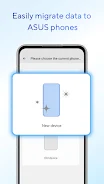

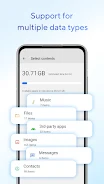
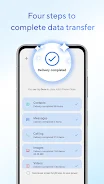

Introducing the innovative ASUS Phone Clone App! Easily transfer all your data from your old Android device to a new ASUS phone without the need for a USB cable or mobile network. This user-friendly app allows you to seamlessly migrate contacts, call logs, messages, photos, videos, music, files, and applications, including application data and system settings for ASUS phones. Note: Some system versions and models may have limitations. For a hassle-free data transfer experience, make sure to update to the latest version (5.12.19.5). Share your feedback on ZenTalk forum for any questions or suggestions. Don't miss out on this convenient app for your ASUS phone!
Features of ASUS Phone Clone:
Easy data migration: ASUS Phone Clone allows you to seamlessly transfer various types of data from your old Android device to your new ASUS phone, including contacts, call logs, texts, photos, videos, music, files, and even applications.
Wireless transfer: Say goodbye to the hassle of using a USB cable or mobile network for data transfer. ASUS Phone Clone lets you migrate all your data wirelessly, making the process quick and convenient.
Application data transfer: If your old device is also an ASUS phone, you can transfer not just the applications themselves but also their data and system settings, ensuring a smooth transition to your new device.
Support for different models: ASUS Phone Clone is compatible with a wide range of ASUS phone models for seamless data migration. However, some specific models are not supported, so make sure to check the compatibility list before proceeding.
Playing tips ASUS Phone Clone:
Before starting the data transfer process, make sure both your old and new devices have sufficient battery life to avoid any interruptions during the transfer.
Close any unnecessary apps running in the background on both devices to ensure a smooth and uninterrupted data transfer process.
Keep both devices close to each other during the transfer to maintain a stable connection and speed up the transfer process.
Make sure to follow the on-screen instructions provided by ASUS Phone Clone to complete the data migration process successfully.
Conclusion:
ASUS Phone Clone is a reliable and convenient app that streamlines the data migration process from your old Android device to your new ASUS phone. With its wireless transfer capabilities and support for various data types, including applications and system settings, it offers a hassle-free experience for users looking to switch devices. Download the latest version of ASUS Phone Clone now to enjoy a seamless data migration process and start enjoying your new ASUS phone without missing a beat.






