
Worde

| Package ID: | |
|---|---|
| Latest Version: | v5.1.2 |
| Latest update: | Aug 06, 2026 22:43:02 |
| Developer: | iMod Word Game |
| Requirements: | Android |
| Category: | Puzzle |
| Size: | 23.50 MB |
| Tags: | Slot Competition Elimination |
Rating :4.5
Worde is a compact word-guessing game that challenges you to discover a hidden five-letter word within six attempts using simple, repeatable logic and immediate visual feedback. The app focuses on short, focused rounds that train pattern recognition: each guess must be a valid word submitted with the enter action, and the game recolors tiles to show which letters are correct, misplaced, or absent. Worde keeps the rules straightforward so newcomers can start playing quickly while more deliberate players can refine strategies around duplicate letters and positional elimination.
Key Features
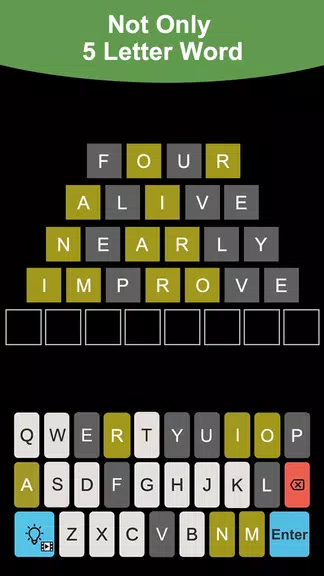
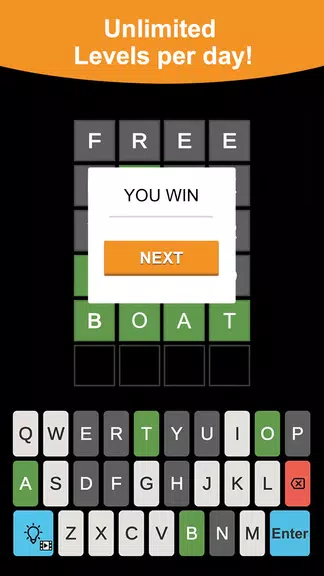
Worde offers an uncluttered experience built around an intuitive six-guess structure. Each round uses tile colors to communicate progress: green indicates a letter that is correct and in the right position, yellow flags a correct letter in the wrong slot, and gray shows letters not present in the answer. The game enforces valid-word entry so every guess counts, and duplicate-letter behavior follows standard logical rules—repeated letters in a guess are only highlighted when the hidden word contains multiple instances. The design emphasizes quick rounds, clear feedback, and steady improvement rather than crowdsourced competition or online rankings.
Gameplay Mechanics
The core loop is simple and predictable, which makes it ideal for daily practice or short sessions between tasks. On each attempt you type a five-letter word and press enter; the system validates the word against an internal dictionary and then updates the tiles. Feedback is deterministic: tiles change color immediately after a guess so you can adjust the next guess based on confirmed letters and ruled-out characters. Duplicate-letter handling is explicit—if your guess repeats a letter that only occurs once in the answer, only one instance will receive a colored marker—so paying attention to earlier feedback improves efficiency across successive rounds.
Controls and Interface
The interface uses a familiar on-screen keyboard that mirrors standard mobile input. Typing, deleting, and submitting feel natural on touchscreens and hardware keyboards; common actions like backspace and enter are supported and responsive. Visual transitions are kept minimal to preserve speed: tile recoloring and small animations signal outcome without slowing gameplay. The Worde UI prioritizes legibility—large tiles and clear typography let you scan feedback at a glance and plan subsequent guesses with confidence.
Progression and Replay Value
Progression in Worde is player-driven rather than level-based. There is no need to unlock features: improvement comes from practicing deduction, learning letter-frequency patterns, and becoming more efficient with guesses. The short round format encourages multiple plays in a single session and makes it easy to track personal improvement over time. Local session summaries show your recent accuracy and win rate, helping you notice trends in how often certain strategies succeed. Because rounds are independent and quick, the replay value comes from sharpening reasoning skills and reducing average guesses used per game.
Visual Style and Accessibility
Worde adopts a minimalist tile-grid look that keeps the word board in focus. Color choices are used purposefully for clarity, and the app offers contrast-friendly presentation to help players who prefer stronger differentiation between tiles. Font sizes and tile spacing are designed for comfortable reading on a range of screen sizes, and the clean layout also helps assistive tools interpret the board more reliably. These design decisions aim to make the game approachable for a wide audience while preserving the cognitive challenge at its core.
Offline Play and Performance
Because Worde centers on local puzzle rounds, it performs well offline and does not require a constant internet connection to play. The app is lightweight in terms of storage and launches quickly, which makes it convenient for on-the-go sessions. Local data such as recent rounds and simple progress indicators are stored on the device so you can review your practice history without exposing personal information to external servers.
Tips and Strategy
Effective play emphasizes elimination and information gain: begin with words that cover common vowels and consonants, avoid repeating letters early unless you have confirmed occurrences, and use the color feedback to lock in positions or eliminate possibilities systematically. Keep track of ruled-out letters and refine guesses to test hypotheses about letter placement. Players of Worde will find that steady pattern recognition and thoughtful second-guess selection lead to fewer wasted attempts and more consistent wins over time.