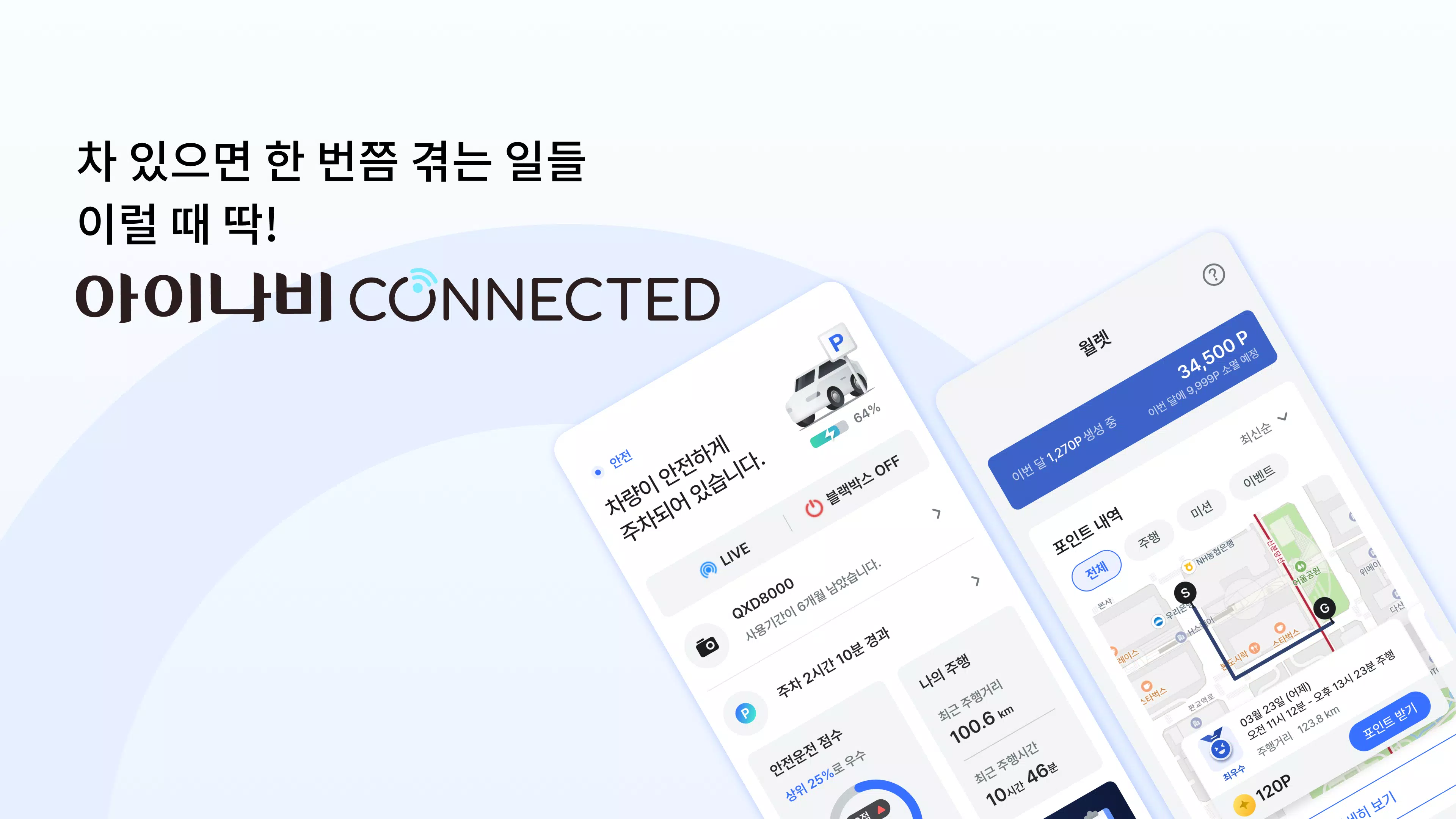

아이나비 Connected puts a connected black box and vehicle management toolkit in your pocket, delivering real‑time status, HD incident footage and remote monitoring tools so drivers can manage safety and vehicle health from a single mobile interface. The app links with compatible dash cameras to stream front and rear impact videos, send SOS alerts to designated contacts, apply OTA firmware updates and present parking, battery and fuel information at a glance, making everyday trips easier to review and safer to drive.
Key Features
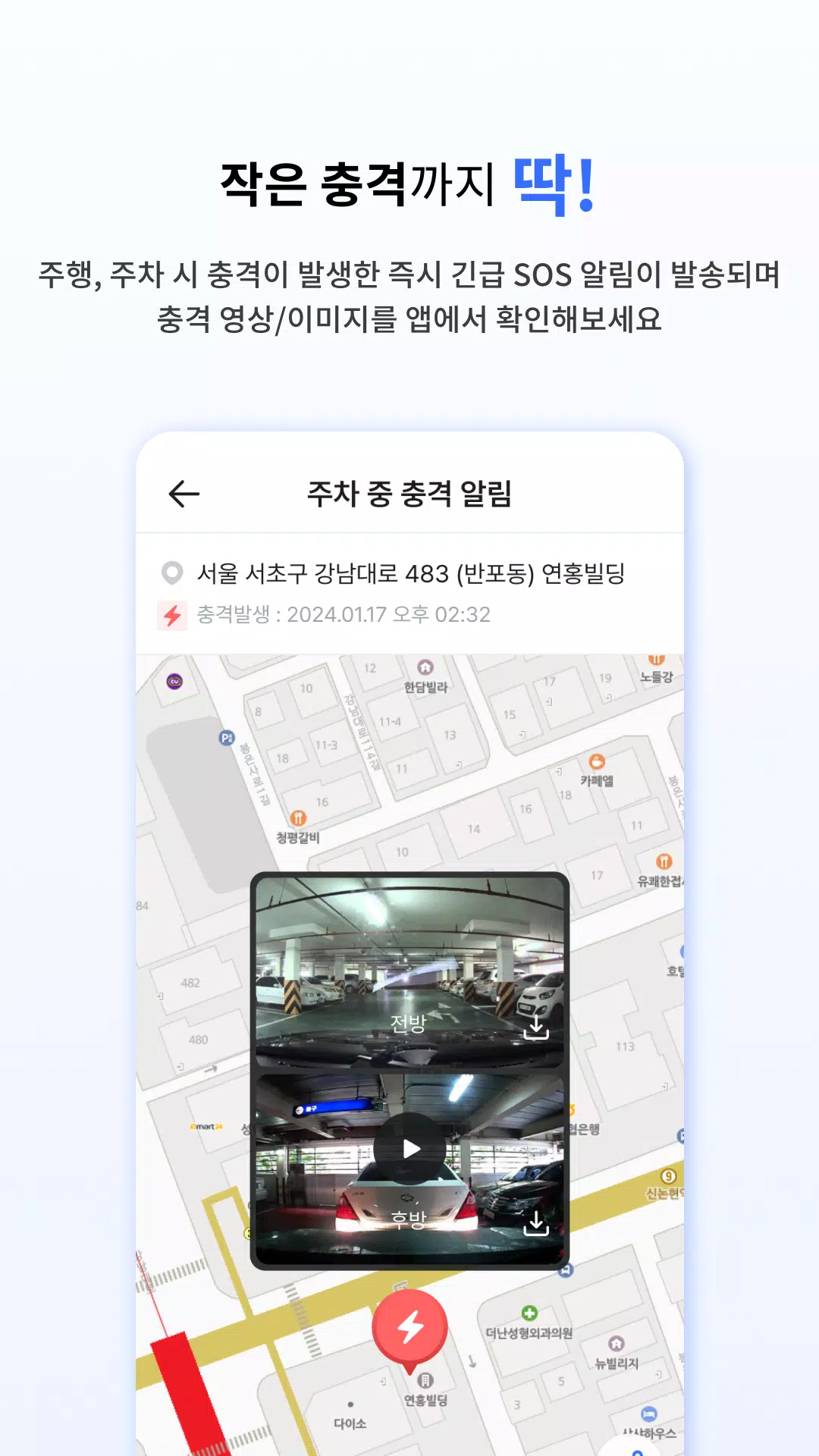
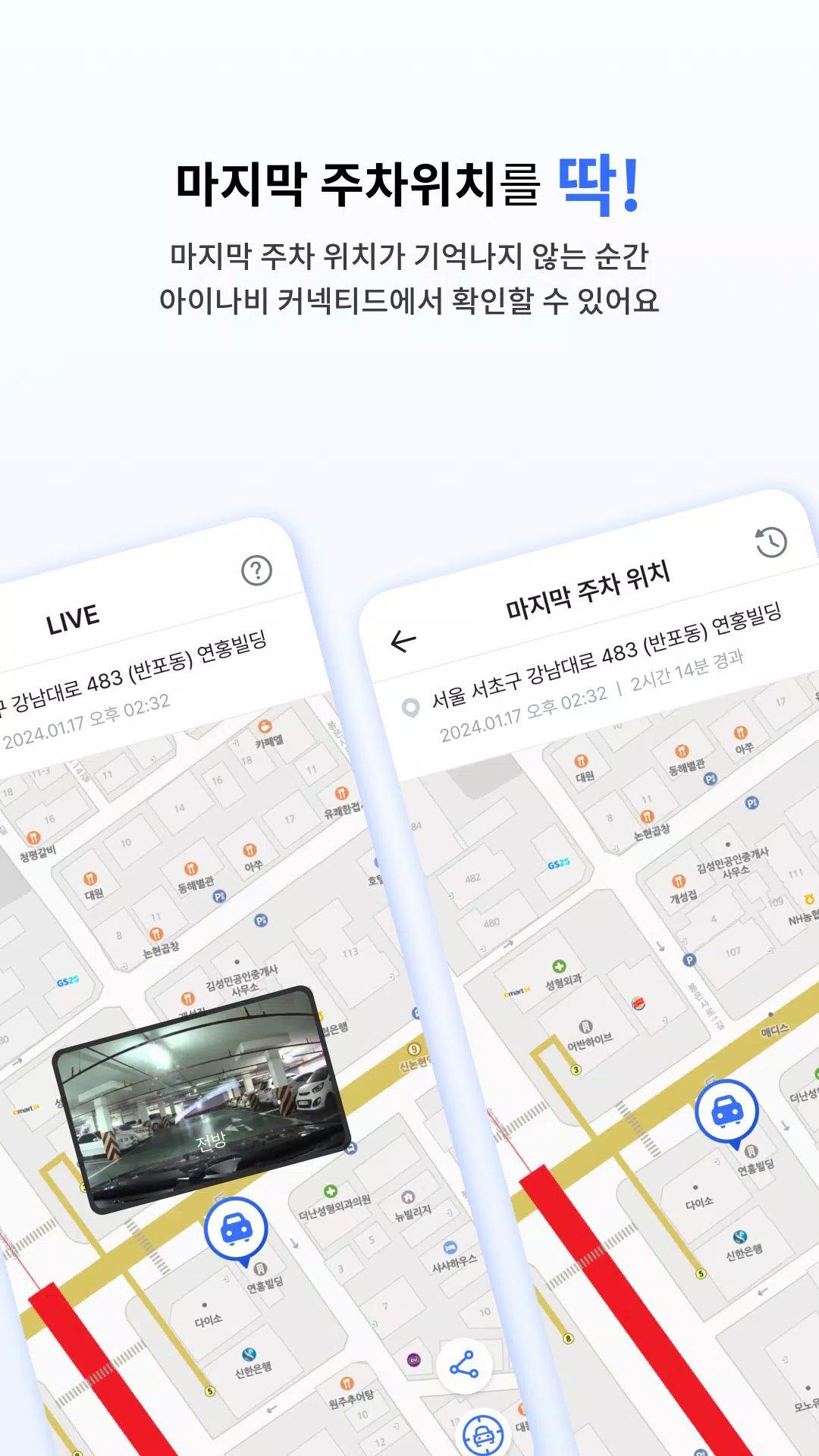
Live incident capture and notification are core to 아이나비 Connected: when an impact or sudden movement is detected the system uploads HD clips to the cloud and pushes clear, timestamped notifications to your phone so you can review footage quickly. Live remote view lets you check surroundings in real time and capture still images remotely, while parking mode records motion‑triggered events and stores the final parking location to help locate and document incidents after the fact.
Controls and Modes
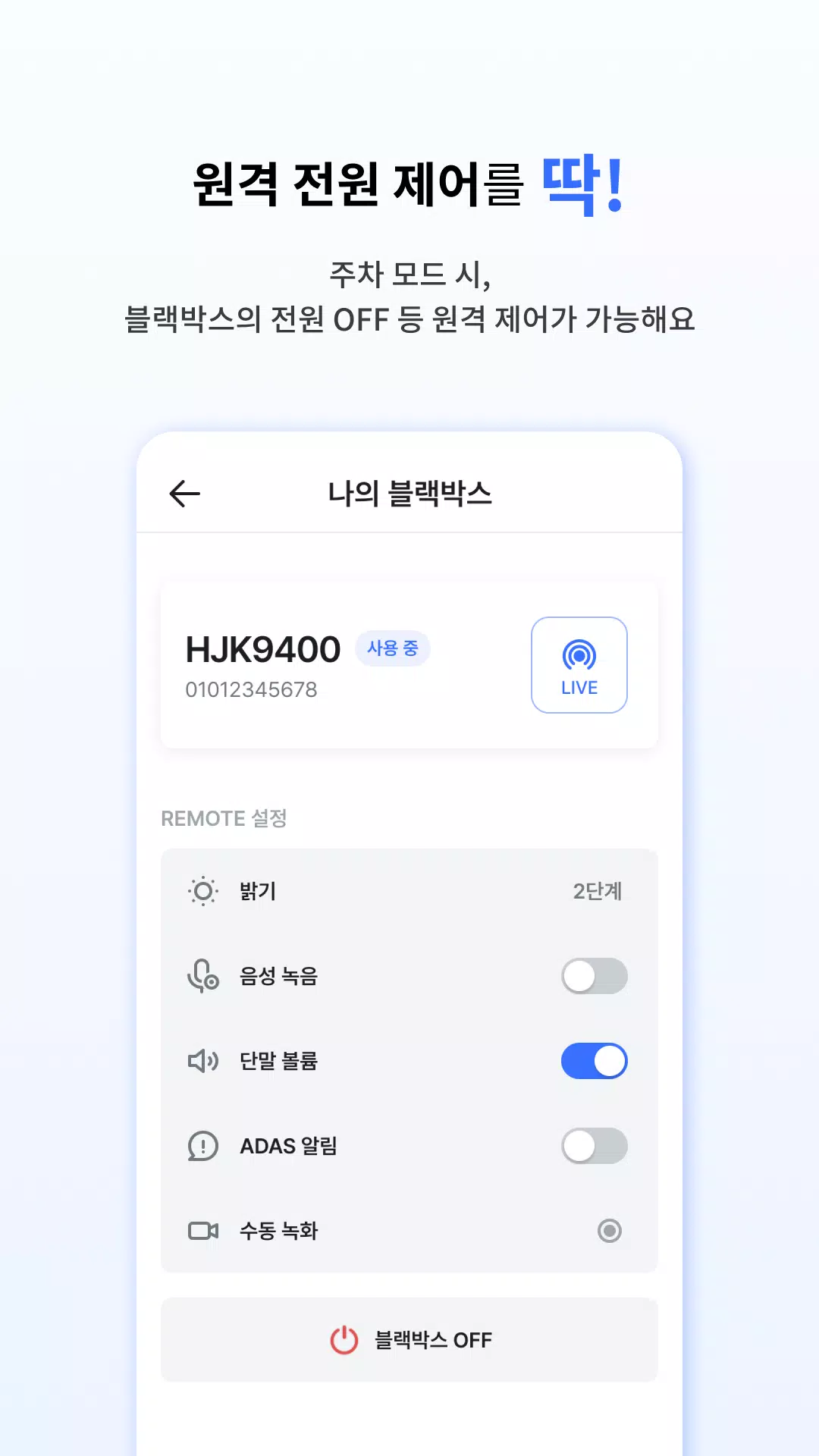
The app groups functionality into intuitive modes: Drive mode for continuous recording and driving analysis, Parking mode for low‑power monitoring while the vehicle is parked, and Live View for immediate remote monitoring. Controls include one‑tap manual recording, voice recording toggle, ADAS notification management and adjustments for recording quality, volume and LCD brightness on supported devices. These controls are designed so drivers can operate essential functions quickly and with minimal distraction.
Rewards, Progression and Reports
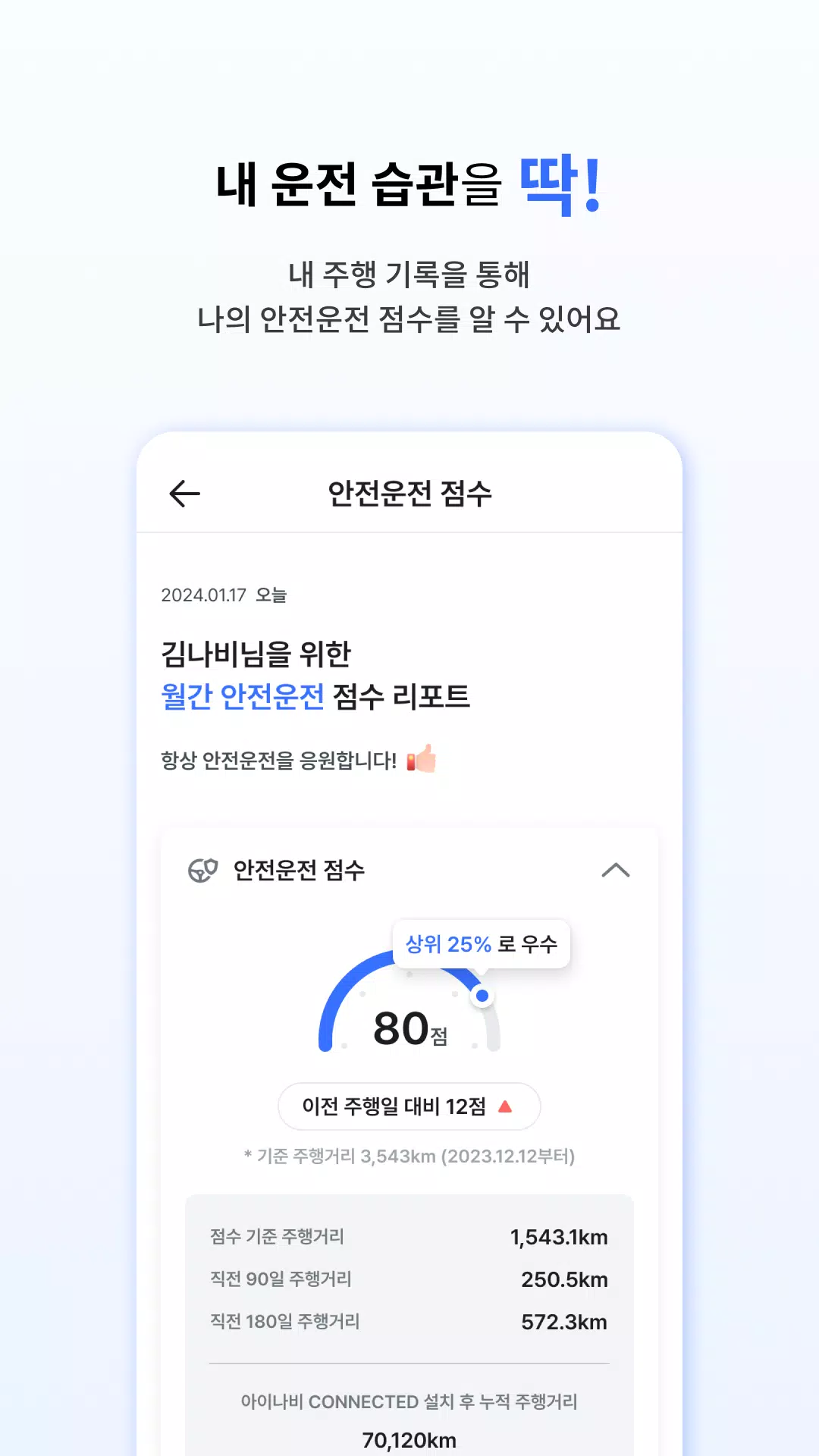
Daily driving habits are evaluated to generate iNavi Points that accumulate in an in‑app wallet; points reflect safe driving behaviors and can be redeemed for in‑app rewards where available. Progression is visible through trip summaries, driving scores and monthly reports that break down braking, acceleration and route efficiency, giving practical steps to improve fuel economy and vehicle wear. The points system is presented as a personal safety progression rather than a competitive leaderboard, so users can set weekly goals and track steady improvements over time.
Visual Design and Playback Experience
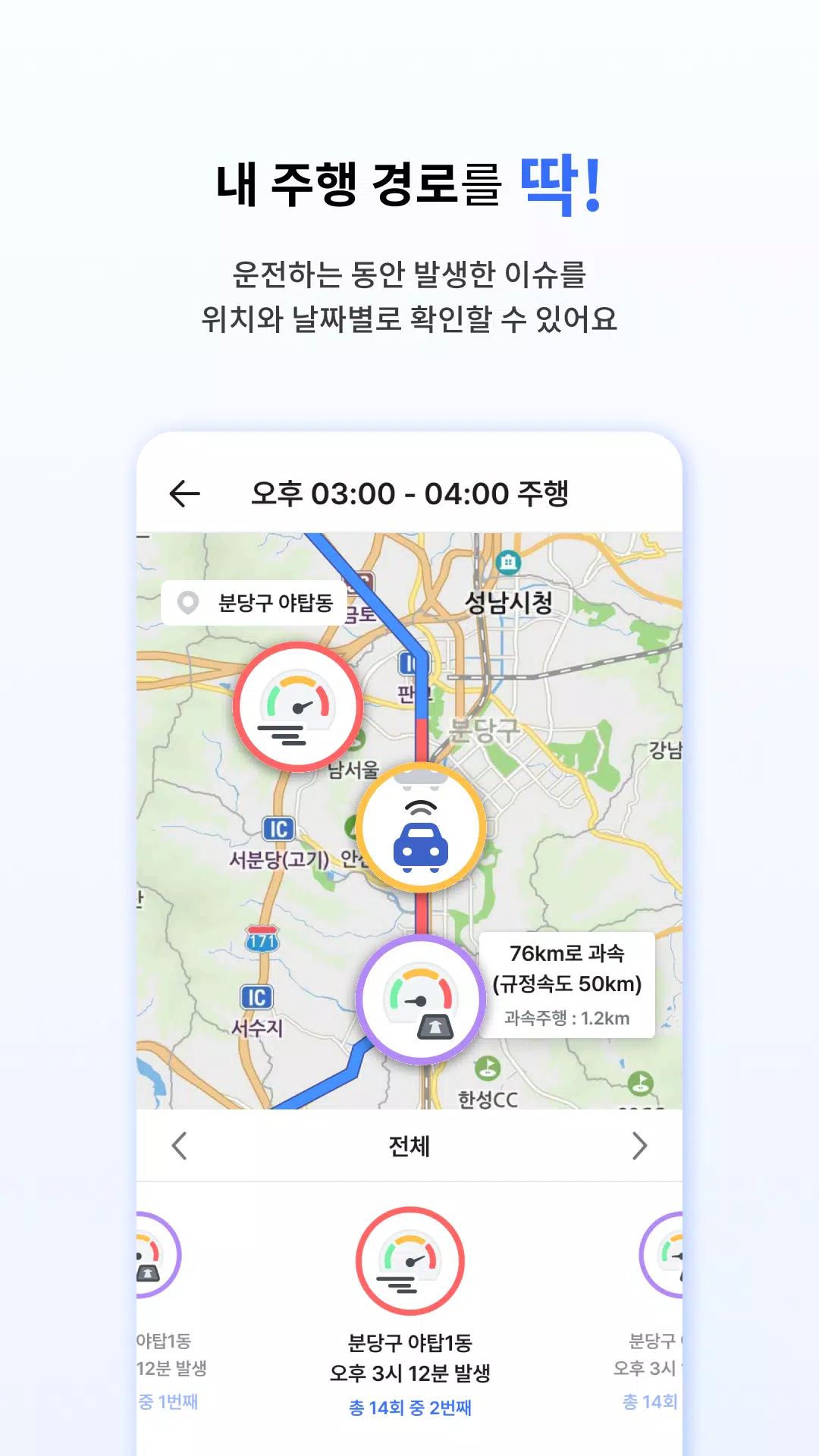
Playback is built around a clear timeline and map view that synchronizes video with GPS data, allowing you to scrub to exact moments and see where events occurred. The video player supports HD streaming when connected and local playback of stored footage when offline, with options to export clips for insurance or evidence purposes. The interface emphasizes legibility and quick access to incident folders, recent trips and device status indicators so reviewing footage is efficient on both phones and tablets.
Customization and Device Settings
아이나비 Connected offers adjustable camera and app settings so users can fine‑tune sensitivity for motion detection, select preferred recording resolution, control how long parking clips are kept locally and in the cloud, and choose which contacts receive SOS alerts. Pro Plus features provide additional remote controls and priority uploads for users who opt into an enhanced service, while OTA updates keep device firmware current without needing a PC connection.
Replay Value and Practical Use
The app’s replay value comes from consistent trip logging and monthly analysis: drivers can revisit key incidents, compare driving behavior across weeks, and export clips or reports for insurance or maintenance records. Routine use helps build a useful archive of vehicle events that supports dispute resolution, preventive maintenance decisions and improved driving habits, increasing the long‑term value of the system beyond single incidents.
Accessibility, Offline Use and Data Considerations
Accessibility options focus on clear icons, high‑contrast notification badges and a simplified review flow to make the app usable for a wide range of users. Local playback works without a network connection so you can view recently recorded videos offline, while cloud features such as remote view, HD uploads and SOS texting require cellular or Wi‑Fi access and may consume data. Users can control upload behavior to limit cellular usage and choose which events are saved to the cloud versus local storage.
Subscriptions, Coverage and Compatibility
Certain remote features and priority services are packaged as Pro Plus subscriptions and may be required to unlock full LTE streaming, extended cloud retention or advanced remote controls. Service availability, partner discounts and insurance integrations can vary by region and provider, so device compatibility and coverage should be checked against the dash camera model and local service plans before purchase or subscription.
User Experience and Practical Tips
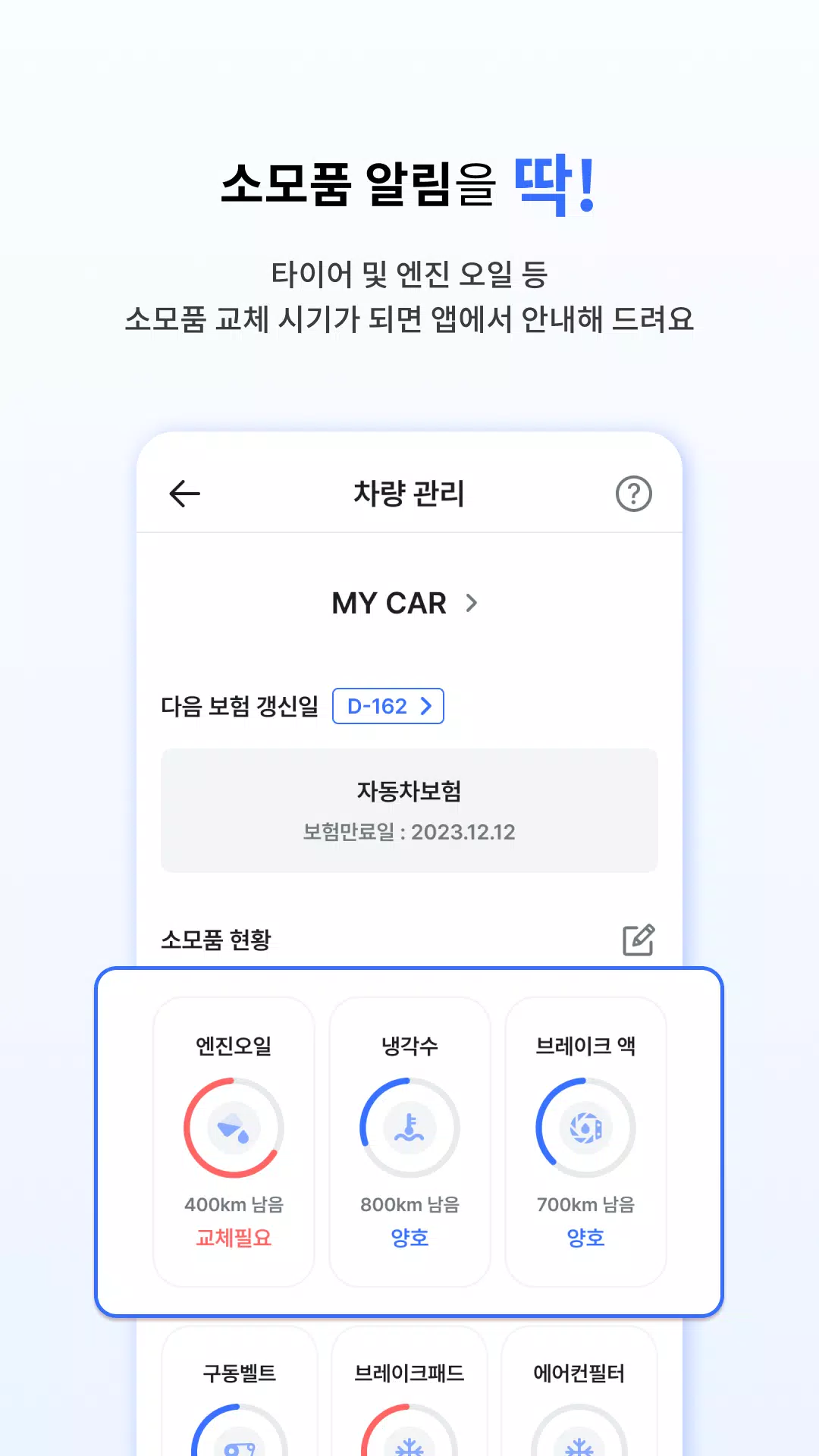
For everyday use, 아이나비 Connected is designed to be a companion to your dash camera: check device status before long trips, review the monthly driving report to spot trends, and enable parking mode in high‑risk parking areas. Regular firmware updates via OTA keep the device current, and the app’s incident export tools make it straightforward to preserve footage for insurance claims or vehicle maintenance. With a focus on clarity, practical controls and a reward system that encourages safer driving, 아이나비 Connected aims to simplify vehicle monitoring and help drivers feel more informed and prepared on the road.