


Pister Invoice

| Package ID: | |
|---|---|
| Latest Version: | v1.0.2 |
| Latest update: | May 22, 2026 12:19:03 |
| Developer: | FOKAS DEV TEAM |
| Requirements: | Android |
| Category: | Finance |
| Size: | 22.00 MB |
| Tags: | System Navigation Date |
Rating :4.3
Pister Invoice is a compact financial management app designed for small businesses, merchants, freelancers, and entrepreneurs who want a straightforward way to manage invoices, income and expenses from a single mobile interface. Pister Invoice places daily transactions and sales activity where you can review them quickly, helping reduce the time spent on manual paperwork and giving a clearer, real-time view of cash flow so you can make better short-term decisions without needing an accounting background. This introduction explains how the app organizes records, what to expect from the user experience, and where it fits best among lightweight bookkeeping tools.
Core features and everyday use
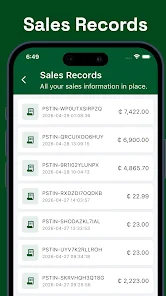
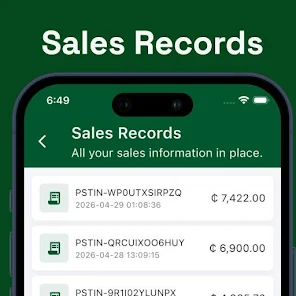
The central idea behind Pister Invoice is consolidation: sales, income and expenses are recorded together so you have one consistent ledger for each client, shop or service offering. The app supports basic invoice creation and tracking, simple expense entry, and sales logs that can be filtered by date or client. Records are linked to client profiles and tags so you can pull up a single customer history, check outstanding invoices, or audit a day’s receipts without switching between separate modules. The feature set focuses on essential bookkeeping tasks rather than deep accounting complexity, which keeps workflows short and predictable for routine use.
Controls, navigation and input methods
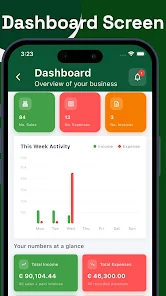
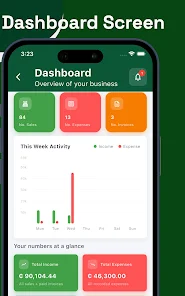
Navigation in Pister Invoice is centered on a clear tab and form layout: a main dashboard summarizes today’s totals and recent activity, while dedicated screens let you add an invoice, register an expense, or update a client profile in a few taps. Data entry is optimized for touch devices with large fields, dropdown selections for categories, and quick date pickers. Where applicable, the app accepts copy-and-paste and simple import formats so you can move information in from other sources; validation checks on amounts and dates help prevent common errors at entry time. The controls are intentionally simple to reduce training time for new users.
Progression, organization and structure
Rather than a gamified leveling system, Pister Invoice offers a progression of organization: as you add clients, invoices and categories the app’s reports become more useful. Early use focuses on recording daily transactions; over weeks and months the stored history enables basic period reviews and trend observations. Records are structured by client and by financial category, allowing you to group transactions into projects or shops, and to export or review a block of activity for a selected period. This incremental build-up of organized data is the practical progression users rely on to move from ad hoc tracking to consistent bookkeeping habits.
Customization and visual presentation
Customization is modest and practical: you can tailor invoice templates, assign category names that match your workflow, and set default payment terms to speed repetitive entries. The visual style favors clarity over decoration, with readable typography, color-coded categories for quick scanning, and compact tables for lists of invoices or expenses. The layout is optimized to surface the most relevant numbers first so owners can see unpaid invoices and daily cash flow without deep navigation. These choices keep the interface approachable for users who prefer function over flash.
Replay value, repeat workflows and reliability
Pister Invoice’s replay value comes from repeatable routines: issuing invoices, recording payments, and reconciling sales are activities that recur daily and weekly. The app is built to make those routines efficient, so repeated use reduces the cognitive load of bookkeeping and frees up time for core business tasks. Regular backups and export options help protect your data and make it straightforward to hand records off to an accountant if your business needs grow. Reliability in core tasks is emphasized over experimental features to ensure predictable performance during busy trading periods.
Accessibility, offline use and limitations
The app supports accessibility basics such as large tap targets and straightforward language to make it usable for a broad range of users. Offline entry is supported for most basic operations so you can add transactions when you’re disconnected and have them sync later; this makes Pister Invoice suitable for field sellers or service providers working where connectivity is intermittent. Users should note that the app is intentionally focused on small operations: advanced accounting functions like multi-entity consolidation, complex tax reporting, or payroll are not part of the core offering and may require additional software. For many small shops and freelance setups, however, Pister Invoice provides the essential tools to keep financial records organized and actionable.






