
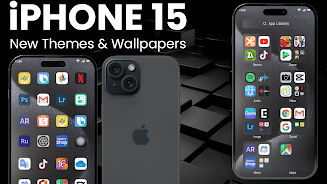
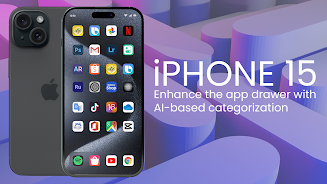
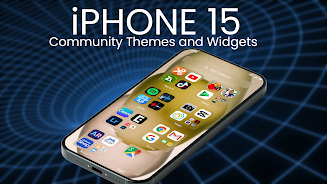
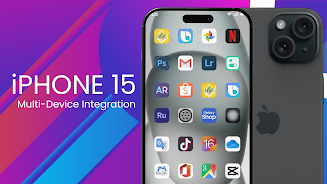
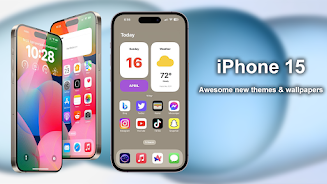
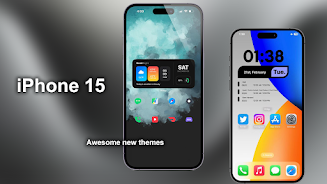
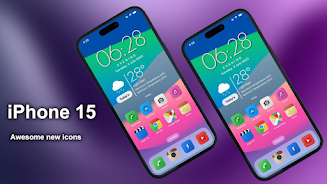
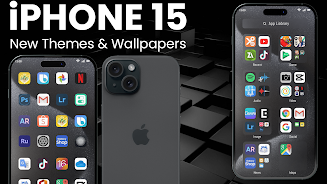

iPhone 15 Launcher for Android brings the familiar visual language of the iPhone 15 to Android devices, offering themed icon packs, original-style wallpapers and a customizable launcher appearance without replacing the core Android system. iPhone 15 Launcher for Android is designed for users who want a clean, iOS-like home screen aesthetic while keeping the flexibility and app ecosystem of Android, and the launcher places emphasis on easy theme application, wallpaper quality and icon consistency.
Key features and how they work
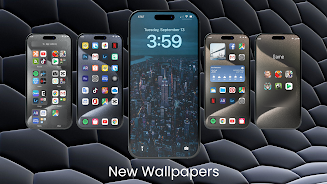
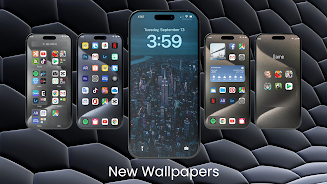
The launcher includes stock-quality FHD+ wallpapers and HD 3D backgrounds inspired by the iPhone 15 family, plus themed icon bundles such as Cool Blue, Cool Lavender and Aqua. Themes are provided as ready-made bundles that you can preview before applying, and the icon packs are crafted to match the color and shape language of the iPhone 15 interface. Wallpapers are supplied in several resolutions so they look sharp on devices with different screen sizes, and you can mix a wallpaper from one theme with icons from another to create a unique look.
Customization, controls and personalization workflow
Customization is handled through an intuitive interface: long-press an empty area to open theme and wallpaper options, tap an icon to edit or replace it, and use simple sliders to adjust icon size and grid spacing so your layout fits screen dimensions and personal preference. The launcher supports multiple home screen pages and dock arrangements; you can rearrange icons by dragging them and preview changes immediately. These controls follow standard Android gestures and are designed to be approachable for users who are new to launchers as well as those who like fine-tuning their layout.
Visual style, design choices and consistency
The visual style aims to recreate the polished, minimal look associated with recent iPhone releases while adapting to Android conventions. Icon shapes, dock styling and wallpaper composition were selected to deliver a cohesive home screen that emphasizes legibility and clean lines. The themed bundles are balanced between vibrant and understated color options so you can choose a subtle pastel look or a stronger, high-contrast appearance depending on your device and preferences.
Progression, replay value and ongoing customization
Rather than levels or achievements, progression here means evolving your home screen over time. You can experiment with different theme combinations, save favorite configurations by noting which wallpaper and icon pack you used, and return to previous looks whenever you like. Because themes are lightweight and quick to apply, the app encourages regular tweaks that refresh the user experience and increase replay value for people who enjoy personalization.
Compatibility, offline behavior and performance
The launcher is designed to be compatible with most Android phones and works alongside popular third-party launchers such as Nova, Apex, ADW, Go and Next Launcher by applying icon packs and wallpapers without requiring a full system replacement. All wallpapers and icons are stored locally once installed, so the core customization features work offline and do not require a persistent network connection. Performance is tuned to avoid heavy background processes; applying a theme or switching wallpapers is quick and does not impact everyday app performance.
Accessibility and user experience considerations
Attention is given to readability and accessibility: icons and text contrast are considered in theme design, and the launcher respects system font scaling so labels remain legible for users who increase font size. The interface relies on standard Android interaction patterns, which helps users with assistive tools or familiarity with accessibility settings to control the layout without relearning new gestures.
Practical limitations and advice
Not every visual effect will behave identically across every manufacturer skin or home-screen layout; some advanced visual touches depend on launcher compatibility and system-level features provided by the device. If a particular effect does not appear as expected, try applying the theme through a supported launcher listed in the app or adjust icon grid settings. For best results, preview a theme before fully applying it and experiment with icon size and dock placement to suit your home-screen arrangement.
Getting the most from iPhone 15 Launcher for Android
To maximize results with iPhone 15 Launcher for Android, start by choosing a wallpaper resolution that matches your screen, then select a complementary icon pack and fine-tune the grid and dock. Regularly switch between themes to discover combinations that suit different lighting conditions or personal moods, and rely on the preview and edit controls to make subtle adjustments quickly. The launcher provides a straightforward path to an iPhone-inspired look while keeping Android flexibility at the forefront.






