



NewPipè Mp3 Mp4 Downloader

| Package ID: | |
|---|---|
| Latest Version: | v2.0 |
| Latest update: | May 20, 2026 09:17:04 |
| Developer: | FomoPro |
| Requirements: | Android |
| Category: | Tools |
| Size: | 26.00 MB |
| Tags: | Navigation Video Music |
Rating :4.4
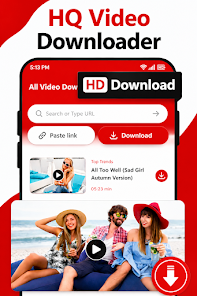
NewPipè Mp3 Mp4 Downloader is a lightweight media utility designed to save videos and music as MP4 or MP3 files for offline use without complicated settings, making it easy to keep tutorials, music tracks, short clips or reels on your device. The app focuses on clear audio extraction and HD video saving while preserving a simple workflow: search or paste a link, choose a quality, and start the transfer. NewPipè Mp3 Mp4 Downloader aims to balance download speed with user control so you can queue multiple files, continue using other apps while transfers proceed in the background, and play content immediately with the built-in player.
Key features and user experience
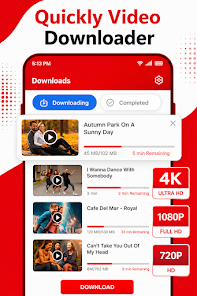
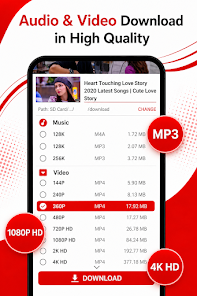
The core functionality of NewPipè Mp3 Mp4 Downloader centers on straightforward downloads and playback. Users can select multiple quality levels for both audio and video so files match available storage and viewing preferences; higher resolutions and bitrates are available when the source supports them. The interface keeps common actions within easy reach: initiating a download, checking progress, and opening the built-in player or device file manager. Background transfer support ensures large files keep downloading while you browse or switch apps, and download queuing allows you to manage multiple items without manual restarts.
How downloads and controls work
Controls are intentionally minimal to reduce friction. To save media, paste a URL or use the integrated browser to find content, then tap the download button and pick an output format (MP4 or MP3) and a preferred quality. The app labels files with clear names and provides simple options to change the destination folder or to pause and resume active transfers. The built-in player opens downloaded files for immediate playback and supports basic transport controls — play, pause, and seek — along with volume control and simple file navigation to jump between saved tracks or videos.
Progression, organization and replay value
Rather than a game-like progression system, NewPipè Mp3 Mp4 Downloader builds value through gradual organization of your media library. As you download, files are cataloged by name and stored for quick retrieval; frequently accessed items remain available for offline viewing or listening. The app’s replay value comes from the convenience of always having a personal collection of tutorials, lectures, or favorite clips ready without streaming. Re-downloading is rarely necessary if you maintain the local library and occasionally clear cache or manage storage using the app’s file controls.
Performance, visual style and accessibility
NewPipè Mp3 Mp4 Downloader is optimized for modest hardware and aims to conserve system resources so it performs smoothly on devices with limited storage or processing power. The visual design is clean and utilitarian, using a simple layout to make navigation intuitive for new users and efficient for experienced ones. Accessibility considerations include readable labels, large tap targets for core controls, and support for background operation to reduce the need for constant screen interaction. These choices help the app remain usable during long download sessions and on a wide range of Android devices.
Offline play and limitations
Offline playback is a primary focus: once files are downloaded they can be played without an internet connection using the included player or any compatible media app. Keep in mind that the final quality of a downloaded file depends on the original source; not all media is available in HD or high-bitrate audio. Background downloads can use mobile data and battery, so we recommend checking settings and using Wi-Fi for large transfers. The app does not provide streaming-only features and respects local usage constraints; legal restrictions in some regions may limit what can be downloaded.
Tips for best results and privacy notes
To get the best results with NewPipè Mp3 Mp4 Downloader, select the highest available resolution when you need quality, or choose lower settings to conserve space and speed up transfers. Monitor the download queue and regularly organize files to avoid duplicate copies. The app stores media locally on your device by default; it does not require persistent cloud access for offline playback. As with any downloader, users should ensure they have the right to save the media they choose and comply with local copyright rules.






