
GOA

| Package ID: | |
|---|---|
| Latest Version: | v1.6.1 |
| Latest update: | May 17, 2026 13:25:02 |
| Developer: | GRADING OWL |
| Requirements: | Android |
| Category: | Tools |
| Size: | 34.07 MB |
| Tags: | Common Navigation Date |
Rating :4.5
GOA is the official authentication utility from Grading Owl Authentication that helps collectors, dealers and casual buyers verify the authenticity of GOA‑graded cards using a smartphone. GOA combines an NFC-based cryptographic authenticator with a manual certification number lookup so you can confirm a card’s grading details quickly at the point of sale or when auditing a collection.
Core features
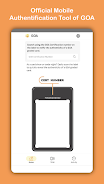
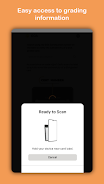
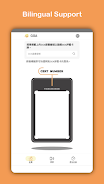
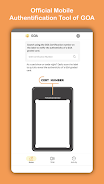
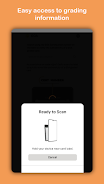
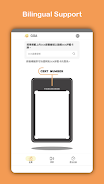
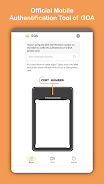
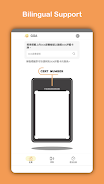
The app performs a secure NFC tap verification of the unclonable cryptographic authenticator embedded in every GOA‑graded card. When an NFC‑enabled device is placed near the card, the app reads the embedded authenticator and compares it with the record associated with that certification. If NFC is not available, the app provides a straightforward manual entry field where you can type a certification number to pull up the same grading details from the GOA records.
How verification works (step‑by‑step)
Verification follows a simple flow designed for speed and clarity. Open the app, choose the verification mode, then either tap the card for an NFC read or enter the certification number and submit. The app displays the grading details — grade, serial or certification reference, and date — along with a clear match/mismatch indication. Controls are intentionally minimal: a primary scan button, a search field for manual entry, and back/confirm actions so you can complete a check in a few seconds.
Activity history and provenance
GOA records each verification in a searchable activity log so you can build provenance over time. The activity page shows a chronological list of past checks with timestamps and the basic grading details returned at the time of verification. This history helps with inventory audits, purchase records, and tracking the verification status of individual items; you can search by certification number or date to revisit past entries.
User experience and visual design
The app emphasizes a lightweight, focused interface that reduces friction during in-person transactions. Screens use clear typography, consistent status indicators and concise labels to minimize ambiguity. The visual design is functional rather than decorative: verification results are presented with clear cues so you can make an informed decision quickly. Basic controls follow platform conventions so navigation, back actions and input behave predictably across Android devices.
Controls, accessibility and device support
GOA supports common accessibility features on Android such as large text scaling and screen reader compatibility to assist users with visual impairments. The interaction model relies on two primary controls: NFC tap for supported devices and a manual text entry for certification numbers. Because NFC is a hardware feature, devices without NFC must use manual lookup. The app also accounts for common accessibility settings and keeps touch targets and contrast levels in line with usability best practices.
Offline considerations and data handling
NFC reads return the card’s cryptographic authenticator locally, but the app may require network access to retrieve the full grading record or to validate a certification number against GOA records. If you need to verify items in locations without reliable connectivity, plan to use the manual entry when a connection is available or confirm items ahead of time. The app is designed to minimize personal data collection; verification logs store only the information necessary to identify the checked item and the time of the check.
Limitations and practical notes
GOA only authenticates cards graded by Grading Owl Authentication; items graded by other services are not compatible with this utility. NFC verification requires a phone with NFC hardware; otherwise you must rely on manual number entry. Some grade details may only be accessible when the device has internet access. These constraints are part of the app’s design to offer reliable, cryptography‑based authentication for GOA‑graded items.
Security and anti‑counterfeit value
The core security advantage in GOA is the use of an unclonable cryptographic authenticator embedded in the card. This approach reduces the risk of counterfeit cards by tying the physical object to a tamper‑resistant digital signature. The combination of NFC reads and manual certification checks provides redundancy so you have multiple ways to confirm authenticity during purchases, trades or inventory work.
Who should use GOA
GOA is aimed at collectors, dealers, auction houses and casual buyers who need a fast, reliable method to confirm the authenticity of GOA‑graded cards. The app supports quick in-person checks, ongoing provenance tracking via the activity log, and a lightweight interface suited to frequent use. Developed by Grading Owl Authentication, this tool complements the GOA grading standard by making verification accessible from a smartphone.






