
Apps
Travel & Local
WC Finder
WC Finder

| Package ID: | |
|---|---|
| Latest Version: | v2.0.4 |
| Latest update: | May 17, 2026 09:20:05 |
| Developer: | 102 Dev |
| Requirements: | Android |
| Category: | Travel & Local |
| Size: | 55.40 MB |
| Tags: | Travel Navigation Date |
Rating :4.0
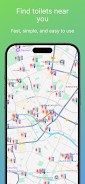
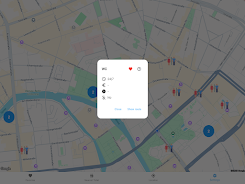
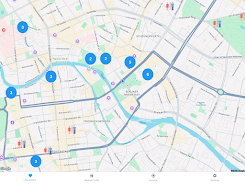
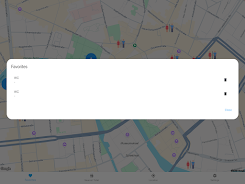
WC Finder is a practical utility designed to help you find the nearest public toilet quickly and reliably, whether you are traveling, commuting, attending events, or simply out running errands. The app leverages your device GPS to display nearby restroom options on an interactive map, surfaces useful details such as opening hours, possible costs and accessibility information, and launches turn-by-turn navigation to the selected location with a single tap. For anyone who frequently needs a restroom in unfamiliar places, WC Finder reduces uncertainty and saves time by putting up-to-date facility details and directions at your fingertips.
Key features and user experience
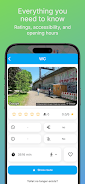
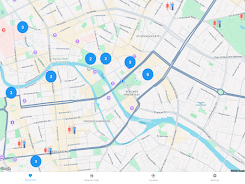
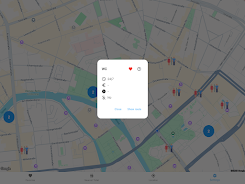
The map-centered interface is built for fast decisions: your current location is shown in real time and nearby facilities are displayed with clear icons and distance estimates so you can choose the closest option immediately. Search controls let you filter results by opening hours, fee/no-fee status, and accessibility to find a facility that meets specific needs. Tap a result to view details such as last-update timestamps, available amenities, and whether the site is temporarily closed, then launch your preferred navigation app or follow the integrated route guidance within seconds.
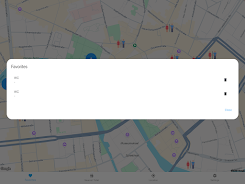
WC Finder keeps interactions simple: common actions are a single tap to navigate, a long-press to add a place to your saved list, and a dedicated button to refresh nearby results. A compact history of recent searches and saved locations helps you build a personalized shortlist over time, which is handy for frequent routes or recurring destinations. The app is optimized for quick, one-handed use so finding a restroom remains straightforward when you are on the move.
Map controls, offline use and progression
Map controls include pinch-to-zoom, panning, and a locator button that recenters the view on your position. To support limited-connectivity situations, WC Finder can cache the map area around your location and the nearest facility details for short-term offline access; this allows you to view basic information and navigate to a cached destination even if cellular coverage drops. Progression in daily use is practical rather than gamified: as you save more locations and rely on the app, your personal list becomes a convenient database of trusted facilities for regular travel routes and repeated trips.
Customization and visual design
The visual style favors clarity over ornamentation: high-contrast icons, readable typography and map symbols that remain distinct at a glance. Users can choose a compact view for quick scanning or an expanded detail view when reviewing a listing. Map themes and icon size adjustments let you tailor the display for visibility in bright daylight or low-light conditions. Small customization choices help the app fit into your routine without unnecessary complexity.
Accessibility and privacy
Accessibility is addressed through clear labeling of facilities that include ramps, changing tables and other mobility information, along with screen-reader-friendly text labels so the app is usable for a broad range of users. Location access is requested only to provide location-based results; WC Finder uses a consent-first permission flow and explains why each permission is needed. No unnecessary personal data collection is required for the core functions, and the app offers controls to clear saved locations and history at any time to maintain your privacy.
Reliability, updates and known limitations
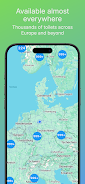
The underlying location database receives periodic updates to improve accuracy, but coverage and level of detail may vary by region. Not every listing will include complete opening hours or cost information in all areas, and the app relies on public data sources and partner updates to keep records current. WC Finder requires location permission to function; without GPS access the app cannot present nearby results. When planning for events or travel in remote areas, users should consider saving key locations in advance while connectivity is available.
Practical tips and support
To get the best results, allow location access while using the app, cache the map area before entering low-coverage zones, and add frequently used restrooms to your saved list for instant access. If you notice incorrect or missing details for a listing, consult the in-app help to learn how updates are managed and when you can expect refreshed information. Regular small improvements keep the experience dependable for commuters and travelers alike, making WC Finder a simple but useful tool for everyday mobility needs.






