

Speed
| Package ID: | |
|---|---|
| Latest Version: | v1.2.0 |
| Latest update: | May 15, 2026 12:20:02 |
| Developer: | Soil2 - Mobile App Developper |
| Requirements: | Android |
| Category: | Other |
| Size: | 2.21 MB |
| Tags: | Travel Navigation Date |
Rating :4.1
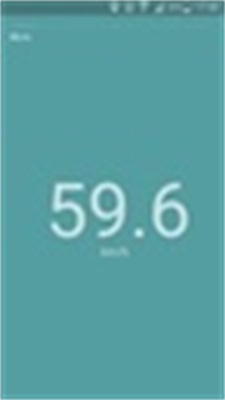
Speed is a lightweight GPS speedometer for Android that gives you clear, real-time velocity feedback on the go. The Speed app displays your current travel speed using a straightforward tachometer-style dial while also tracking peak and average speeds for each trip, making it useful for drivers, cyclists, boaters and air travelers who prefer a focused instrument rather than a full navigation suite. Switch between MPH and KMH quickly, rely on immediate readings with minimal menus, and use the interface to check speed at a glance without distraction.
Overview and core experience
The app centers on a single-screen instrument view that combines an analog-style dial with a prominent numeric readout so you can interpret speed visually or precisely with a quick glance. Because the design is intentionally lightweight, Speed launches fast and presents only the most relevant information during travel. Peak speed and average speed are calculated for each trip so you can assess a run as soon as you stop, and the app minimizes background activity to reduce battery impact while maintaining reliable GPS updates.
Controls and interaction
Controls are simple and designed for use while moving: unit selection between MPH and KMH is immediate, and trip statistics are tied to movement so you do not need complex menus to begin measuring. The display responds smoothly to changes in speed and is easy to operate with one hand when mounted on a handlebar or dashboard. Trip statistics reset automatically when a new trip is detected, and basic reset options are available in settings to clear data between outings.
How trip tracking works and progression
Trip tracking in Speed focuses on moment-to-moment measurements rather than long-term route logging. Each outing is treated as a session in which the app records instant speed, the highest speed reached, and a running average for that session. This approach supports personal progression because you can repeatedly use the same route to monitor improvements to average speed or to verify the impact of pacing and technique during training rides or practice runs. Because the app avoids storing or syncing detailed maps, it stays lightweight while still supporting repeated use for performance comparison.
Visual style and readability
The visual presentation emphasizes clarity and contrast so numbers and the dial remain legible in daylight and low-light conditions. Large digits, a visible needle and incremental markings on the dial make it easy to understand both fine variations and broad changes in speed. The interface reduces clutter and keeps the most important readouts front and center, which helps minimize cognitive load while you are driving, riding or piloting a small craft.
Accessibility and user experience
Speed is built with accessibility in mind by favoring large text, simple layouts and predictable behavior. Users who prefer a high-contrast display or larger fonts will find the main screen readable from a distance when the device is mounted. Because the app relies on standard GPS sensors, it works with a wide range of Android devices without requiring special hardware or network connectivity, and it is tolerant of common interruptions such as brief signal loss.
Offline use and reliability
Since Speed bases measurements on the device GPS, it operates without a data connection, making it suitable for remote areas or when you want to avoid mobile data use. Accuracy depends on a clear GPS signal, so performance can decrease in tunnels, under dense canopy or in very built-up urban canyons. The app compensates for short signal dropouts by using the most recent valid reading until satellite lock is restored, which helps avoid abrupt jumps in displayed speed.
Practical applications and limitations
People use Speed for a variety of practical reasons: quick speed checks on errands, pacing during training rides, verifying instrument readings on small boats, or monitoring speed while flying in small aircraft where an auxiliary reference is helpful. The app is intentionally focused on speed measurement rather than full trip logging, turn-by-turn navigation, or advanced telemetry, so if you need route history, maps or cloud sync those functions are outside the app scope. This focused approach keeps the app small, fast and easy to understand.
Why users return
Users come back to Speed because it provides dependable, instantaneous speed information without unnecessary features. Its simplicity makes it a repeatable tool for routine checks and for incremental training goals, and its offline capability and modest battery footprint make it practical for long outings. If you want a direct, no-frills speedometer on your Android device, Speed offers a clear instrument-style display with the essential statistics you need to evaluate movement in real time.