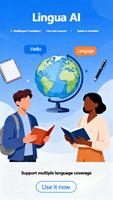
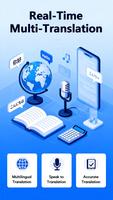

Lingua AI is a compact translation and communication app designed to make everyday conversations and travel easier by delivering real-time speech translation, camera-based text recognition, and fast text translation in a single interface. The app focuses on practical, on-the-go use: tap to speak and see immediate translations, point your camera at signs or menus for live text conversion, or type short messages and get clear, natural-sounding results. Lingua AI is built for people who need reliable, quick answers rather than a full language course, although its features support informal learning through repeated use and phrase rehearsal.
Key features and how they work
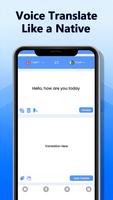
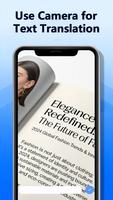
The core functionality of Lingua AI centers on three input modes: voice, camera, and typed text. Voice translation uses speech recognition to capture what you say and returns near-instant audio and written translations so you can continue a conversation with minimal delay. Camera text translation scans printed or digital text and overlays translated words onto the live view or converts them into editable text you can copy. Typed text translation supports short messages and clipboard input for fast results. Each mode is accessible from the main screen with large, clearly labeled controls so you can switch between them without navigating deep menus.
User experience and controls
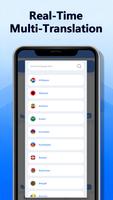
The interface emphasizes simplicity: large tap targets for speaking, a prominent camera button for live translation, and a text field for typing or pasting content. Conversation mode lets two parties speak in turn, and the app keeps a short on-screen history so you can review recent lines. Audio playback includes adjustable speed and selectable voice options to make pronunciation clearer during practice. Visual cues and progress indicators show when input is being processed so users understand delays caused by network or camera recognition. Controls are designed for one-handed use on phones and scale cleanly to tablets.
Progression, practice, and replay value
While Lingua AI is primarily a translation utility, habitual use naturally supports language practice: replaying translations, adjusting playback speed, and repeating phrases helps build familiarity with pronunciation and common expressions. The app stores recent translations for quick review and lets you star or save lines you use frequently so they are easy to repeat. Because translations are immediate and accessible, the app encourages regular micro-practice during travel, errands, or conversations, increasing its practical value over time.
Customization, visual style, and layout
Lingua AI presents a clean, modern visual style with a neutral color palette and clearly separated controls to reduce distraction during use. Users can choose compact or expanded display modes, and text size can be increased for readability. The optional launcher feature allows you to place translation shortcuts and favorite apps on your home screen for faster access; installation is optional and reversible, and the app provides a guided setup to return to your previous layout if you prefer. The combination of simple visuals and basic customization helps the app fit into a variety of daily routines.
Accessibility and device compatibility
The app includes accessibility-minded options such as larger text, high-contrast display choices, and voice playback to support users with visual or reading challenges. Microphone and camera permission prompts are clearly explained so users understand why those sensors are needed for speech and text recognition. Lingua AI is optimized for typical Android hardware and adapts to different screen sizes and input methods, including soft keyboards and external input devices.
Privacy, optional launcher, and limitations
Privacy and transparency are part of the installation flow: using the optional launcher or certain cloud-assisted language features requires acceptance of the app’s privacy policy and terms of use. The free version is ad-supported, which means occasional ads may appear during use. Installing the optional launcher can rearrange home screen shortcuts and widgets; the app offers an easy way to revert if you decide to return to your previous layout. Lingua AI delivers strong convenience for everyday translation tasks but is not a substitute for specialized human interpreters in high-stakes situations.
Practical tips and typical use cases
People use Lingua AI for quick help with signs, menus, short conversations, and messages when traveling or interacting with speakers of other languages. For the best results in noisy environments, move closer to the speaker or use the built-in playback to confirm pronunciation. For printed text, steady the camera and wait for the overlay to stabilize before copying translated text. Regular use of the app’s replay and saved-phrases features can turn quick translation moments into useful practice that supports gradual improvement in everyday language skills.