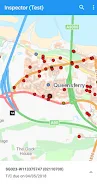
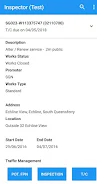
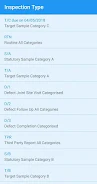

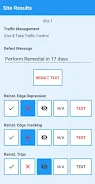
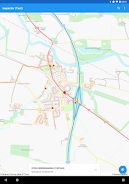
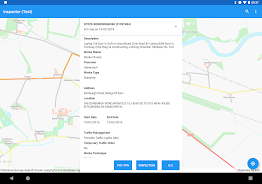
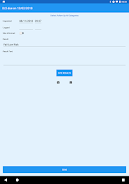
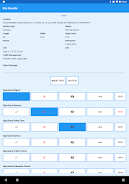

Inspector is a dedicated mobile application designed to let registered SRWR users record Inspection Result transactions directly into the SRWR system; this introduction explains how the Inspector app supports formal transaction capture, access control, and practical field use for professionals and organisations that rely on SRWR. The Inspector application targets authorised SRWR accounts and provides a focused, streamlined workflow so inspection outcomes are recorded as official transactions rather than informal notes, and registration is managed through the SRWR Hosted Support team for approved users.
Key Features
The core purpose of Inspector is to create and submit Inspection Result transactions that integrate with the SRWR back-end. The app presents structured entry screens that mirror the SRWR transaction model, ensuring required fields are validated before submission and reducing the need for rework. Users interact with touch-optimised controls such as date pickers, selection lists, numeric inputs and free-text fields that are designed for fast, consistent entry in field conditions.
Inspector supports draft saving and a clear submission flow: entries can be saved as incomplete drafts, edited, and then submitted as formal transactions when ready. Each submission generates a confirmation and a timestamped record so teams can confirm that an inspection result has been logged into the official SRWR ledger. This transaction-centric design prevents results from remaining in informal notes or disconnected spreadsheets.
How It Works
The workflow in Inspector follows a simple progression system: create a new Inspection Result, complete required fields with guided validation, review the entry, and submit. The review step provides a concise summary of input and highlights any validation issues, helping users catch mistakes before the transaction is posted. A local history of recent drafts and submitted items lets users track progress and revisit recent work without navigating away from the primary task.
User Experience and Controls
Inspector's interface is designed to be practical and unobtrusive for field professionals. Controls are arranged to minimise typing and to surface the most frequently used fields first, reducing time on task. Form controls are grouped into logical sections to reflect inspection stages; this helps mobile users progress through the entry in predictable steps and supports consistency across different users within an organisation.
Progression, Replay Value and Auditability
While not a game, Inspector introduces progression through task completion and auditability: each submitted inspection becomes part of the organisation's official SRWR record, enabling traceable progress from initial assessment to logged transaction. The local history and submission receipts improve replay value in the sense that users can revisit previous results, generate follow-up actions internally, and verify what was submitted and when. This record-oriented approach supports internal audits and reduces the likelihood of lost or duplicated results.
Customization and Level Structure
Inspector organises inspection work into configurable sections that reflect the SRWR transaction schema; administrators who manage account settings via SRWR Hosted Support can determine which fields are mandatory. The app does not provide arbitrary public registration—access is restricted to authorised accounts—so the field structure remains consistent with organisational requirements and SRWR expectations. This module-like structure makes it easy for users to know which items to complete in each inspection session.
Accessibility and Offline Use
Inspector includes accessibility-considerate design elements such as readable contrast, large touch targets and clear labels so users with varying needs can perform entries reliably. For teams working in areas with limited connectivity, the app supports local draft saving and queued submissions: entries saved offline can be submitted automatically when a network connection is restored. This offline-friendly behavior helps field users continue working without losing data and ensures transactions are posted once connectivity is available.
Security, Integration and Support
Access to Inspector is restricted to registered SRWR users to maintain control over who can post transactions. Authentication and enrolment are handled by the SRWR Hosted Support team, which manages registration and credential distribution for organisations using the service. The app prioritises secure transmission of transaction data to the SRWR back-end and logs submissions with timestamps to maintain an audit trail that administrators can reference in their SRWR console.
Limitations and Practical Notes
Inspector is intentionally narrow in scope: it focuses on recording Inspection Result transactions into the SRWR platform and is not intended for public use or general note-taking outside that context. Organisations that do not use SRWR will find functionality limited, and initial access requires contacting SRWR Hosted Support for registration, which adds an administrative step. For support, enrolment questions, or to request account setup, contact the SRWR Hosted Support team who manage credentials and onboarding for authorised users.