



Prabhas Wallpaper

| Package ID: | |
|---|---|
| Latest Version: | v1.1.3 |
| Latest update: | May 13, 2026 12:20:05 |
| Developer: | Samuel Paul |
| Requirements: | Android |
| Category: | Wallpaper |
| Size: | 17.67 MB |
| Tags: | Navigation Photo Date |
Rating :4.0
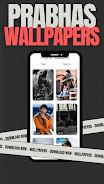
Prabhas Wallpaper brings a carefully curated collection of high-resolution photos of actor Prabhas to your Android device, offering HD, Full HD and 4K options for fans who want cinematic, romantic or mythological looks on their home and lock screens. Prabhas Wallpaper collects official posters, movie stills and selected fan edits from popular releases such as Baahubali, Saaho, Radhe Shyam, Adipurush and Salaar, and includes previews tied to promotional material for upcoming projects. The app focuses on clear controls for previewing, downloading and applying wallpapers so you can personalize your phone quickly and without fuss.
Key Features
The gallery is organized into themed collections and film-based albums, making it easy to browse Prabhas’s different on-screen looks from mythological avatars to contemporary, action-oriented poses. Each image is labeled with its source movie or promotional context where available, so you can find posters, behind-the-scenes stills and fan edits grouped together rather than mixed at random. Resolution filters help you locate images that match your device’s screen density while preserving visual quality.
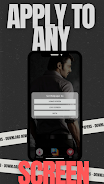
Setting a wallpaper is a one-tap action with an in-app preview and basic crop controls so you can adjust framing before applying an image to your home or lock screen. Downloads are stored locally for offline use and the built-in favorites feature lets you save a personal collection to revisit without searching again. Sharing tools use your device’s standard share sheet to send images to social apps or to friends, retaining image quality when possible.
How the App Works
Navigation is simple: swipe through curated collections or open a specific film album to see grouped stills and posters. Tapping an image opens a preview with options to set as wallpaper, download to your device or add to favorites. Crop and scale controls are intuitive, giving a live preview of how the image will appear on different screen orientations. A small settings area allows you to choose whether downloads default to the device gallery or to an app-managed folder, helping manage storage and offline access.
Visual Style and Content Selection
The app emphasizes high-quality imagery: wherever possible wallpapers are provided in sizes suitable for modern phones, including 4K images for devices that support them. Visual styles range from polished promotional posters to raw on-set stills and artist edits; each item is tagged to indicate whether it is an official promotional image or a fan-made edit, so users understand the source and visual treatment. Colorful, cinematic compositions and close-up portraits are curated to give a variety of looks—from dramatic action shots to softer, romantic frames.
User Experience and Accessibility
Prabhas Wallpaper is designed with straightforward controls and readable labels to support accessibility. Tap targets are sized for easy interaction, and preview text contrasts clearly with background images for legibility. The app attempts to minimize data usage by offering the option to download only the resolution you need and by loading thumbnails on first view so full images download on demand. The interface aims to be lightweight and responsive so navigating large galleries feels smooth on a range of devices.
Offline Use, Updates and Maintenance
Downloaded wallpapers remain available offline, making it simple to apply saved images when you have limited connectivity. The app’s content is updated periodically after new promotional releases and official image drops, so the gallery grows over time with new stills and posters. When newer material becomes available, the app highlights recent additions in a dedicated section so returning fans can quickly find the latest images.
Limitations and Notes
Some entries in the collection are fan edits rather than official promotional photos; these are clearly indicated within the app and may vary in resolution and style. Availability of the newest movie stills depends on official releases and the timing of updates. While the app provides basic cropping and preview tools, it does not offer advanced image editing or automatic wallpaper rotation features, keeping the focus on quick selection and stable performance.
Overall, Prabhas Wallpaper offers a simple, organized way for fans to personalize their devices with high-quality images from across the actor’s filmography, balancing easy controls, offline access and clearly labeled content so you can enjoy and manage your favorite wallpapers without hassle.