



Cleaner Mate is a compact Android utility designed to help you reclaim storage, manage photos and view basic battery information without complicated menus or technical jargon. Cleaner Mate scans your device to identify cache and temporary files, surfaces large items that take up space, and applies intelligent photo compression so images are smaller but still clear enough for everyday use. This introductory editor guide explains how the app is organized, what to expect from its tools, and how its simple controls make routine maintenance straightforward for casual users.
Key Features
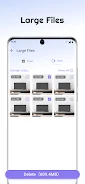
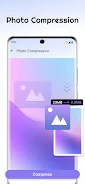
The core tools are focused and practical: a junk file cleaner that groups cache, temporary and residual files so you can decide what to remove; a large file finder that sorts files by size to help recover significant storage in a few taps; and a photo compression utility that reduces image file sizes while preserving visible detail. Cleaner Mate also provides basic battery information so you can check recent usage patterns and charging status at a glance. Each tool is presented in a single screen with clear labels so you can preview items before removal and avoid accidental deletions.
Controls and Interaction
The app uses direct, touch-friendly controls that keep the learning curve low. Scans are started with a single tap, results are presented in grouped lists with checkboxes for selective removal, and deletion requires a final confirmation step for safety. Photo compression includes a simple slider or preset quality options so you can choose a balance between image clarity and space savings. Navigation relies on a small number of persistent tabs or buttons that map to the main sections — Junk, Large Files, Photos, and Battery — which keeps the workflow predictable and fast.
Progression and Storage Management
Rather than a game-like progression, Cleaner Mate helps you make measurable progress by showing immediate reclaimed space after each cleanup and tracking recent cleanups in a lightweight history view. Users can establish a cleanup habit by running quick scans periodically; the app’s incremental scan mode identifies newly accumulated junk since the last run so you do not re-check unchanged files. Over time the visible storage numbers and recent-scan summaries help you understand how different activities (apps, downloads, or camera use) affect device capacity.
Visual Style and Level Structure
The visual approach is intentionally minimal and utilitarian: clear typography, simple icons for each category, and high-contrast buttons meant to reduce distraction. The app is structured into distinct sections rather than nested menus so each “level” of the interface corresponds to a practical task — cleaning cache, purging large files, compressing photos, or reviewing battery stats. This flat structure shortens task flow and reduces the number of taps needed to perform common maintenance actions.
Customization and Accessibility
Cleaner Mate offers modest customization to adapt to different user needs: options to exclude folders or file types from scans, a choice of compression strength presets for photos, and preferences for whether to show preview thumbnails. Accessibility considerations include readable font sizes, high-contrast color choices, and button spacing that supports one-handed use. The app is designed to be usable without a network connection, so all scanning and compression take place locally on the device to preserve privacy.
Replay Value and Practical Use
The app’s replay value comes from routine device upkeep: quick scans are short enough to run weekly, photo compression can be used when you need to clear space before installing updates, and the large-file finder is helpful whenever storage warnings appear. Because the tools are focused and easily revisited, Cleaner Mate supports repeated use without complexity, and the selective-delete workflow means users can safely prune files while keeping items they want.
Technical Notes and Privacy
Cleaner Mate is lightweight and optimized to minimize CPU and memory use during scans, which helps preserve battery life while maintaining responsiveness on a range of Android devices. All file analysis and compression are performed locally; the app does not upload personal files to remote servers. It is not an antivirus product and does not include advanced device optimization suites; automated background scheduling is not advertised here and may not be available, so users should run manual scans for predictable results.
What to Expect After Installation
After installation, grant the necessary storage permissions so the app can scan and list files. Start with a quick scan to see the categorized results, adjust photo compression quality in settings if you prefer more or less aggressive reduction, and use the one-tap delete workflow to remove selected items. Cleaner Mate is intended as a straightforward companion for everyday storage maintenance: practical, easy to understand, and focused on helping you reclaim usable space without unnecessary complexity.