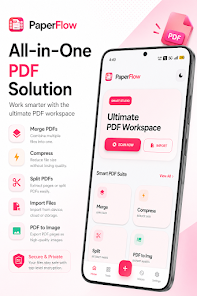
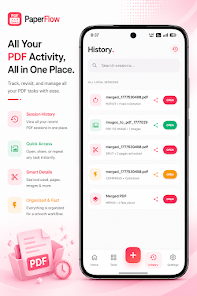
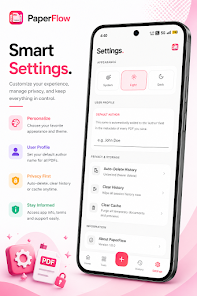

PaperFlow PDF Tools puts a full PDF workspace in your pocket, letting you manage, edit and convert documents without fuss. The app combines scanning with smart auto-crop, page editing, merging and splitting, compression and format conversion so you can handle common PDF tasks quickly on device. If you need to scan receipts, sign forms, reduce file sizes for email or remove sensitive metadata before sharing, PaperFlow PDF Tools centralizes those utilities in a clean interface with offline processing and on-device security to keep files private while you work.
Key Features
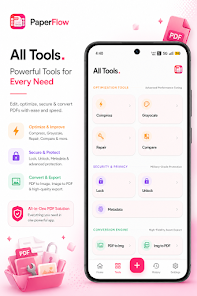
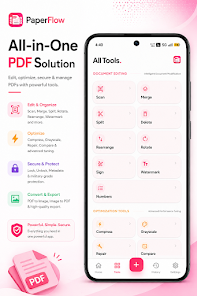
Scan documents with smart auto-crop and edit pages by deleting, reordering, rotating and adding watermarks or page numbers. Merge multiple PDFs, split files into individual pages and sign PDFs digitally within the app. Optimize PDFs by compressing with minimal visible quality loss, repair some corrupted files and convert documents to grayscale. Convert between PDF and high-quality image formats and run file conversions on device. Track recent activity with a session history, quick reopen and share options, and customizable cache settings.
Advantages
Simple, modern interface that groups essential PDF tools in one place for faster workflows. Offline processing and on-device security help protect sensitive files and remove metadata before sharing. PaperFlow PDF Tools offers editing, optimization, conversion and signing features without switching apps, and includes performance options such as cache cleaning and light and dark display modes to improve usability across devices.
Disadvantages
Not intended as a full replacement for advanced desktop PDF suites when highly specialized editing or scripting is required. Cloud collaboration and enterprise-grade team features are not emphasized and may be limited compared with specialized services. Very large or unusually complex PDFs could be constrained by device storage or processing capacity.