

Assistive Touch 2026

| Package ID: | |
|---|---|
| Latest Version: | v1.0.2 |
| Latest update: | May 10, 2026 10:25:05 |
| Developer: | Wormhole Space |
| Requirements: | Android |
| Category: | Tools |
| Size: | 10.00 MB |
| Tags: | Common System Navigation |
Rating :4.3
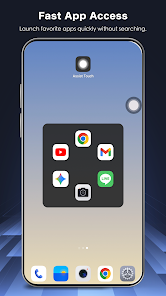
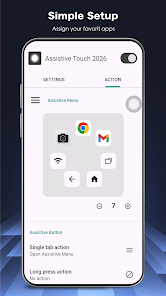
Assistive Touch 2026 brings a floating virtual shortcut to your Android device, making navigation faster, gentler on hardware, and easier for one-handed use. The app places a persistent, customizable panel on-screen to provide instant access to Home, Back and Recent Apps, volume controls and useful toggles so you can avoid repeated presses of physical buttons. Whether you want quick shortcuts to favorite apps, one-tap screenshots, or a lightweight way to control Wi-Fi and brightness, Assistive Touch 2026 streamlines common tasks without adding clutter or noticeable battery drain.
Key Features
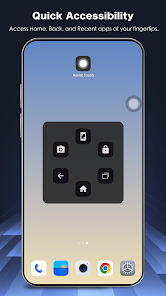
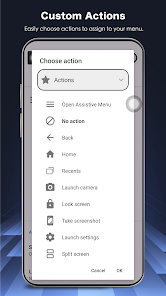
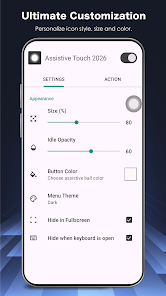
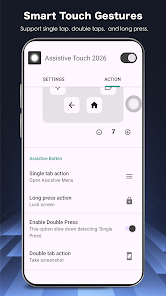
Virtual control center with one-touch Home, Back, Recent Apps and device lock actions for quick navigation. On-panel system toggles include Wi-Fi, Bluetooth, flashlight, screen rotation, brightness, GPS and airplane mode. Built-in volume controls and sound-mode switching (Mute, Vibrate, Normal) let you change audio without physical keys. Quick launch shortcuts open favorite apps from any screen, and appearance and behavior are customizable with icon styles, panel colors, size and transparency. Assistive Touch 2026 uses the Accessibility Service API to perform global actions while respecting user privacy.
Advantages
Protects physical buttons by providing virtual alternatives for Home, Power and Volume functions. Designed for large screens and one-handed operation to speed up everyday interactions. Lightweight and responsive to minimize lag and conserve battery while running in the background. Flexible customization helps you match the floating panel to your device theme and personal style. Assistive Touch 2026 does not collect, store or share personal data via the Accessibility Service according to its privacy statements.
Disadvantages
Requires the Accessibility Service permission to enable global actions, which some users must enable manually in system settings. Granting Accessibility access can feel intrusive to some users despite the app's privacy assurances.