
Apps
Productivity
WooManager for WooCommerce
WooManager for WooCommerce

| Package ID: | |
|---|---|
| Latest Version: | v1.4.2 |
| Latest update: | May 05, 2026 11:19:05 |
| Developer: | WooManager |
| Requirements: | Android |
| Category: | Productivity |
| Size: | 9216.00 MB |
| Tags: | Date Read |
Rating :4.4
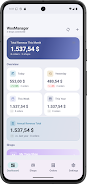
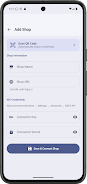
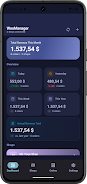
WooManager for WooCommerce puts real-time sales, order management, and inventory alerts directly on your Android device so you can see numbers without opening a browser. Connect a WooCommerce store in under a minute using API credentials or a QR code, then view live orders, revenue charts, stock warnings and home-screen widgets. The app stores everything locally and encrypts API keys, so there is no cloud account or third-party access, a practical choice for solo shop owners and teams who need instant insights, push notifications and strong on-device privacy.
Key Features
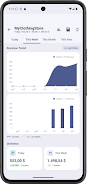
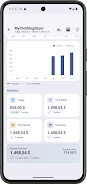
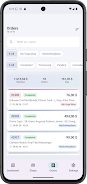
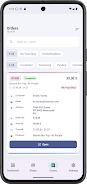
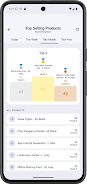
With WooManager for WooCommerce you can monitor a live revenue dashboard that updates charts for today, this week, this month and this year. Manage multiple WooCommerce stores from a single app and view aggregated totals or switch shops instantly. Browse, search, filter and update order statuses directly from your phone. Track products and stock with configurable low-stock alerts to avoid surprises. Add custom home-screen widgets in three sizes that read from the local database even when offline. Secure QR code setup and biometric lock keep API keys protected in Android's encrypted Keystore.
Advantages
WooManager for WooCommerce provides fast setup and quick access to live numbers without loading a browser tab. The local-first design uses no cloud, collects no data and does not relay information to third parties. After syncing you can access orders and products offline, and push notifications, automated reports and background sync keep you informed without manual checks. Encrypted API key storage and biometric app lock offer extra security on the device.
Disadvantages
This app requires a WooCommerce store with REST API access and API credentials to connect. It is Android only and does not include a native iOS client. There is no automatic cloud sync between devices, so data is tied to the phone unless you export or reconfigure other devices.






