



Apps
Productivity
Scanner PDF Pro – Scan OCR
Scanner PDF Pro – Scan OCR

| Package ID: | |
|---|---|
| Latest Version: | v26.3.33 |
| Latest update: | Apr 27, 2026 10:34:05 |
| Developer: | DevCodyx |
| Requirements: | Android |
| Category: | Productivity |
| Size: | 16.00 MB |
| Tags: | Common Camera |
Rating :4.1
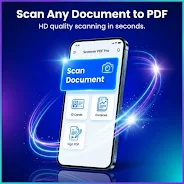
Scanner PDF Pro – Scan OCR converts paper documents into searchable PDFs using your device camera and accurate OCR. Scan receipts, contracts, notes, or whiteboards, then save searchable text, export multi-page PDFs, or share results securely.
How Scanner PDF Pro – Scan OCR works
Point the camera to capture a page, adjust edges with automatic detection, apply image enhancements, and run OCR to recognize text. The app retains the original image and creates a searchable PDF that you can edit or copy from.
Key functions
- Camera scan with auto-crop and perspective correction
- Optical Character Recognition (OCR) extracts editable text in multiple languages
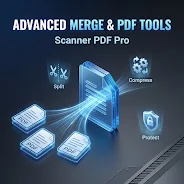
- PDF and image export including multi-page PDFs and standard image formats
- Image adjustments such as crop, rotate, contrast and color filters
- Share and export to email, cloud storage, or other apps
Scanner PDF Pro – Scan OCR stores files locally by default and supports common export options so you control sharing. Check in-app settings for language selection and image preferences.






