


Apps
Productivity
Microsoft SharePoint
Microsoft SharePoint

| Package ID: | |
|---|---|
| Latest Version: | v3.38.10 |
| Latest update: | Mar 30, 2026 09:18:04 |
| Developer: | |
| Requirements: | Android |
| Category: | Productivity |
| Size: | 24.37 MB |
| Tags: | Office Date |
Rating :4.4
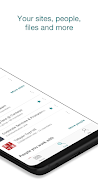
Microsoft SharePoint lets you access your organization's sites, files, and resources from your mobile device. Microsoft SharePoint helps you stay connected to team sites, view news and pages, and open and edit documents stored in libraries with familiar Office apps.
Key capabilities
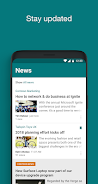
- Browse and follow team sites to see news and updates in one place
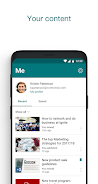
- Open, view, and edit Word, Excel, and PowerPoint files and collaborate on documents
- Access shared libraries, lists, and pages used by your teams
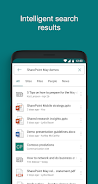
- Search for files, sites, and people across your organization
- Save files for offline viewing and share links with colleagues
Security and administration
Microsoft SharePoint respects organization-managed security and compliance settings. Sign-in and access are controlled by your organization's policies, and permissions for files and sites follow the rules set by your administrators.
Getting started
Sign in with your work or school account to begin using Microsoft SharePoint. If you need assistance, contact your IT administrator for access to specific sites or guidance on permissions.