
















Apps
Productivity
Tunity
Tunity

| Package ID: | |
|---|---|
| Latest Version: | v1.42.0 |
| Latest update: | Mar 15, 2026 12:14:04 |
| Developer: | |
| Requirements: | Android |
| Category: | Productivity |
| Size: | 118.00 MB |
| Tags: | Study |
Rating :4.0
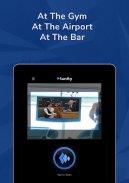
Tunity brings live, muted TV audio straight to your phone so you can listen through headphones or a Bluetooth speaker wherever you are. Point your device at a live TV channel, let the app identify the broadcast, and stream the audio directly to your ears—ideal for crowded bars, gyms, waiting areas, or homes where others are sleeping or studying. Tunity is especially useful for people who prefer one channel among many or need a clearer volume for hearing assistance, offering a discreet way to follow live TV without disturbing anyone nearby.
Key Features
⭐ Scan any live TV screen and instantly locate the corresponding audio stream.
⭐ Stream muted TV audio through headphones or a Bluetooth speaker for private listening.
⭐ QUICK TUNE remembers previously scanned channels so you can rejoin them without rescanning.
⭐ Switch quickly between different TV screens and listen to multiple channels in sequence.
Advantages
✅ Lets you enjoy live TV audio in public places without adding to ambient noise.
✅ Keeps others undisturbed at home while you follow a game, news, or a show.
✅ Tunity improves accessibility by allowing users to set their preferred listening volume separately from the room.
✅ Frees you to move around a gym or waiting area without losing the TV audio feed.
Disadvantages
❎ Designed for live TV audio, so it does not target on-demand or pre-recorded streams.
❎ Each new channel must be scanned the first time unless saved with QUICK TUNE.
❎ Functionality depends on the app identifying the broadcast correctly, which may vary by venue or signal conditions.






