


Apps
Communication
Firefox
Firefox

| Package ID: | |
|---|---|
| Latest Version: | v123.0 |
| Latest update: | Mar 11, 2026 12:18:05 |
| Developer: | Mozilla |
| Requirements: | Android |
| Category: | Communication |
| Size: | 278.90 MB |
| Tags: | Life Social Navigation |
Rating :4.3
Firefox is a mobile browser that puts privacy and user control front and center. Backed by the non-profit Mozilla Foundation, Firefox gives you built-in protections that block trackers, scripts and other invasive technologies by default, while keeping tabs, passwords and searches easy to manage. If you want a faster, less cluttered browsing experience that respects your data and offers practical customization, Firefox provides the tools to browse with confidence: private mode with automatic history deletion, password suggestions and syncing, customizable search placement and a home screen that surfaces bookmarks and recommended reads.
Core Functions
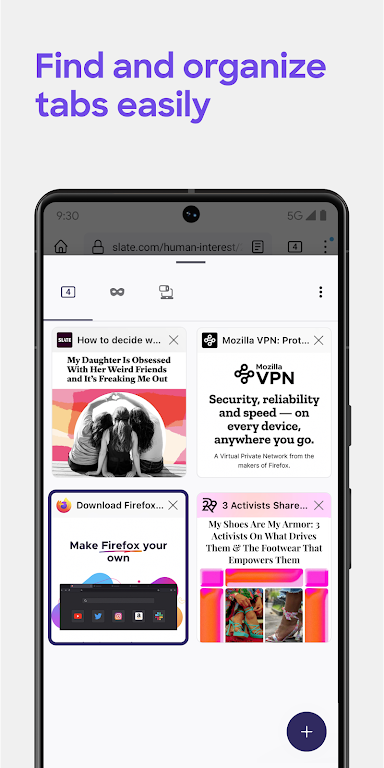
At its heart, Firefox focuses on protecting your privacy while making everyday browsing straightforward. Automatic tracker blocking and enhanced tracking protection reduce unwanted ad and script activity. Private browsing clears local history when you close the session. Tab management lets you open many tabs, view them as thumbnails or lists, and sync open tabs between phone and desktop. The built-in password manager suggests and stores secure passwords and syncs them across devices. Search options include suggestions, recent searches from other devices, and a movable search bar for one-handed use.
Key Features
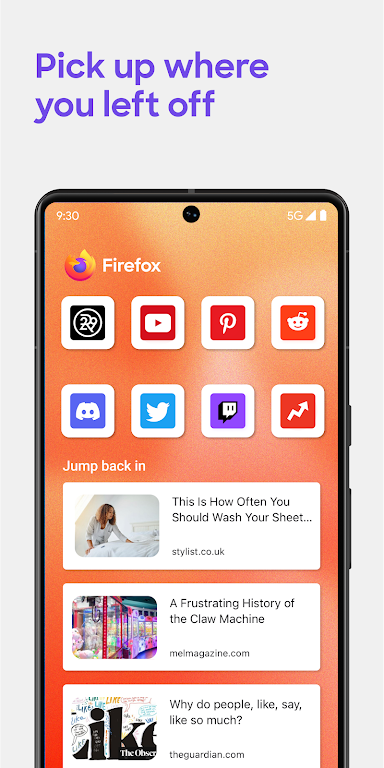
Automatic tracker blocking stops social trackers, cross-site cookies, crypto-miners and fingerprinters by default. Choose a strict protection level for tougher blocking. Tabs can be organized visually or in a list, and tab syncing keeps your workflow continuous across devices. Password management remembers logins and offers strong password suggestions. The search bar can be repositioned to the bottom of the screen and a search widget puts web search on your home screen. Add-ons expand functionality from ad blocking to privacy enhancements, while the Firefox home screen surfaces top sites, recent bookmarks and Pocket-recommended articles. Dark mode reduces eye strain and can help conserve battery life.
User Experience
The browser feels responsive thanks to reduced tracking and lightweight page loads. Controls prioritize clarity: tab previews and a list view make navigation simple, and the option to move the search bar improves one-handed ergonomics. Password syncing and suggestions reduce friction when signing into sites, and the home screen collects frequently used shortcuts and suggested reading into a single, glanceable view. Customizable add-ons let you tailor the experience without sacrificing core privacy protections.
Conclusion
Firefox is a thoughtful alternative for people who want speed, privacy and control in a single mobile browser. It balances automatic protections with customizable options and cross-device conveniences, making it a strong choice for anyone who values a cleaner, more private web experience.






